ITS2.1 User Manual rev.04/1SEP622750P0001 37
14 EKIP DISPLAY
14.1 Ekip Display power LED
Power LED (green) will replicate the behaviour of the Power LED on the ITS2 (Power/Alive setting/Wink).
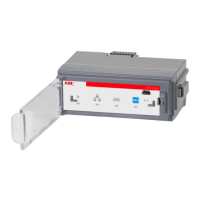
14.2 Ekip Display front overview.
Ekip Display LCD view area is divided in 2 separate section:Signalling area and Menu area
Menu area can have different behaviour (views) depending on where you are in the navigation tree.
Signalling area behaviour is fixed (see Ekip display signalling area paragraph).
Scroll to the right
Confirm / one level down
Enter key
Closing device for fixing
the Ekip Display to the
ITS 2.1 unit.


 To Next Page











