ITS2.1 User Manual rev.04/1SEP622750P0001 6
1.8 Prerequisites
Do not use a standard USB cable. This can lead to hazardous voltage damages at the
laptop.
Connecting a laptop/computer to the ITS unit will require an Ekip T&P adapter.
1.9 Download and install the Ekip Connect software
1) Go to http://www.abb.com/abblibrary/DownloadCenter
2) Search Ekip Connect
3) Download software
4) Unzip 1SDC20011X3000.zip and run setup
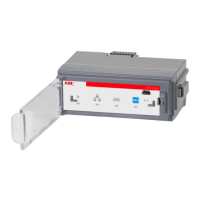
1.10 Ekip T&P test and programming unit
Order code: 1SDA076154R1
Ekip T&P unit is suitable for ITS2.1. You can connect the module via the programming port as below. The
programming port can only be used with Ekip T&P.
Ekip T&P unit allows you to update the software as well as load, set and read the parameters on Ekip Connect
software.
Connect one side of cable B to the programming unit (A) and the other side of cable B to ITS2.1 programing
port. Insert the USB (A) to your computers USB port, Ekip T&P unit draws its power from the PC.
Ekip T&P unit turns on after connecting it to the PC. It is equipped with two LEDS, a green one indicating that
the module is on, and an orange one indicating active communication.


 To Next Page











