38 M4M 20 NETWORK ANALYZER USER MANUAL
Language menu
It is possible to change the display language to one of the languages present in the device. (please refer
to chapter “7.1.Setting language”).
→
→
Unit
→
Language
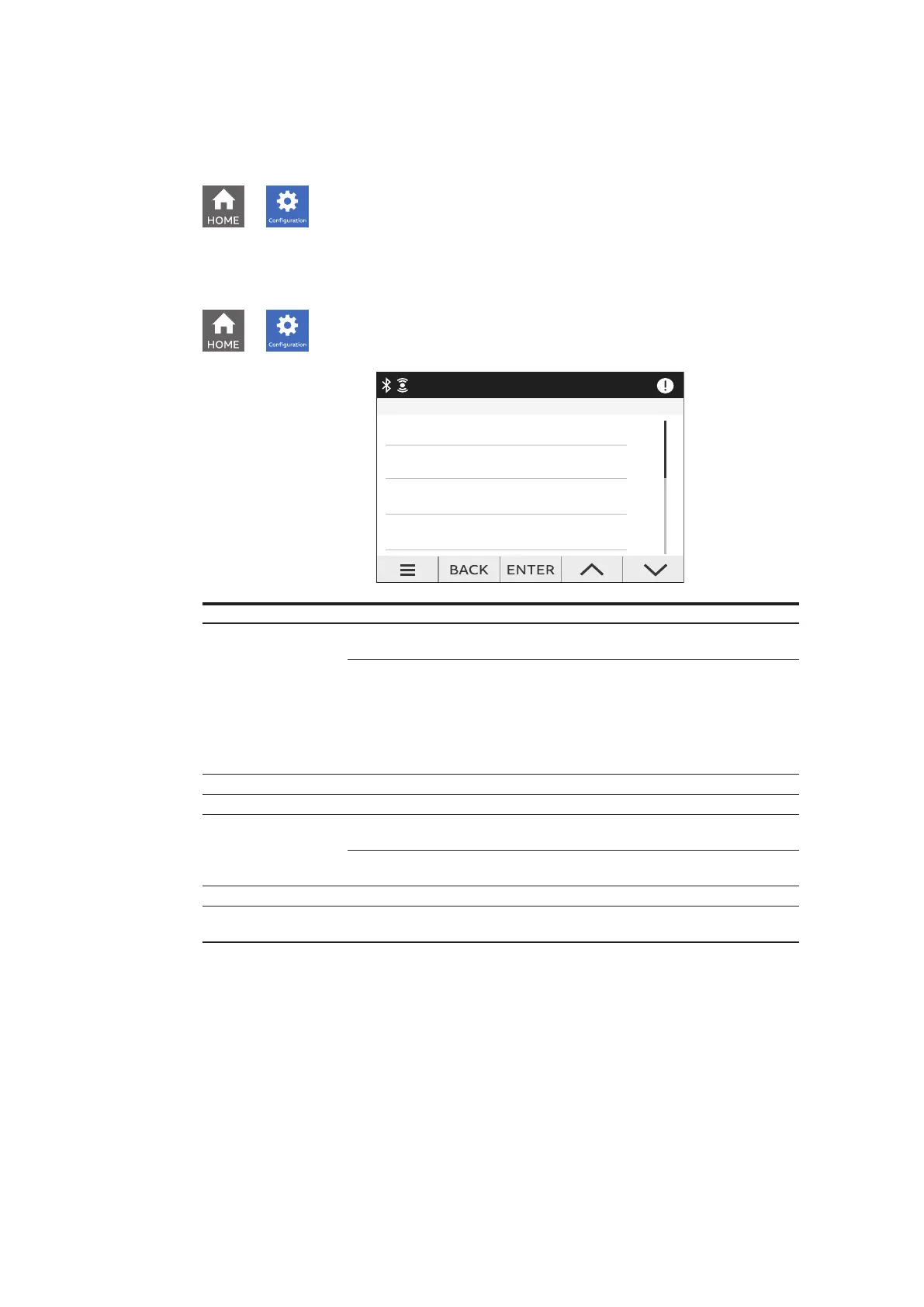
Reset menu
→
→
Unit
→
Reset
Reset
Global reset
Energy reset
Notification reset
Factory reset
Type of reset Description
Factory reset
Restore the device to the factory state except for the audit log. Up to 20
factory resets can be carried out over the product lifetime.
M4M 20-M (MID)
Factory reset doesn’t reset following parameters:
• primary current transformer
• secondary current transformer
• primary voltage transformer
• secondary voltage transformer
• type of network settings
Global reset Complete reset of the device except for the settings and the audit log
Avg/Min/Max reset Reset the average, min and max data.
Energy reset
Erase all energy measurement accumulators. Up to 240 energy resets can
be carried out over the product lifetime.
M4M 20-M (MID)
Energy reset is disabled for MID version.
Notification reset Erase all notifications (Alarms, Warnings, Errors).
Timer reset
Reset the count up counter to zero and the count down counter to the last
set starting value
Device Info menu
In this menu it is possible to visualize the main info related to the M4M network analyzer: FW version, FW
CRC, product name and unique serial number.
It is highly recommended to update the firmware to the latest version for security and functionality
reasons.
Please check the ABB website and download the latest version of the firmware.
In order to update the FW to the latest version (via Modbus RTU or Modbus TCP/IP) it is necessary to use
ABB Software Ekip Connect 3.




 To Next Page