63
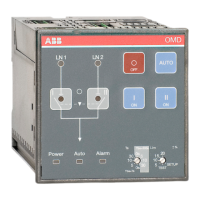
AUTOMATIC CONTROL UNIT, OMD800
AUTOMATIC CONTROL UNIT, OMD800
—
9 Troubleshooting OMD800
Alarms and events are presented with a dedicate message on the Alarm/Event Log.
Alarms are explained in the table below:
Message Fault Action Value
Open 1
Failure
Switching from
position I to position O
fails. After 3 seconds
the Alarm LED blinks.
The alarm can be reset by pressing the AUTO key.
If the alarm activates again after trying to operate the
switch, please check that the Motor/Manual selector of
the change-over switch (only with motorized change-over
switches OTM160...2500_CM) is in Motor (M) position
and check the fuse (F1) of the motor operator.
1
Open 2
Failure
Switching from
position II to position O
fails. After 3 seconds
the Alarm LED blinks.
The alarm can be reset by pressing the AUTO key.
If the alarm activates again after trying to operate the
switch, please check that the Motor/Manual selector of
the change-over switch (only with motorized change-over
switches OTM160...2500_CM) is in Motor (M) position
and check the fuse (F1) of the motor operator.
2
Open SL Device controlling
opening of the
secondary loads fails.
After 3 seconds the
Alarm LED blinks.
The alarm can be reset by pressing the AUTO key.
If the alarm activates again after trying to operate the
secondary load, please check status of the secondary
load control device according to instructions provided by
the manufacturer.
4
Close 1
Failure
Switching from
position O to position I
fails. After 3 seconds
the Alarm LED blinks.
If the alarm activates again after trying to operate the
switch, please check that the Motor/Manual selector of
the change-over switch (only with motorized change-over
switches OTM160...2500_CM) is in Motor (M) position
and check the fuse (F1) of the motor operator.
8
Close 2
Failure
Switching from
position O to position II
fails. After 3 seconds
the Alarm LED blinks.
If the alarm activates again after trying to operate the
switch, please check that the Motor/Manual selector of
the change-over switch (only with motorized change-over
switches OTM160...2500_CM) is in Motor (M) position
and check the fuse (F1) of the motor operator.
16
Close SL
Failure
Device controlling
closing of the
secondary loads fails.
After 3 seconds the
Alarm LED blinks.
If the alarm activates again after trying to operate the
secondary load, please check status of the secondary
load control device according to instructions provided by
the manufacturer.
32
Force
Manual
Handle mounted. Please check that the handle has been removed from the
change-over switch and the change-over switch is not
padlocked from the front panel.
256
External
Fault
Both automatic
transfer switch
position status inputs
are active.
Check connections between OMD and the change-over
switch
512
External
Alarm
External malfunction Check the device connected to the external alarm input 1024
Generator
Alarm
Generator
malfunctioning.
Check generator according to instructions provided by
the manufacturer.
4096
Table 9.1 Alarms in OMD800


 To Next Page