2TLC172287M0201 Rev B 31 www.abb.com/jokabsafety
2015-09-17
7.4 EDM function
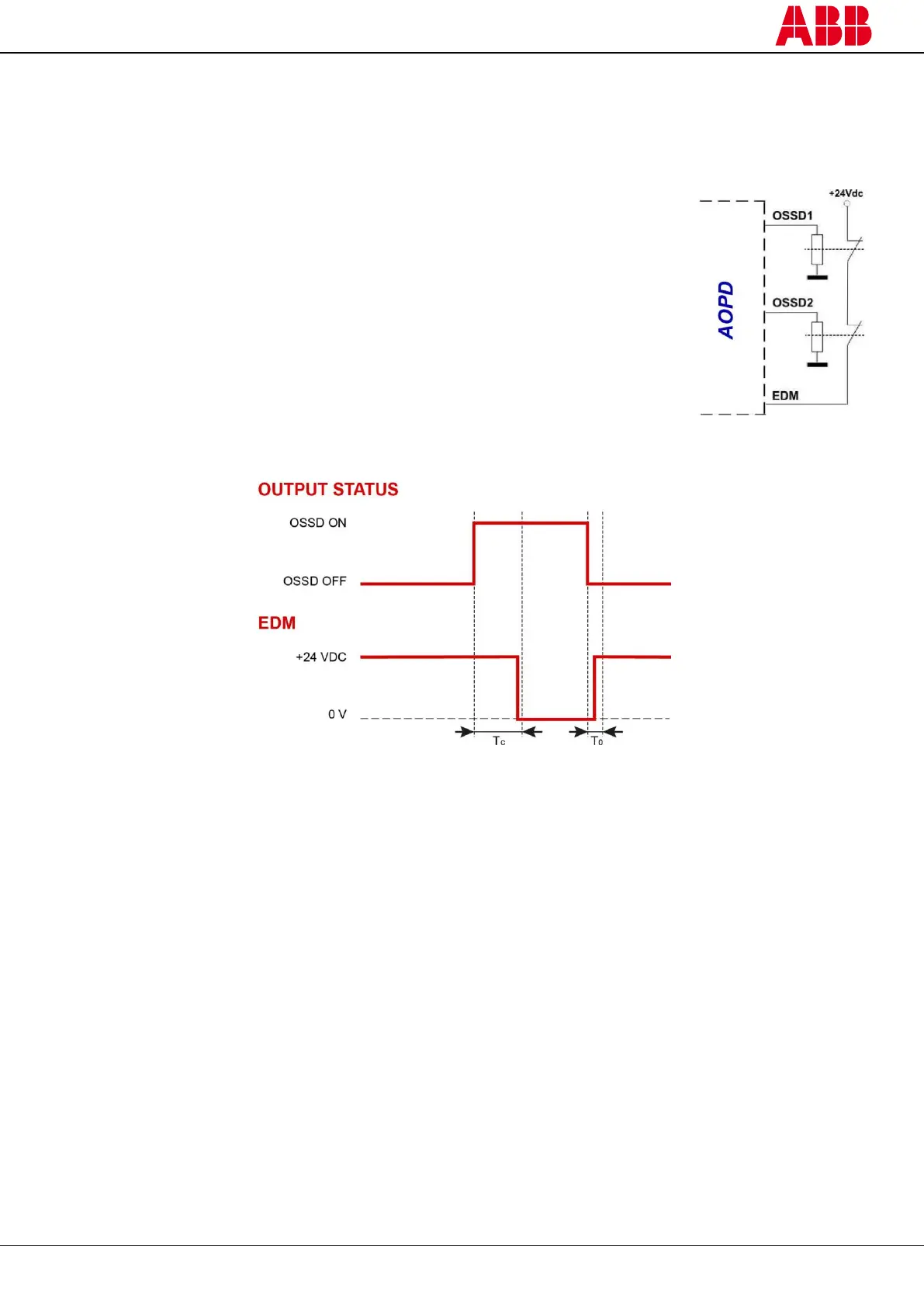
The AOPD has a function for monitoring the actuation of external devices (EDM). This function can be activated or
deactivated (see paragraph 5 – “Electrical connections”).
EDM activated:
1 ) Disconnect pin 3 of the receiver or connect it to the ground (EDM
selection = ON).
2 ) Connect the EDM input (pin 4 of M12 8-pole – RX) to +24 VDC through the
normally closed contacts of the devices to be monitored.
NB: The decimal dot on the display shows that the function is activated.
EDM deactivated:
1 ) Connect pin 3 of the receiver to +24 VDC (EDM selection = OFF).
2 ) Disconnect the EDM input (pin 4 of M12 8-pole - RX) or connect it to the ground.
This function checks that the normally closed contacts switch state when the OSSD
outputs change state.
Figure 30 – Time chart of the EDM function
T
C
and T
0
are the times between the change of state of the OSSD outputs and the change of state of the NC contact of
the external device.
T
C
≤ 350 ms: the external NC contacts must open within this time after the OSSD outputs have switched on.
T
0
≤ 100 ms: the external NC contacts must close within this time after the OSSD outputs have switched off.
Figure 29 – Connection of EDM


 To Next Page