XIO USER MANUAL | 2106424MNAB | 151
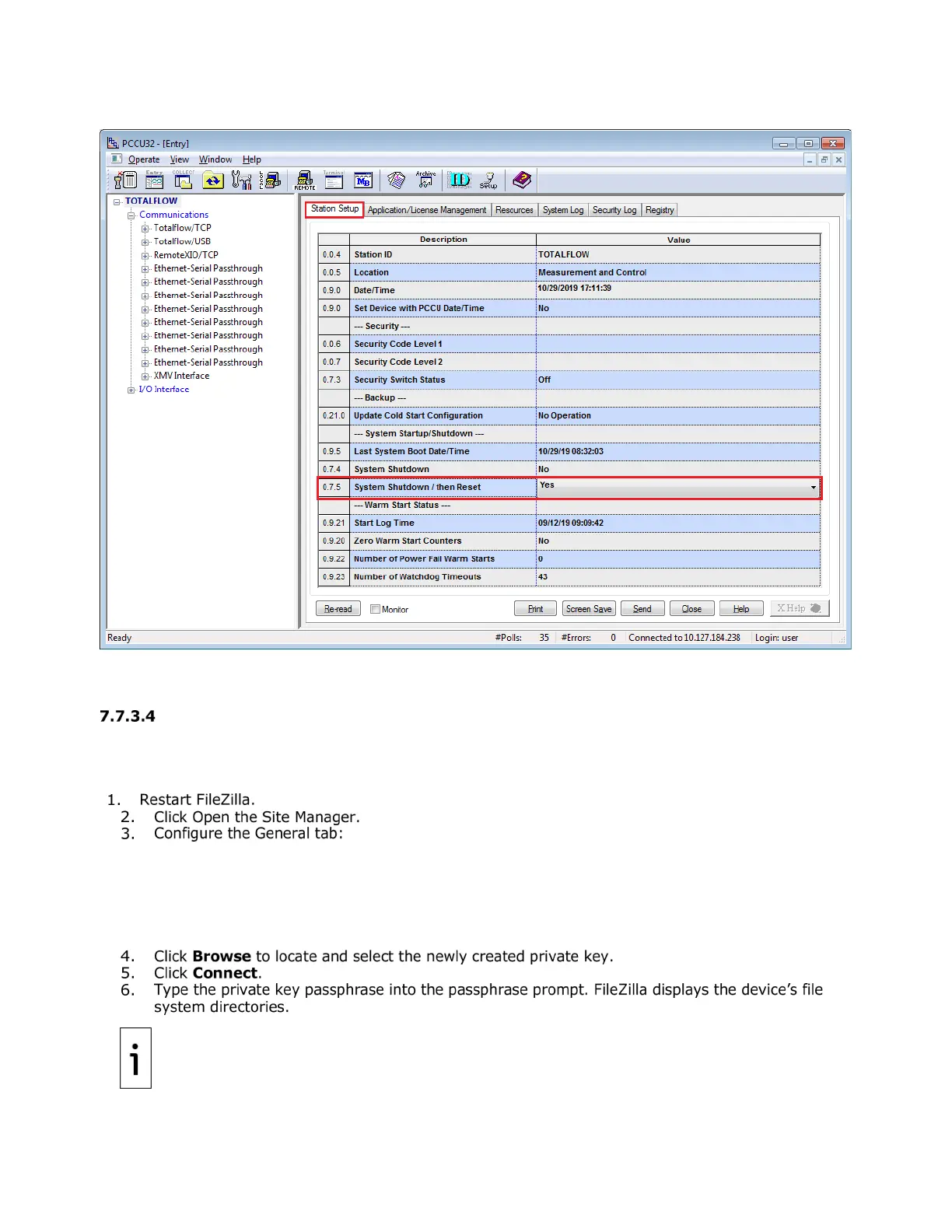
Figure 7-34: Restart Totalflow device after public key update
With the key upload complete, a new private-public key pair is available for authentication. Test the
authentication with these new keys next.
Verify authentication with new private-public key pair
Verify that the public key update successfully established a new FileZilla SFTP connection with the new
key and passphrase.
To verify:
• Host: Type the device’s IP address.
• Port: Type 9696.
• Protocol: Select SFTP - SSH File Transfer Protocol from the drop-down list.
• Logon Type: Select Key file from the drop-down list.
• User: Type the user required per account type (For the Totalflow user account, type
totalflow. For the developer or tech support accounts, type root.)
Keep private key files stored in a safe location accessible only to authorized
personnel and security managers.


 To Next Page