XIO USER MANUAL | 2106424MNAB | 57
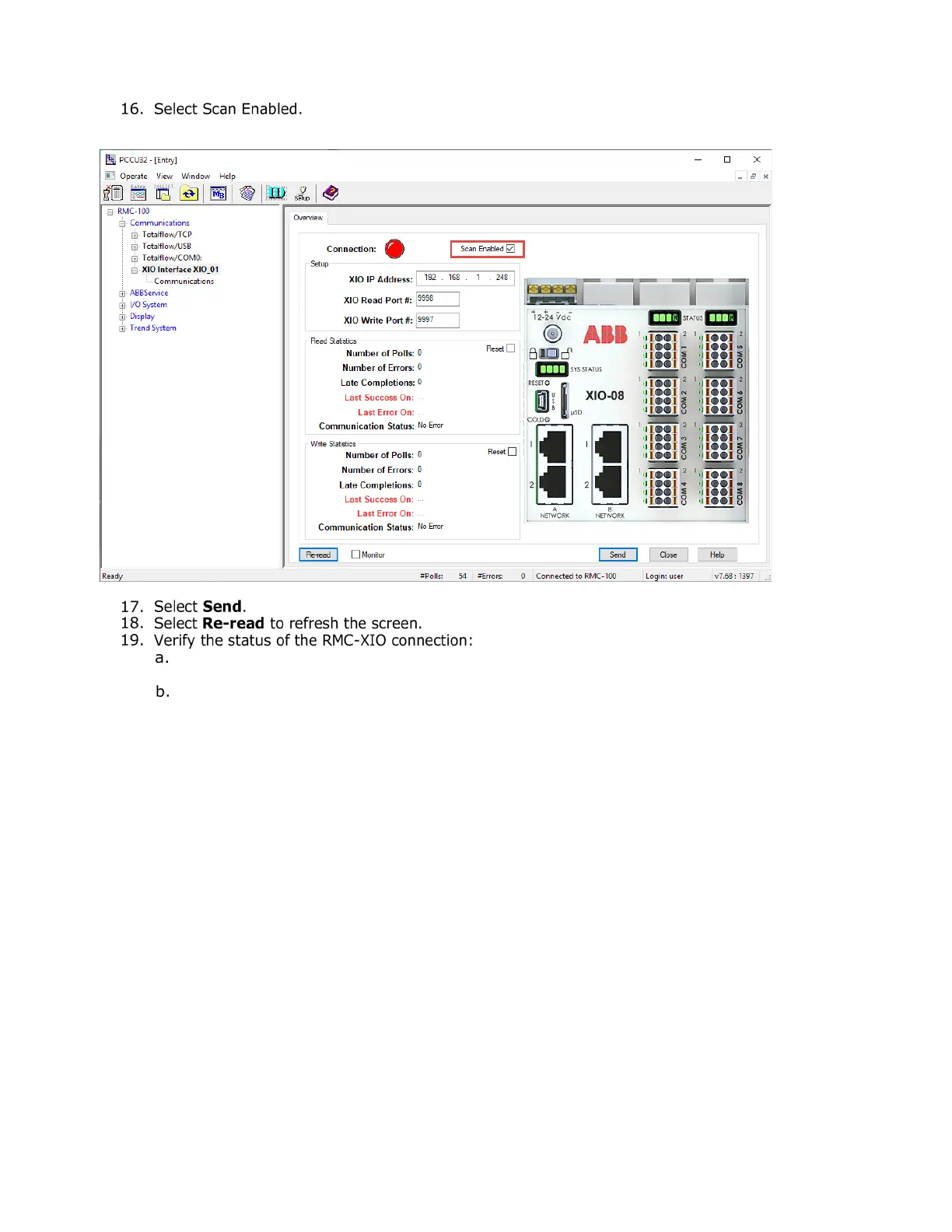
The connection is successful if the Connection indicator is green. The Communication Status
under the Read Statistics section should display: No Error.
The connection failed if the Connection indicator is red. The Communication Status under the
Read Statistics section displays: Connection Timeout. Additional information on screen
parameters is available in the PCCU help topics. Click Help to display topic for the screen.
4-29: Enable the XIO Interface scan function


 To Next Page