US | 13
Conguration
Setting the conguration
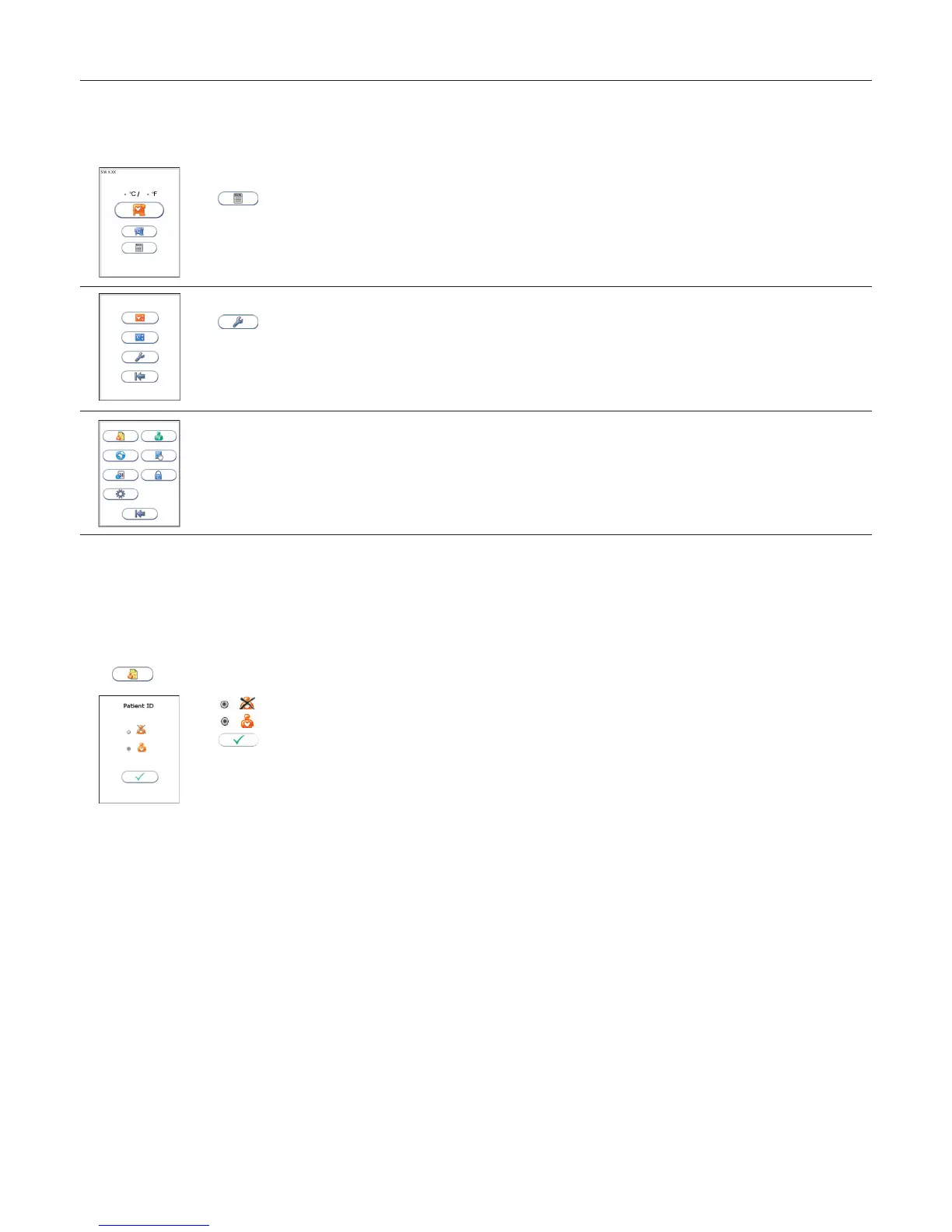
Before using your Anion 2 Analyzer you should set the conguration according to your needs. To enter the Conguration menu, do the following:
1
Start-up menu
Touch to enter Main menu.
2
Main menu
Touch to enter Conguration menu.
3
Conguration menu
Select an item for conguration (see following pages).
Patient ID conguration
Patient ID enable/disable
The patient identication (ID) function can be enabled or disabled. The patient ID function is enabled as a default setting by the manufacturer. When the patient
ID function is enabled, the patient ID must be entered for each test cartridge to be analyzed. If the patient ID function is disabled, a run number will automatically
replace the patient ID and be displayed in the upper left corner of the screen. This numbering is reset each day at midnight.
Touch
in the conguration menu to enter the patient ID on/off option.
Select to disable the patient ID function.
Select to enable the patient ID function.
Touch to accept and return to the Conguration menu.



 To Next Page