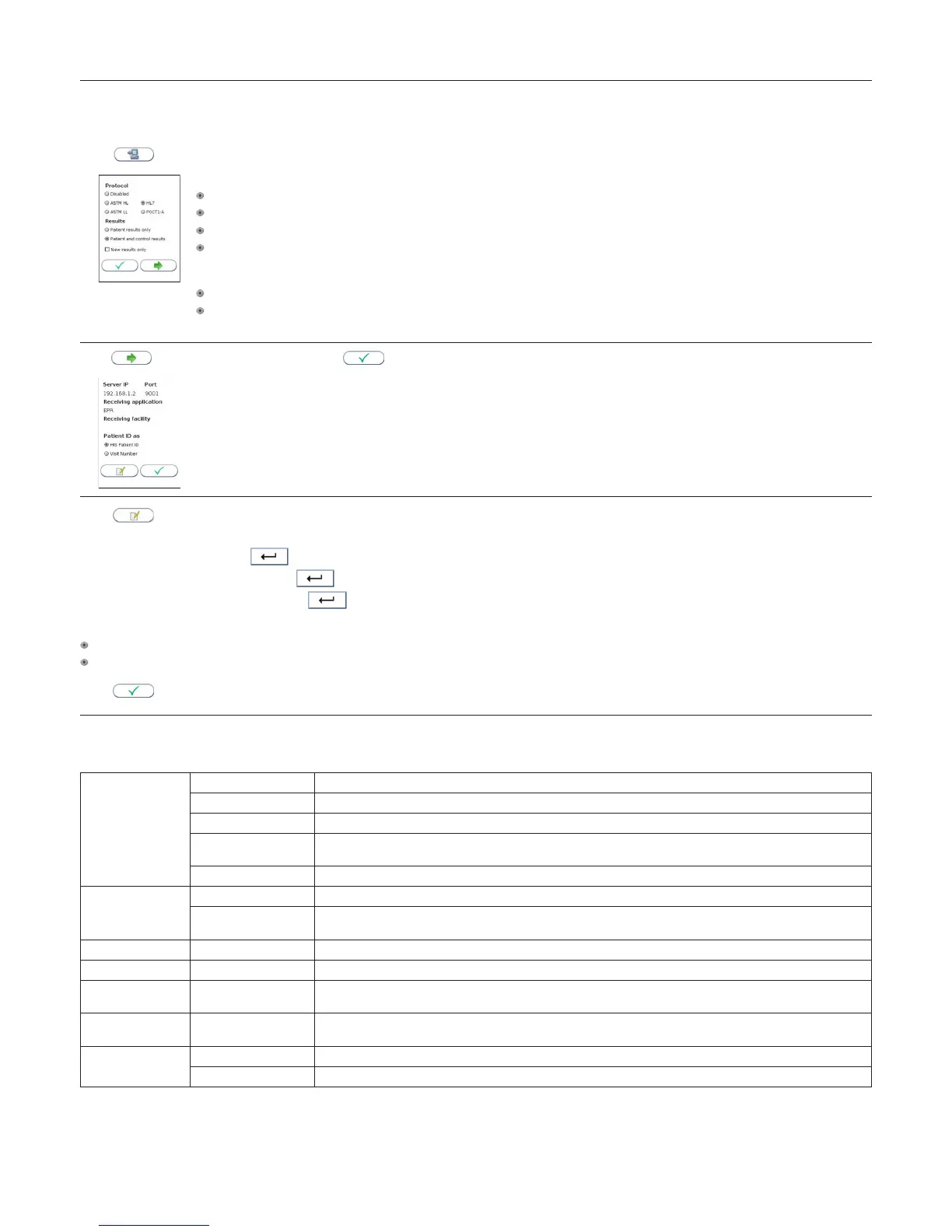
Connectivity settings
See Table 2 for description of the available Connectivity settings.
Touch
in General settings to enter Connectivity settings
Select appropriate communication protocol
ASTM HL
ASTM LL
HL7
POCT1-A
Communication protocol is disabled as default.
Select which results to be transferred to LIS/HIS/EMR by selecting the appropriate button
Patient results only
Patient and control results
Select “New results only” and previous obtained results will not be transferred to the LIS/HIS/EMR
Touch to enter page 2 of the conguration or to return to the General settings menu
Touch to enter Server IP and Port number, Receiving application (available for ASTM HL, ASTM LL and HL7 only) and Receiving facility (available
for HL7 only).
Enter the server IP address: Press
to continue to the Port number setting.
Enter the server port number setting: Touch
to continue to the Receiving application setting or to close the text input.
Enter the Receiving application setting: Press
to continue to the Receiving facility setting or to close the text input.
Use the button to select Patient ID as (available for HL7 only):
HIS Patient ID
Visit Number
Touch
to return to the General Settings menu
Table 2 Connectivity settings
Consult your network administrator and LIS/HIS/EMR administrator for required connectivity settings.
Protocol ASTM HL ASTM High Level: The communication protocol is based on ASTM E 1394 - 97
ASTM LL ASTM Low Level: The communication protocol is based on ASTM E 1381 - 95
HL7 HL7: The communication protocol is based on HL7 version 2.4
POCT1-A POCT1-A: The communication protocol is based on CLSI: POCT01-A2 Point-of-Care Connectivity; Approved
Standard – Second Edition
Disabled Data connectivity is disabled
Results Patient results only Only patient results will be transferred to the LIS/HIS/EMR
Patient and quality
control
Both patient and QC results will be transferred to the LIS/HIS/EMR
Server IP Insert the IP address of the receiving system [0-255.0-255.0-255.1-254]
Port [0-65535] (0 = not set)
Receiving
Application
(ASTM HL, ASTM LL and HL7 only)
Receiving application name (0 – 30 characters)
Receiving Facility (HL7 only)
Receiving facility name (0-30 characters)
Patient ID As HIS Patient ID (HL7 only)
Visit Number (HL7 only)
For further information about the connectivity settings, see the Anion 2 data sheets for POCT1-A, ASTM and HL7 which can be obtained at www.Alere.com or
through your local Anion supplier.
Conguration



 To Next Page