Conguration
QC lockout conguration
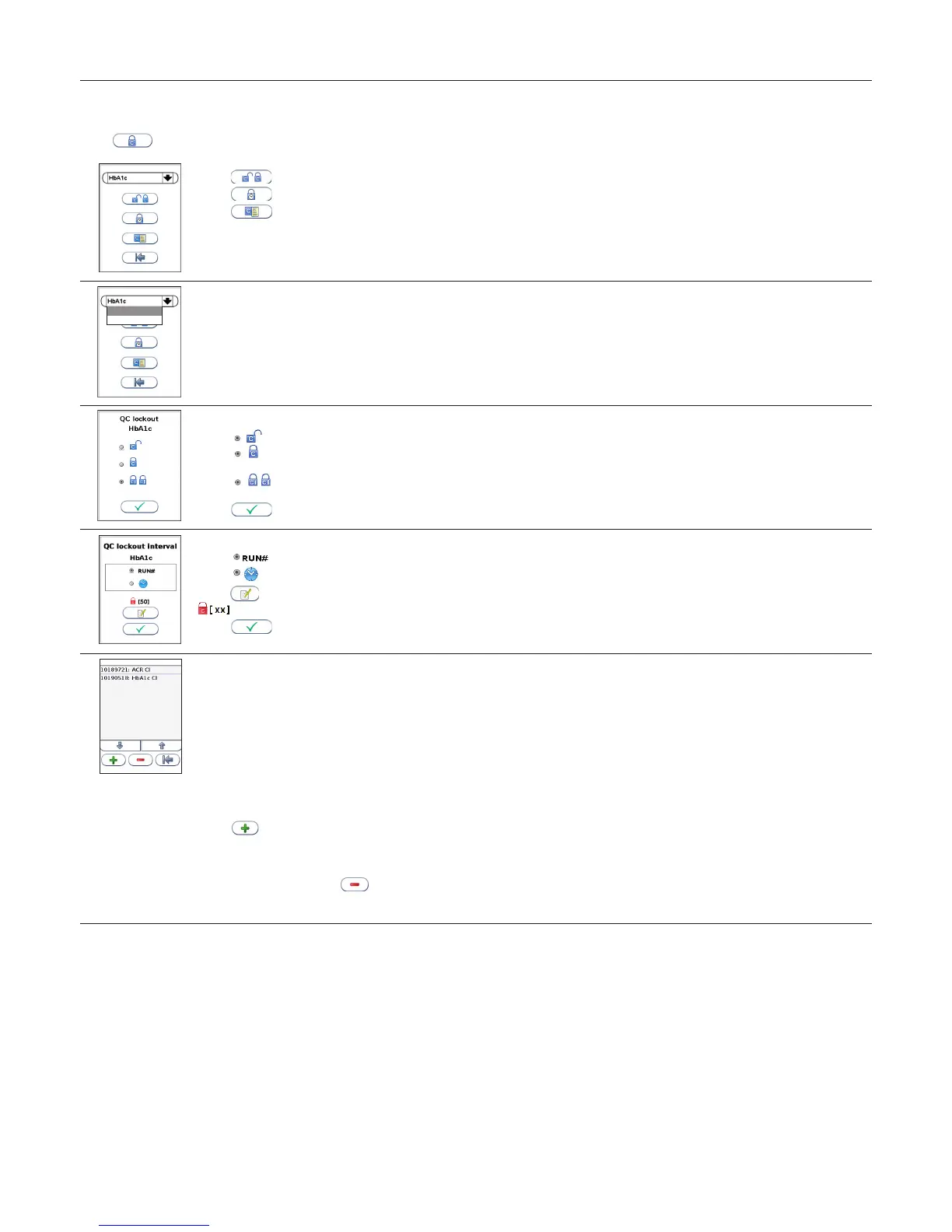
Touch in the Conguration menu to enter the QC lockout conguration menu.
Touch to congure QC lockout for the assay selected.
Touch to congure QC lockout interval.
Touch to view/add/delete stored control lots in the control lot database.
1
HbA1c
ACR
Select assay for QC lockout conguration
Touch the arrow in the window to open the drop down menu.
Touch the assay to select.
2
QC lockout
Select to disable the QC lockout function. No QC runs will be required for this assay.
Select to enable the QC lockout function. It is required to run ONE passed control,
control level C I OR C II, to reset the QC lockout interval.
Select to enable the QC lockout function. It is required to run TWO passed controls,
both control level C I AND C II, to reset the QC lockout interval.
Touch
to conrm and return to the previous view.
3
QC lockout interval
Select
to congure QC lockout interval by number of runs.
Select to congure QC lockout interval by hours.
Touch
to enter/edit number of runs/hours to QC lockout.
displays the number of runs/hours congured in the QC lockout interval.
Touch
to conrm and return to the previous view.
4
Control lot database
To add a control to the control lot database the Anion Control Data is required.
The Anion Control Data is a numeric data string which contains all lot specic data:
• Anion Control lot number
• Control type (assay)
• Control level (C I or C II)
• Control expiry date
• Acceptable control range
• CRC (check sum to validate the previous data)
The Anion Control Data and its accompanying barcode is found in the Anion Control Package Insert. If the Anion Control Data is not
available, contact your local supplier.
Touch and either manually enter the Control Data or if a barcode reader is connected to the analyzer (recommended), scan the
barcode.
The Anion Control Data may also be entered before, during or after a control run. The control lot will automatically be stored in the
database. See page 25.
Select lot number and touch to delete a control from the list.
When a control lot has reached its expiry date, the control will automatically be deleted from the instrument control database. The control
lot database can store 100 control lots.



 To Next Page