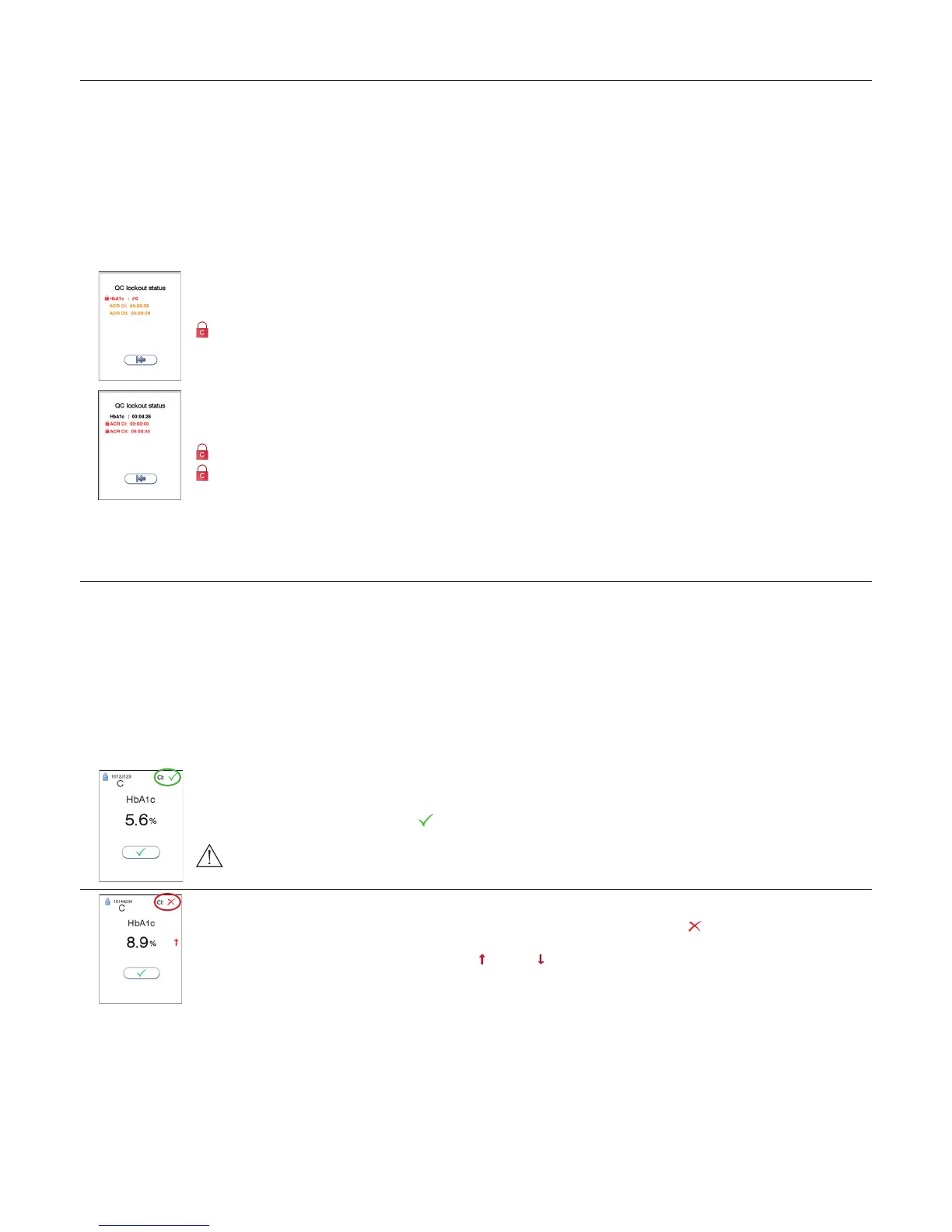
Touch the QC lockout status button (padlock symbol) in the Start-up menu to enter the QC lockout status view.
Status
The information is displayed as a list.
Only the assays with QC lockout activated are displayed in this window.
Red text indicates expired assays and orange text indicates assays within warning period.
Control level
How to reset QC lockout interval and/or unlock expired assays.
If no control level is specied, it is required to run ONE passed control, control level C I OR C II, to reset the QC lockout interval and unlock
the assay for patient testing.
E.g.
HbA1c: #0
If the control level is specied it is required to run TWO passed controls, both control level C I AND C II, to reset the QC lockout interval
and unlock the assay for patient testing.
E.g.
ACR C I: 00.00.00
ACR C II: 00.00.00
Remaining time/runs
Remaining time (dd:hh:mm) or number of runs for each assay with active QC lockout is shown. dd is the number of days, hh is the number
of hours, and mm is the number of minutes until the assay will be locked. # is number of patient tests.
Running controls with enabled QC lockout function
When running controls with the QC lockout function enabled, the Anion Control Data is required to be entered or previously stored in the instrument control lot
database. See “QC lockout conguration”, page 16.
1) The Anion Control Data is entered before, during or after the control run. If a barcode scanner is connected (recommended) the control data barcode may be
scanned. The control lot will automatically be stored in the instrument control database.
2) If the Anion Control Data is previously stored in the instrument control database, the operator will simply need to enter the 8 digit control lot number before,
during or after the control run.
If the instrument is congured to QC lockout and the control lot number is not found in the Anion Control database or the Anion Control Data entered is not valid,
the instrument will present an option to retry the input or discard the control run result. If discarded, the result will not be stored in the instrument result records.
Passed (result within the acceptable control range)
The result of the control is checked against the acceptable ranges for the corresponding lot number.
If the result is within the limits, a pass symbol is displayed on the screen and the QC lockout interval is reset according to the QC lock-
out conguration.
If QC lockout is congured to require two control levels (C I and C II), both levels must pass to reset the
lockout interval. Only the interval for the control level used in the test is reset.
Failed (result above or below the acceptable control range)
When a control result is not within the acceptable ranges specied for the control lot, a failed symbol is shown on the screen. The result
is stored in the instrument and is sent to the data management system if connected. The QC lockout interval will not be reset.
The arrow symbol will specify whether the result is above or below the acceptable ranges.
See “Handling and testing controls”, page 19.
Testing Procedures



 To Next Page