ABEM Terraloc Pro 2
42
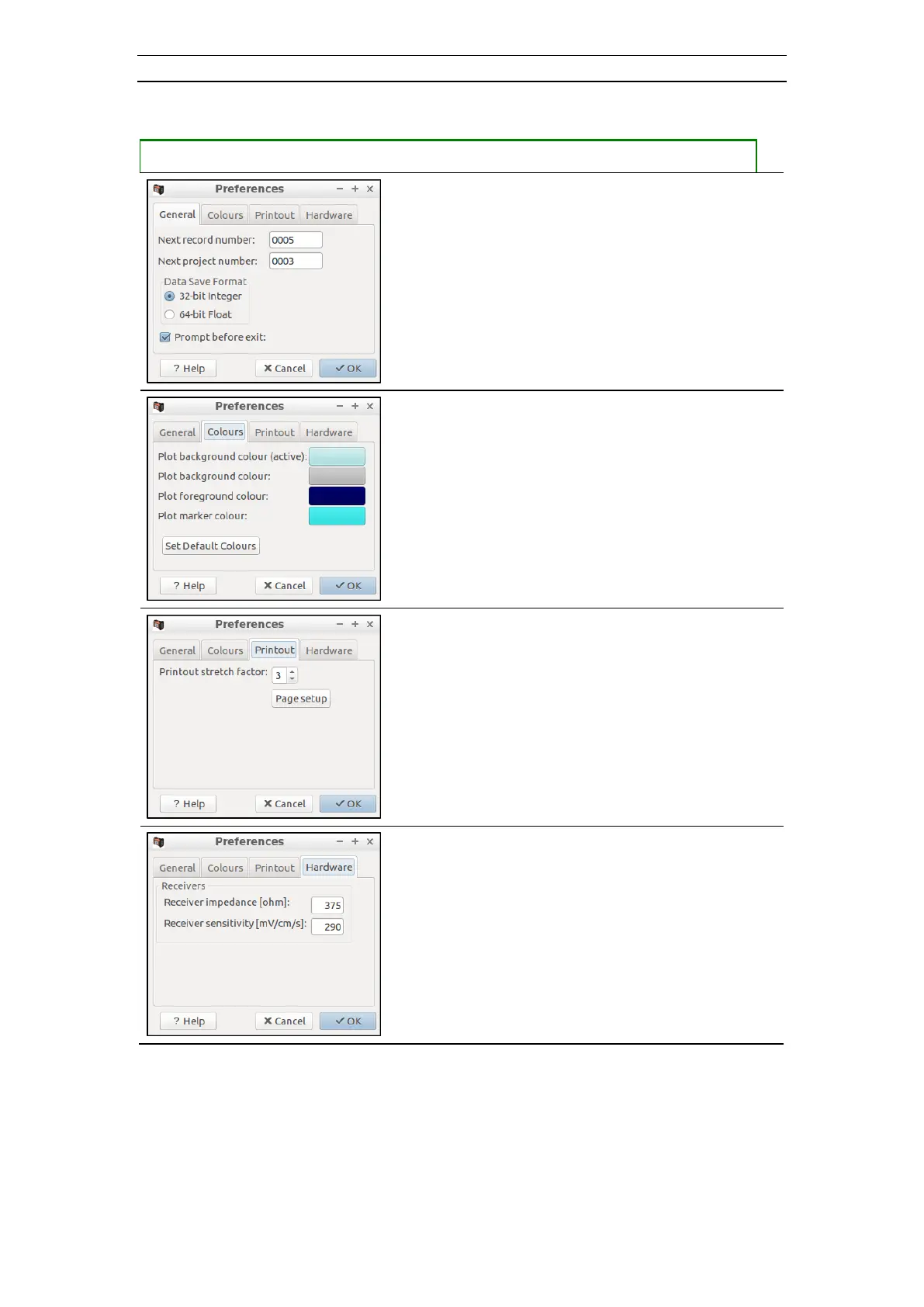
• Opening the Preferences dialog
― Press <CTRL> + <9> to open the Preferences dialog
- The next record number is normally
incremented automatically but the next number
to use can be set here
- The next project number relates to Common
offset projects. Normally the project number is
incremented automatically but the next number
to use can be set here.
- The format of the saved recorded data can be set
- By default SeisTW prompts for an exit
confirmation but this can be turned off
- Various colors can be set here. The four colored
areas are buttons that, when pressed, will show a
standard Windows color select dialog.
- The stretching along the timeline can be set
here. Values between 1 and 8 are allowed. A
higher value result in increased stretch.
- The impedance and resistivity of the receivers
are set here



 To Next Page