Ma in t e nan c e | Chan g i ng the f us e s
44
CHANGING THE FUSES
ONLY FOR GM2, GM4 AND GM6
WITH DIRECT CONTROL
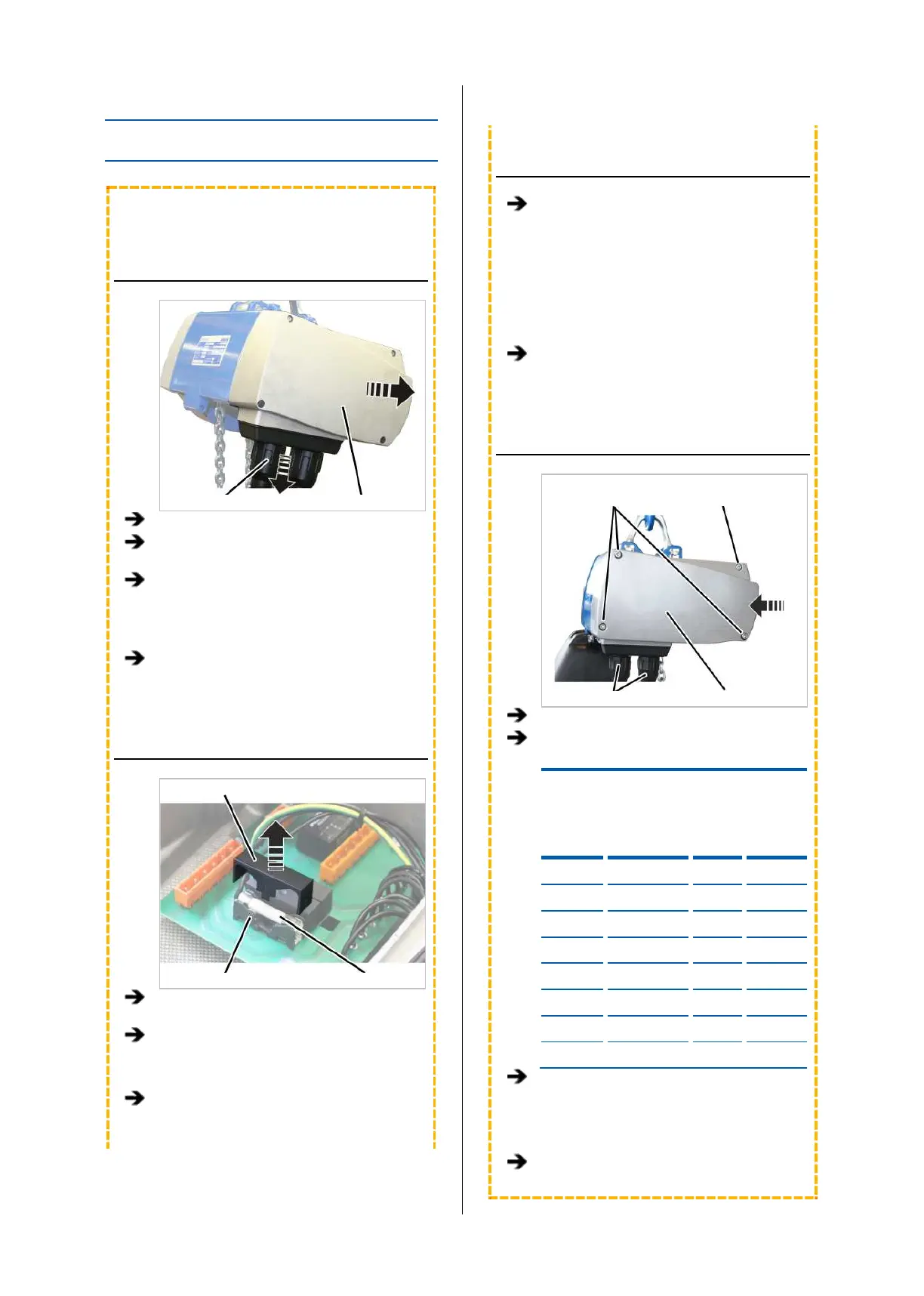
OPENING THE CHAIN HOIST
Bayonet nut Motor cover
Release the bayonet nuts.
Detach the connection cable and control
cable.
Unscrew the motor cover from the housing.
● The fillister-head screws are secured by O-
rings and thus do not fall out of the motor
cover.
Detach the couplings of the hoist motor and
brake from the control in the motor cover.
REPLACING THE FUSES
Cover
Fuse holder Safety device
Pull the cover upwards and off the fuse
holder.
Replace the fuse.
Use 3x ceramic tube fuse 32x6.3, 10A,
slow-blow.
Fit the cover onto the fuse holder and lock
in place.
CONNECTING THE CHAIN HOIST
Attach the couplings of the hoist motor and
brake to the pin multipoint connectors of the
control in the motor cover.
Only connect couplings and pin multipoint
connectors of identical colour (orange and
grey).
For the assignment, see “Wiring diagrams”,
page 93.
With electronic hoist limit switch: Insert the
connector on the hoist limit switch PCB.
CLOSING THE CHAIN HOIST
Long fillister-
screws Short fillister-head screw
Bayonet coupling Motor cover
Hold the motor cover on the housing.
Note the different screw lengths and screw
in the fillister-head screws.
Size
Size and
length
Number
Tightening
torque
GM2 M5x65 3x 4 Nm
GM2 M5x45 1x 4 Nm
GM4 M5x60 3x 4 Nm
GM4 M5x50 1x 4 Nm
GM6 M8x110 3x 15 Nm
GM6 M8x60 1x 15 Nm
GM8 M10x95 3x 20 Nm
GM8 M10x50 1x 20 Nm
Insert the bayonet coupling of the
connection cable and the bayonet connector
of the control cable. Due to a notch, the
plug-in connections will only fit together in
one position.
Slide on and tighten the bayonet nuts.



 To Next Page