Ma in t e nan c e | Dele t i ng al l s wit c h in g p oi n t s o n t h e e l ect r o nic h ois t li m i t s wi tc h
64
DELETING ALL SWITCHING POINTS
ON THE ELECTRONIC HOIST LIMIT
SWITCH
ONLY WITH AN ELECTRONIC
HOIST LIMIT SWITCH
If necessary, all the set switching points can be
deleted.
For this, the electronic hoist limit switch must be
referenced again. During referencing, the switching
points can be deleted as well.
Overview of referencing the hoist limit
switch and deleting the switch points:
─ Switch off the chain hoist, wait 30 seconds,
then switch on the chain hoist again.
─ Only with teach-in module: Remove the
pendant control, plug in the teach-in
module, wait 30 seconds, then remove the
teach-in module and insert the pendant
control.
Only with pendant control with teach-in
button: Press teach-in button for 30
seconds.
Only with ABURemote AC with teach-in:
Press “teach-in” direct access button (T
with arrow) for 30 seconds.
─
Move to the reference point. This should be
as high up as possible without the load
hook coming into contact with the housing.
─ The last movement command before teach-
in must be the “Lift” button.
─ Only with teach-in module: Remove the
pendant control, plug in the teach-in
module, wait 5 seconds, then remove the
teach-in module and insert the pendant
control.
Only with pendant control with teach-in
button: Press teach-in button for 5 seconds.
Only with ABURemote AC with teach-in:
Press “teach-in” direct access button (T
with arrow) for 5 seconds.
─ The hoist limit switch is referenced again
and the switching points are deleted.
For a detailed description of the process, see
“Referencing the electronic hoist limit switch”,
page 60.
OVERRUNNING THE SWITCHING
POINTS OF THE ELECTRONIC HOIST
LIMIT SWITCH
ONLY WITH AN ELECTRONIC
HOIST LIMIT SWITCH
In some situations, it may be necessary to overrun
a set switching point (upper or lower).
APPROACH THE SWITCHING
POINT
Move to the switching point to be overrun
until the load hook stops.
If the load hook is within about 10 cm of the
switching point, the following sequence
overruns the set switching point. Beyond
this range, this sequence is used to set a
switching point.
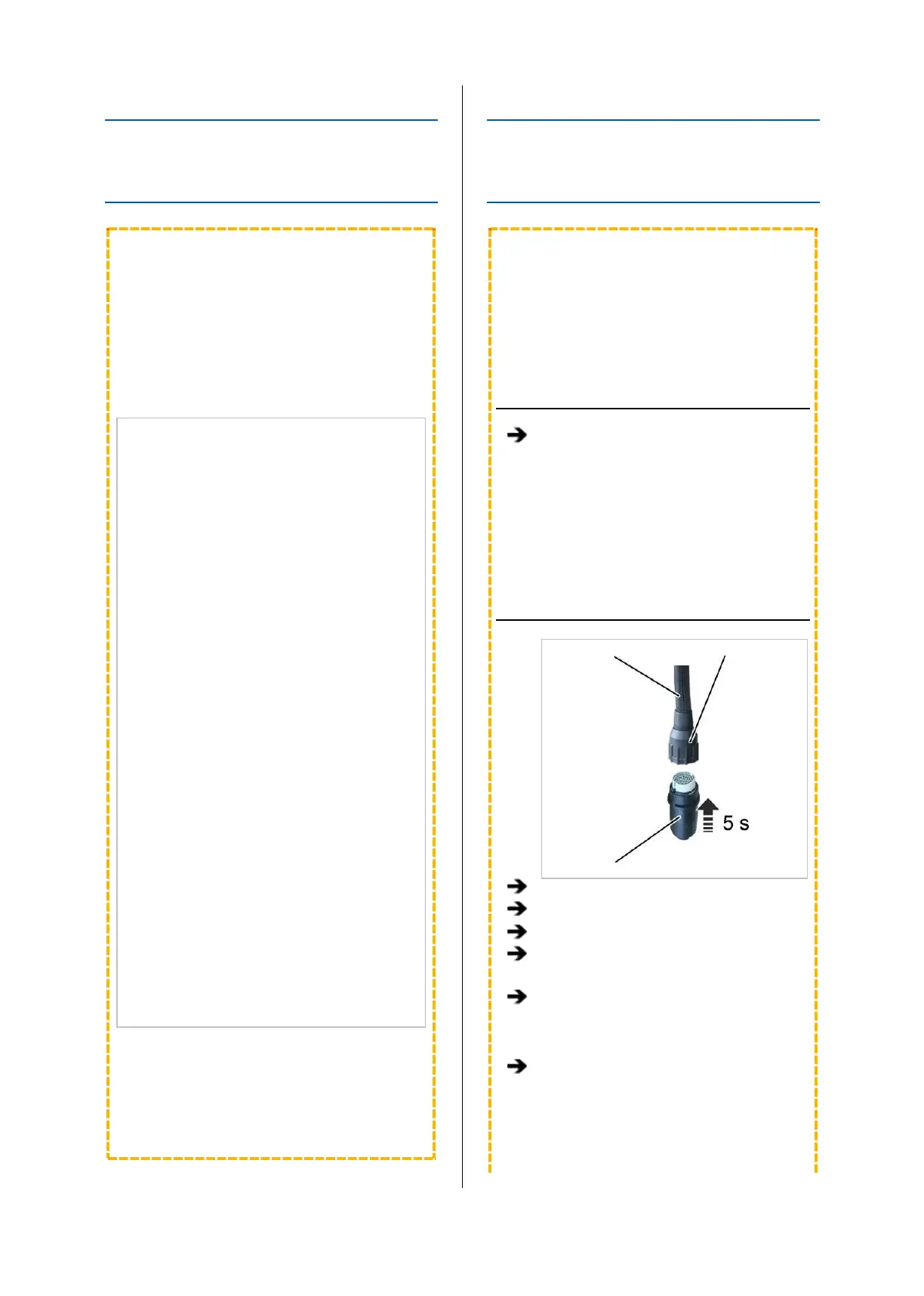
INSERTING THE TEACH-IN
MODULE
Control cable Bayonet nut
Teach-in module
Remove the pendant control.
Insert the teach-in module.
Wait at least 5 s.
Remove the teach-in module.
Only with pendant control with teach-in
button: Instead of inserting the teach-in
module, press and hold the teach-in button
for 5 seconds.
Only with ABURemote AC with teach-in:
Instead of inserting the teach-in module,
press and hold the “teach-in” direct access
button (T with arrow) for 5 seconds.



 To Next Page