Main t e nan c e | Ref e r e n c ing t he e l ect r o nic h ois t l i m i t swi t c h
63
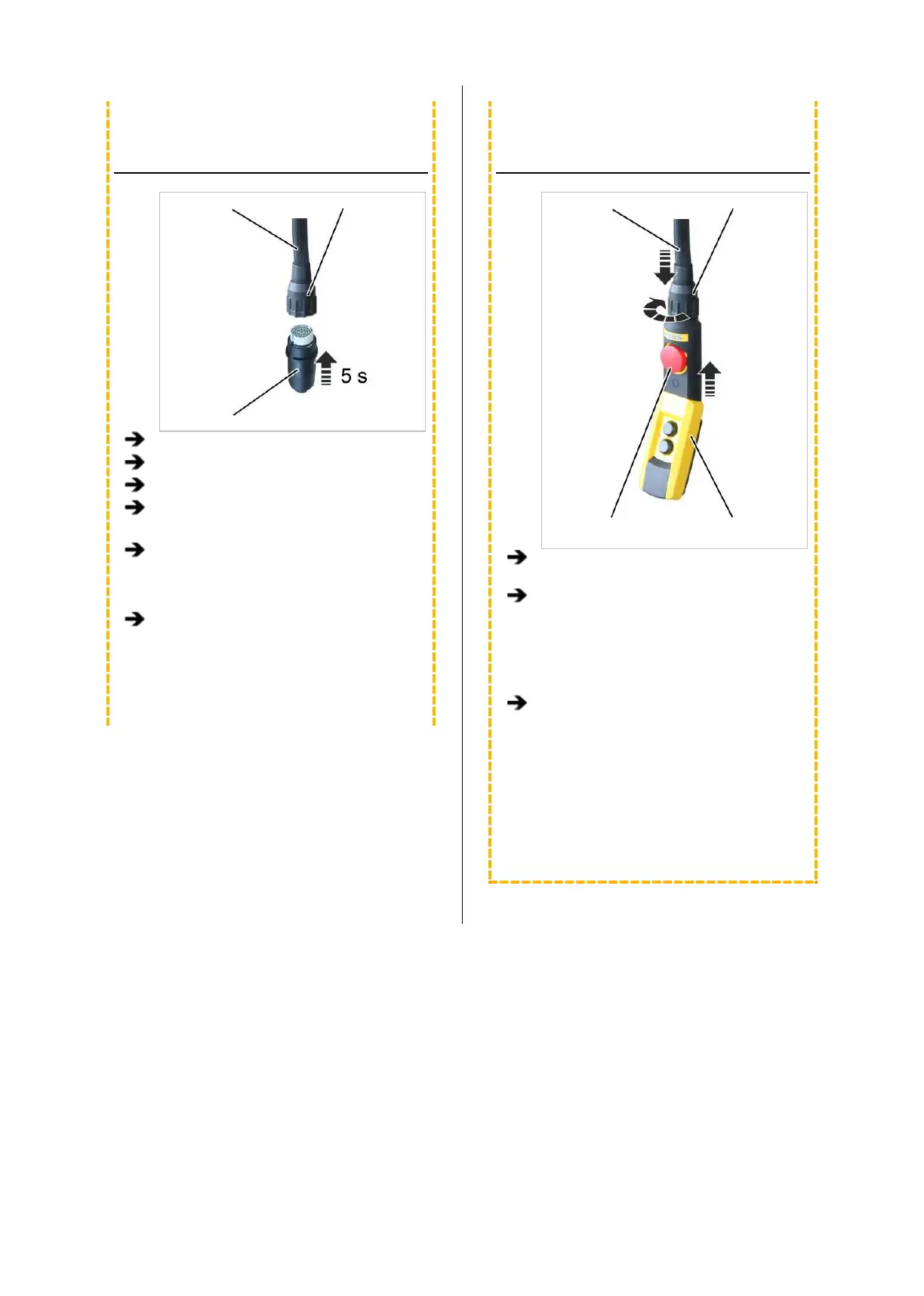
INSERTING THE TEACH-IN
MODULE
Control cable Bayonet nut
Teach-in module
Remove the pendant control.
Insert the teach-in module.
Wait at least 5 s.
Remove the teach-in module.
Only with pendant control with teach-in
button: Instead of inserting the teach-in
module, press and hold the teach-in button
for 5 seconds.
Only with ABURemote AC with teach-in:
Instead of inserting the teach-in module,
press and hold the “teach-in” direct access
button (T with arrow) for 5 seconds.
INSERTING THE PENDANT
CONTROL
Control cable Bayonet coupling
Emergency stop
button
Pendant control
Only with teach-in module: Insert pendant
control.
Only with teach-in module: Unlock
emergency stop button.
● The reference point is saved.
Check the switching points (upper and
lower) and correct if necessary.
─ The saved switching points are retained
after referencing and therefore do not need
to be reset.
─ If the switching points are moved equally, all
the switching points can be corrected at the
same time by changing the reference point
accordingly.



 To Next Page