Ma in t e nan c e | Refe r e n c i ng t h e e l e ctr o n ic h o is t l i m i t swi t c h
62
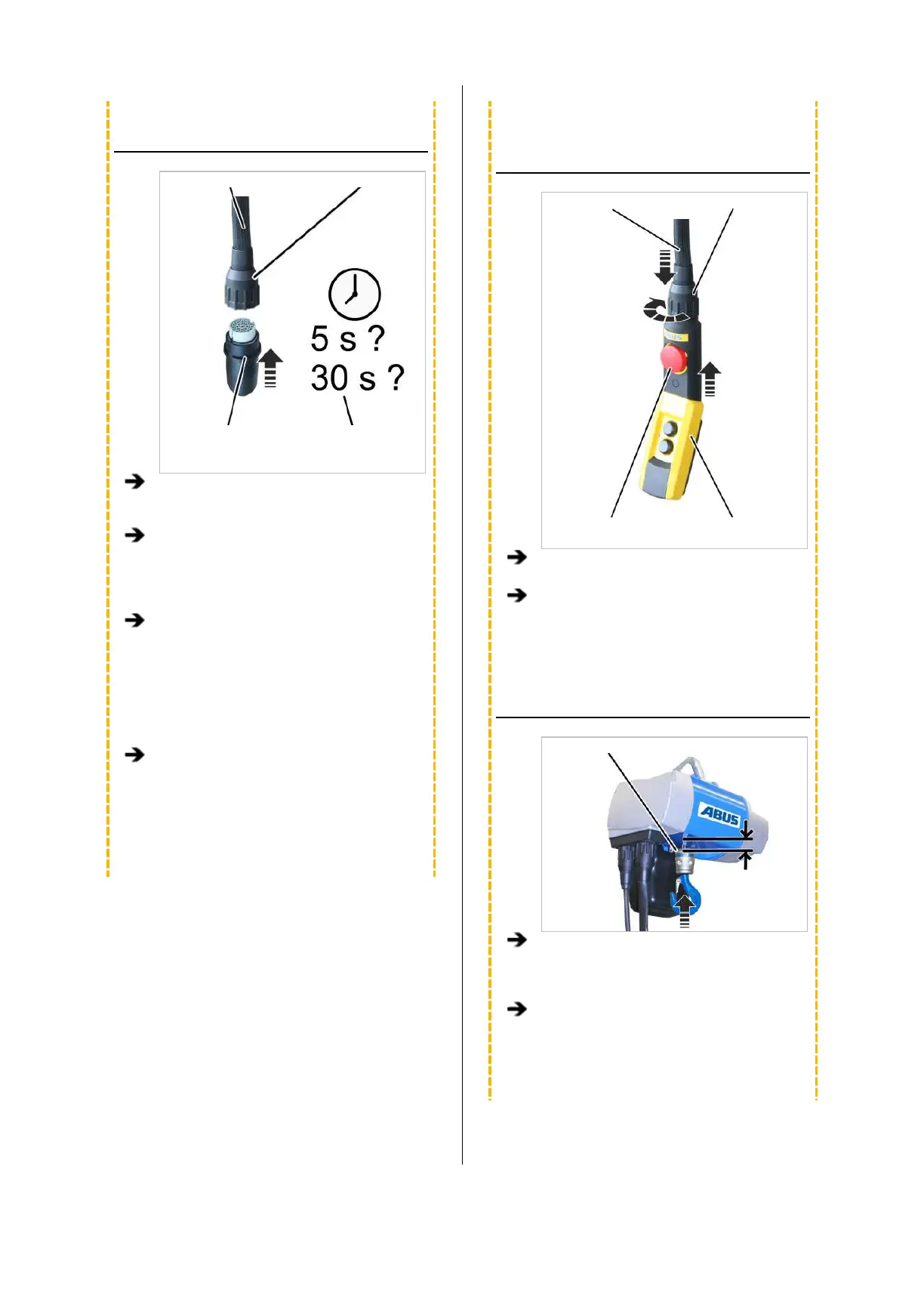
PERFORMING TEACH-IN
Control cable Bayonet nut
Teach-in module Waiting time
depending on the
desired function
Only with teach-in module: Loosen the
bayonet nut and remove the pendant
control.
Plug the teach-in module into the control
cable, press and hold the teach-in button on
the pendant control, or press and hold the
“teach-in” direct access button (T with
arrow).
Wait at least 5 s or more than 30 s:
─ If the waiting time is 5 s to 29 s, the hoist
limit switch is referenced and the saved
switching points are retained.
─ If the waiting time exceeds 30 s, the hoist
limit switch is referenced. In addition, all
saved switching points are deleted.
Remove the teach-in module or release the
teach-in button or "teach-in" direct access
button (T with arrow).
● Referencing (with or without deleting the
switching points) has started. Continue with
the next steps.
INSERTING THE PENDANT
CONTROL
Control cable Bayonet coupling
Emergency stop
button
Pendant control
Only with teach-in module: Insert pendant
control.
Only with teach-in module: Unlock
emergency stop button.
MOVING TO THE REFERENCE
POINT
Hook assembly or bottom block
For the reference point, move up as far as
possible without the hook block or hook
assembly coming into contact with the
housing.
Finally, briefly press the “Lift” button.
Before teach-in, the “Lift” button must be
pressed last if the reference point is to be
set.



 To Next Page