107
English
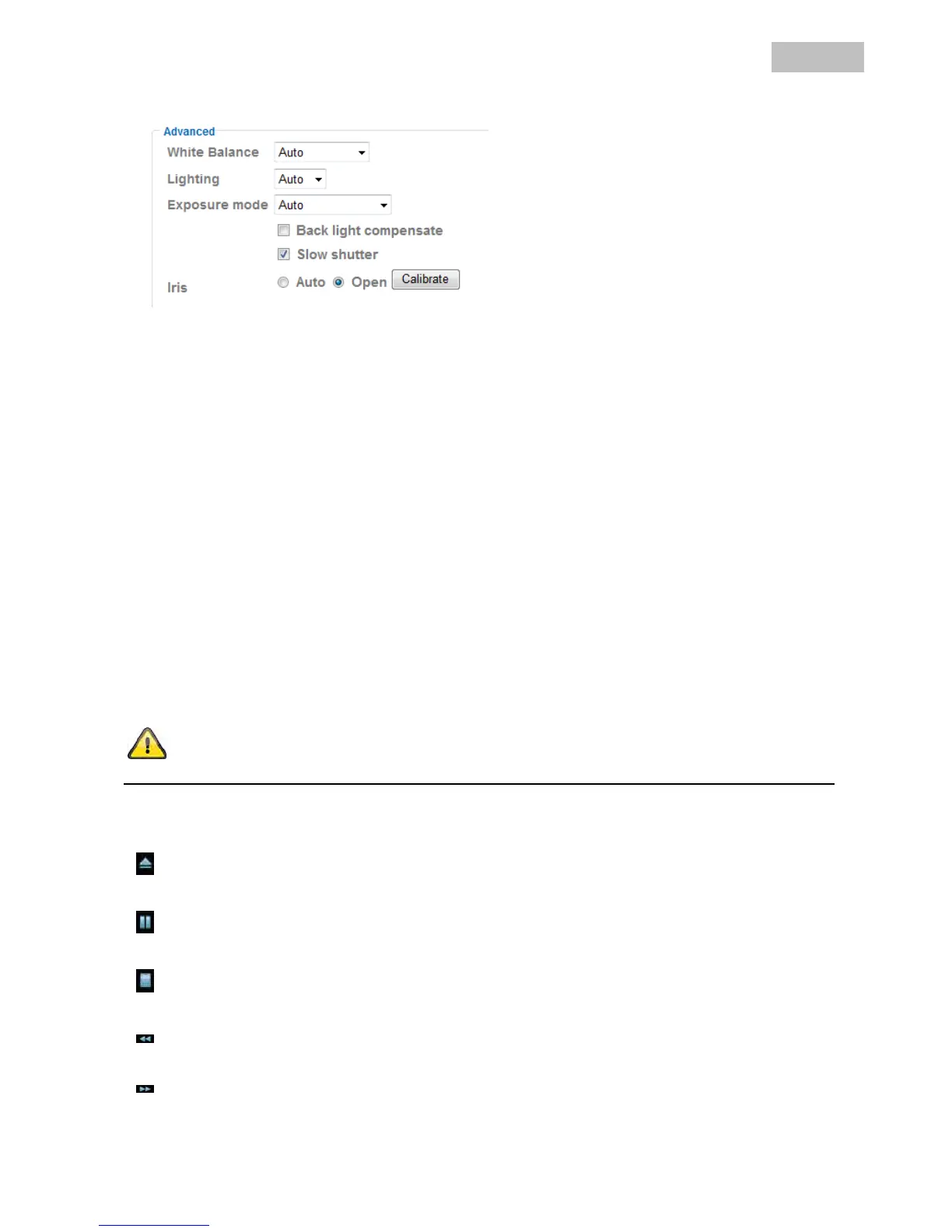
Advanced
White Balance: Select the corresponding lighting conditions where the camera is installed.
Lighting: Setting for the network frequency. “Auto” is set as standard, and attempts to
determine the network frequency automatically.
Exposure mode: Setting for the exposure time.
Auto: The camera sets the value for the exposure time automatically.
High speed mode: The exposure time is set to 1/120. This is useful for filming rapid movements.
However, the lighting strength in the scene should have a higher value.
Manual: Manual setting of the exposure time.
Shutter speed: Select a value between 1/4 and 1/120 seconds.
Gain: The higher the value, the brighter the image. However, a high value can lead to
more image noise.
Back light compensate: Activate this function to improve the display of objects with strong backlighting.
Slow shutter: Activate this function to improve the display of objects in unfavourable light
conditions. The frame rate can be limited according to the lighting conditions.
Iris: Controls the lens iris
Auto: Camera calibrate automatically Iris aperture by selecting item and pressing OK.
The calibration process will continue nearly 3 minutes.The apperute of Iris will
be automatically adjusted when light conditions changed.
Calibrate: Select this item to calibrate Iris aperture manually.
Open: The aperture of Iris will set to maximum level.
Accept the settings by pressing “OK” or cancel them by pressing “Cancel”.
Playback
Open video file
This button starts a file selection dialog for opening a video file. Playback is then started automatically.
Pause
Pauses the playback of the video file.
Stop
Stops the playback of the video file.
Rewind
Rewinds the video.
Fast-forward
Fast-forwards the video.


 To Next Page