131
English
6.11 SD-Card
This chapter explains how to use the local storage (SD-Card) and manage recording on network camera. The
following SD-Cards will be supported: SD/SDHC up to 32GB class6.
In order to use SD-Card function in camera you need to insert a SD/SDHC card. After a card is inserted the
blue LED indicator begins to light up in order to indicate card is recognized. The blue LED begins to blink on
SD-Card access.
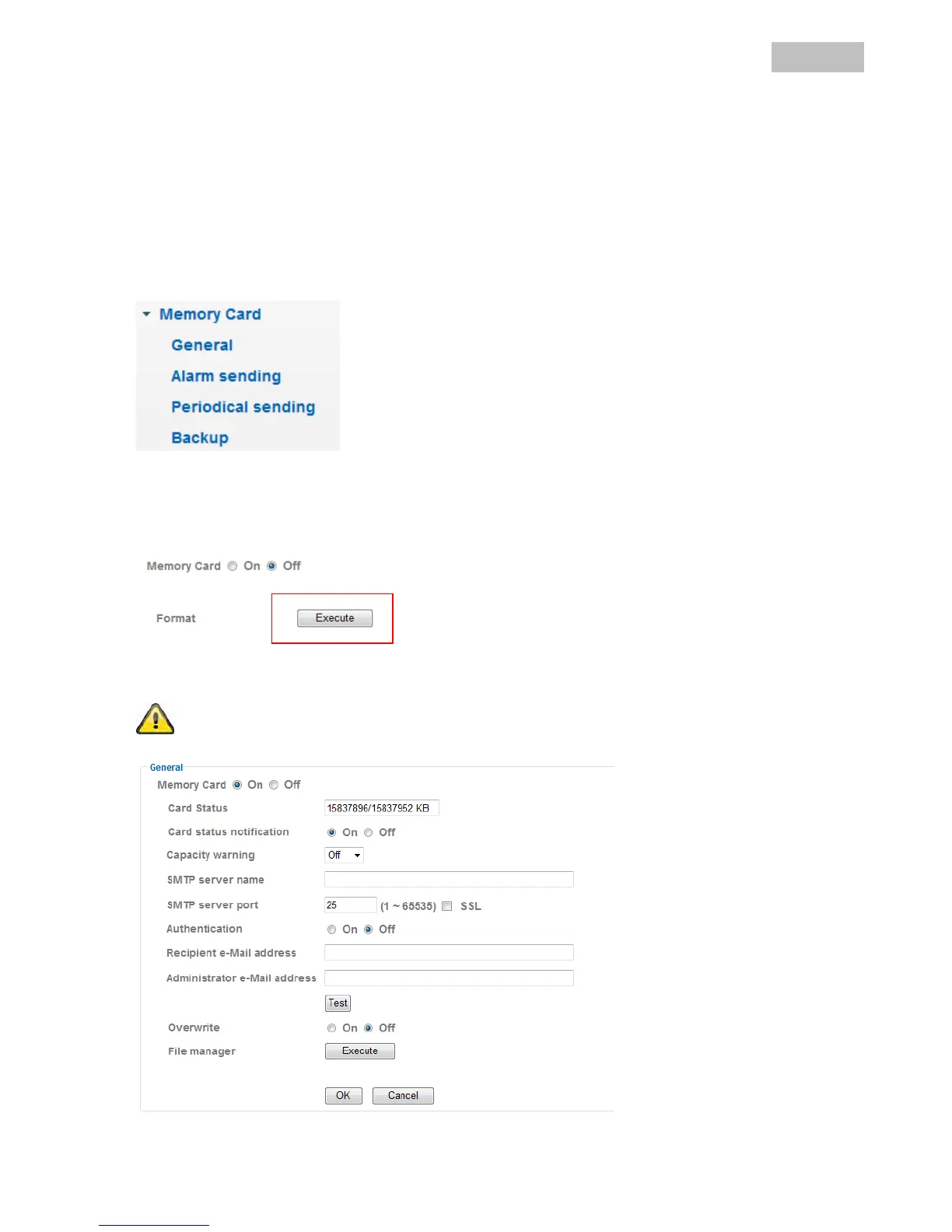
General:
After SD-Card is inserted user can choose between on and off. Only in mode “off” the “Format” option is
available.
Please use „Format“-function when SD-Card is inserted the first time.


 To Next Page