144
English
6.19 System Log
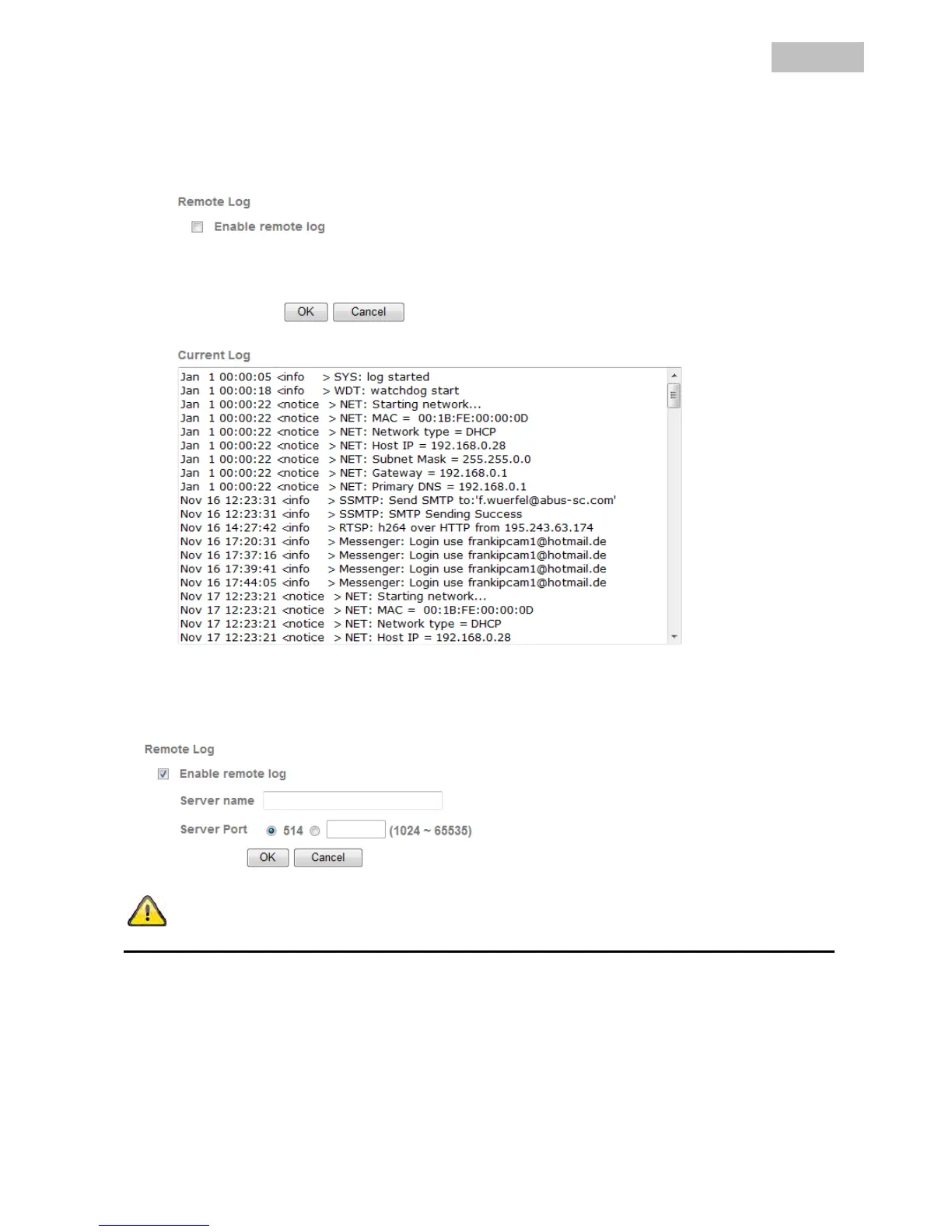
Relevant system data is recorded in the system log. This can be useful for troubleshooting when installing the
network camera. The data can also be sent to a log server.
Enable remote log: Activate the remote log function by ticking the box.
Server name: IP address or domain name of the log server.
Server Port: Port of the log server.
Accept the settings by pressing “OK” or cancel them by pressing “Cancel”.


 To Next Page