99
English
6.1 System
Information
Product name: The product name indicates the functions included (e.g. MPx = megapixel).
Firmware version: Shows the current version of the installed firmware.
Web version: Shows the current version of the web interface.
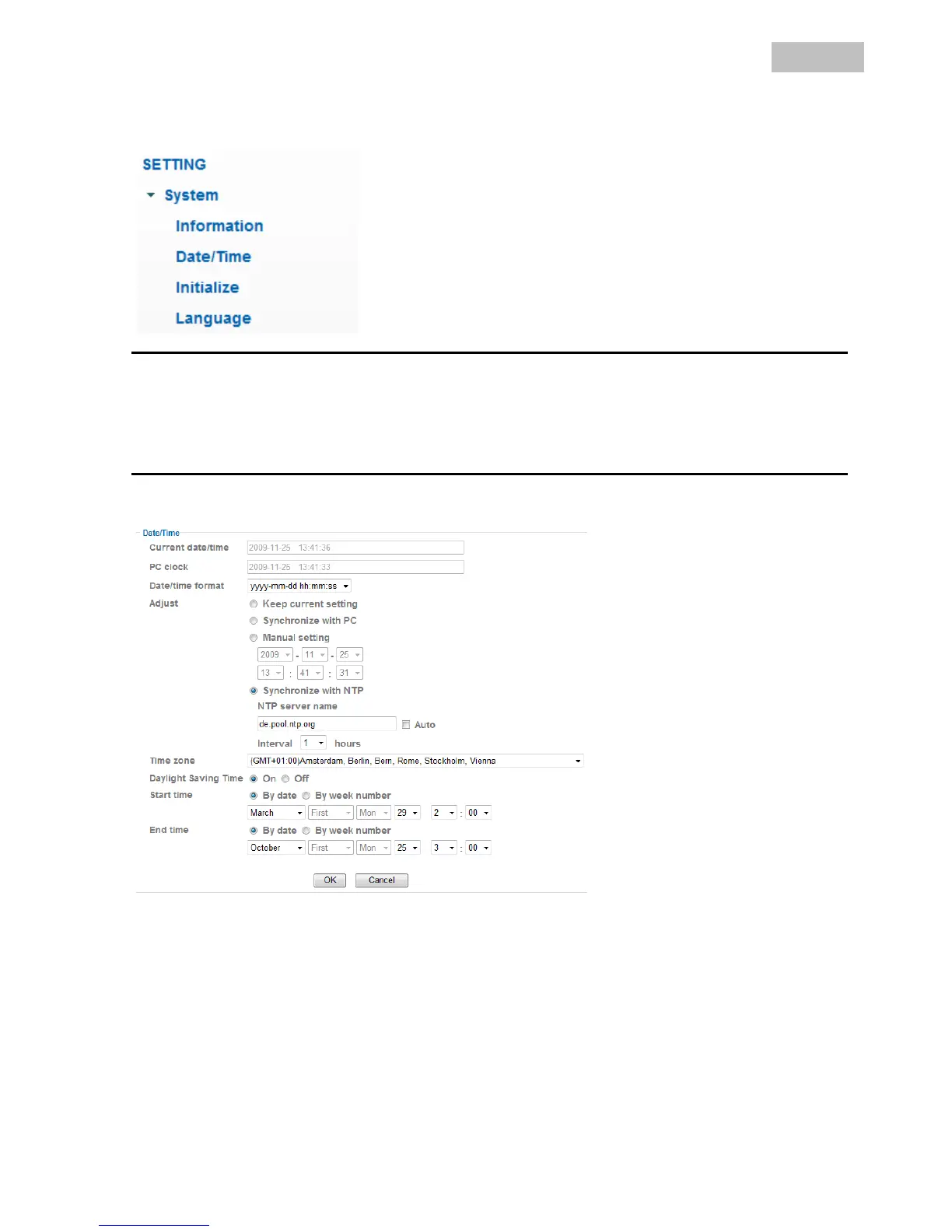
Date/Time
Current date/time: Shows the currently saved time and date setting in the camera.
PC clock: Shows the time and date on the PC used to access the camera.
Date/time format: Select the format here (YYYY = year, MM = month, DD = day, hh = hour, mm =
minute, ss = second).
Adjust:
Keep current setting: No change to the settings.
Synchronize with PC: Date and time set on the PC are adopted by the camera.
Manual setting: Set the date and time here manually.
Synchronize with NTP: Automatic update of date and time settings via a time server (Network
Time Protocol).
NTP server name: Enter the domain name of the time server here (e.g. de.pool.ntp.org).
Auto: When activated, the standard time server is used. Deactivate the “Auto”
setting to enter the NTP server name manually.



 To Next Page