126
English
6.9 SMTP
Settings can be made here for the transmission of snapshots or video clips to an e-mail address over an
SMTP server.
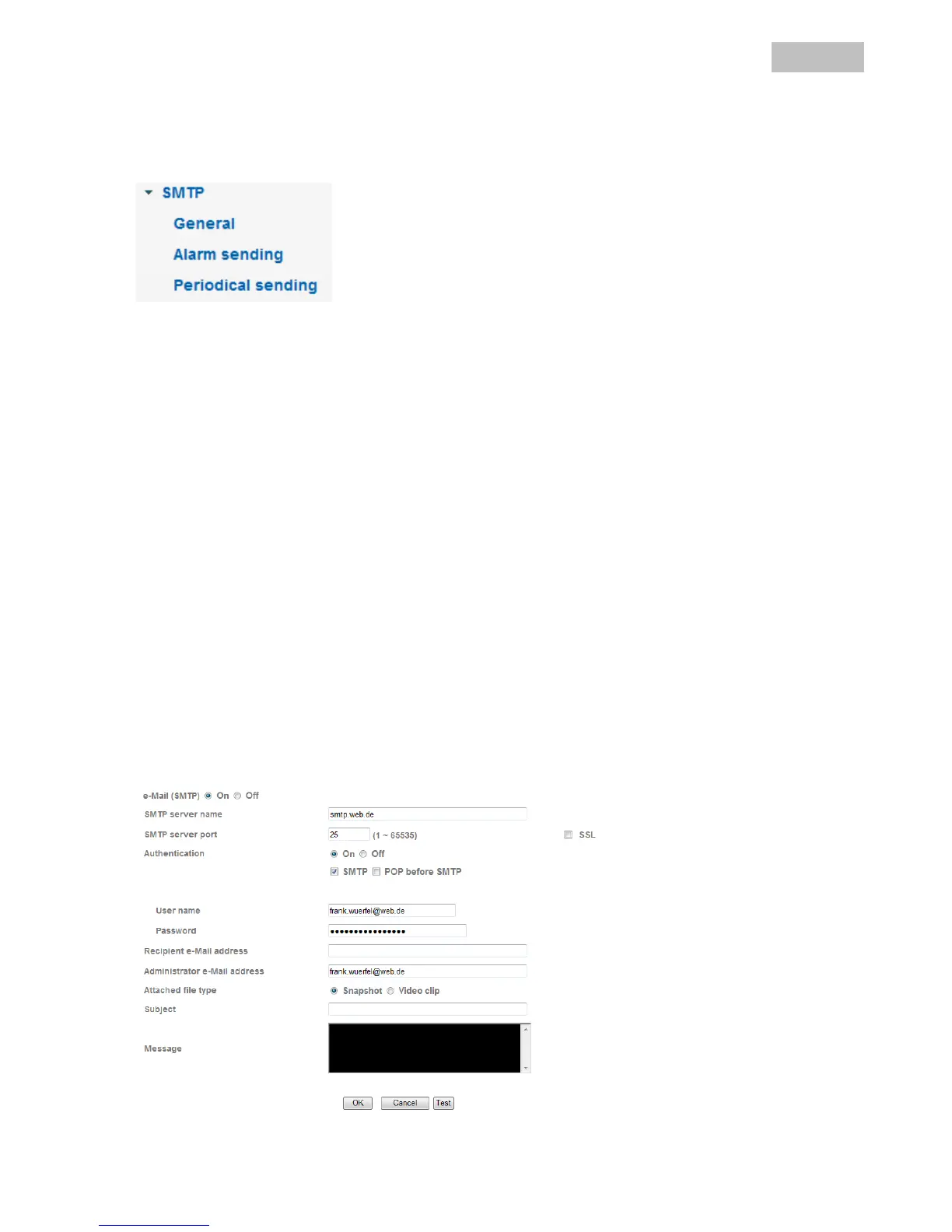
General
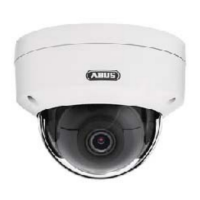
e-Mail (SMTP): Activates or deactivates the transmission of image data to an e-mail address.
SMTP server name: Enter the SMTP server name of the e-mail sender here (e.g. smtp.web.de).
The maximum length is 64 characters.
SMTP server port: The default SMTP server port is 80. An alternative port can be specified here,
if required.
SSL: If the e-mail server uses SSL, then this can be activated here.
Authentication: Specify the authentication type for the e-mail account here.
SMTP: If authentication is made using a user name and password on the e-mail
server, then this option must be activated.
POP before SMTP: Select this option if the send/receive e-mail function is required before e-mails
are sent. It may be possible to delete “POP before SMTP” in the e-mail
account settings.
POP server name: Enter the POP server name of the e-mail sender here (e.g. pop.web.de). This
option is only available when “POP before SMTP” is active. The maximum
length is 64 characters.
User name: User name of the e-mail account.
Password: Password of the e-mail account.
Recipient e-Mail address: The e-mail address of the recipient. The maximum length is 64 characters.
Administrator e-Mail address: The address of the e-mail account. The maximum length is 64 characters.
Attached file type: Select here whether snapshots or video clips should be transferred to the
FTP server.
Subject: Enter a subject here (max. 64 characters).
Message: The message cannot be longer than 384 characters. A line break uses 2
characters.


 To Next Page