93
English
5. User functions
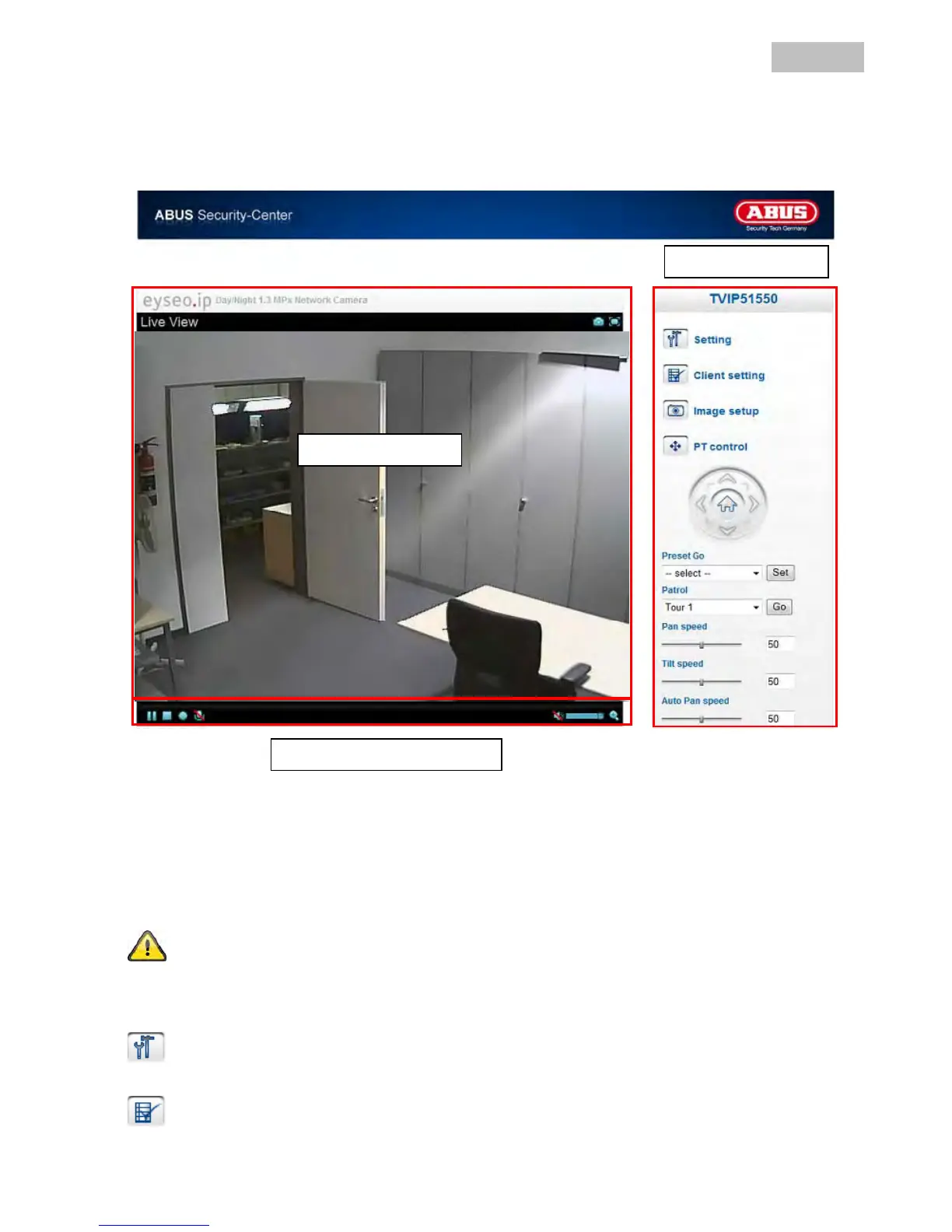
Open the main menu on the network camera. The interface is divided into the following main areas:
Live image
You can access the full-screen view by double-clicking here (on Internet Explorer only).
Control the direction of the network camera by clicking the mouse once. Depending on the position of the
mouse cursor in the live image, the pan/tilt head of the network camera moves up, down, left or right (on
Internet Explorer only).
These functions are only available when using Internet Explorer.
Camera control
Setting
Used for configure the camera (administrator settings).
Client setting
Mode: Select the compression mode for image transmission in the live image.
Live image
Camera control
Audio / video control
Live image



 To Next Page