134
English
All recordings on stored on SD-Card by using currenct date (YYYYMMDD and HH for hours) as folder name.
Y= Year
M = Month
D= Day
H = hour
Example: Directory “Period” for periodical recording
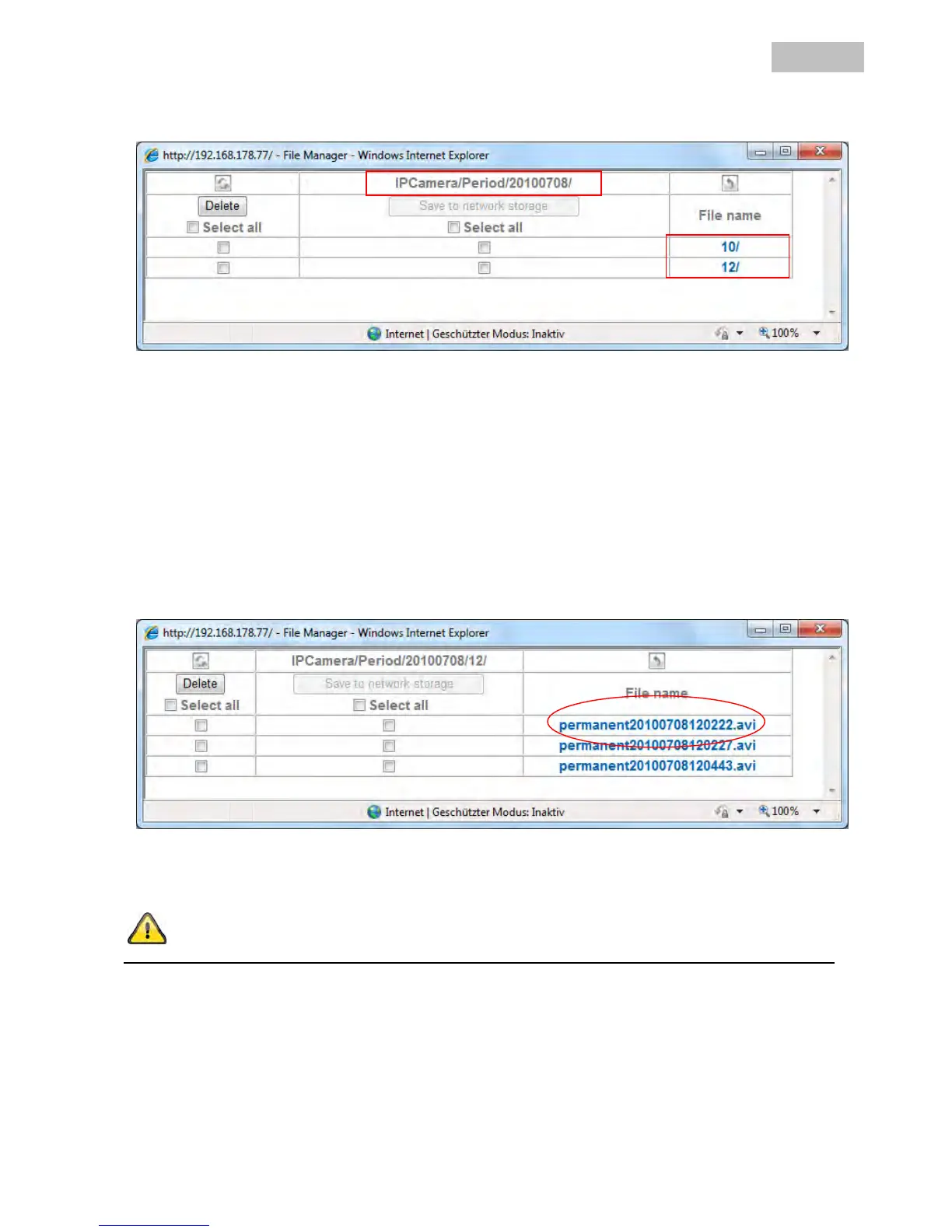
Open filemanager and navigate to main folder “Period” to access periodical recordings on SD-Card.
The path name “IPCamera/Period”20100708/12” means:
Root folder: IPCamera, pre- defined main root folder on SD-Card
Main folder: “Period”, pre- defined main folder for periodical recordings
20100708: Folder name with current date: 2010 (Year), 07 (Month), 08 (Day)
12: Sub folder for hour (12.00h – 12-59h)
Click on file “permanent20100708120222.avi” to download video file on PC. You can open and view the file
with default media player.
Accept the settings by pressing “OK” or cancel them by pressing “Cancel”.


 To Next Page