95
English
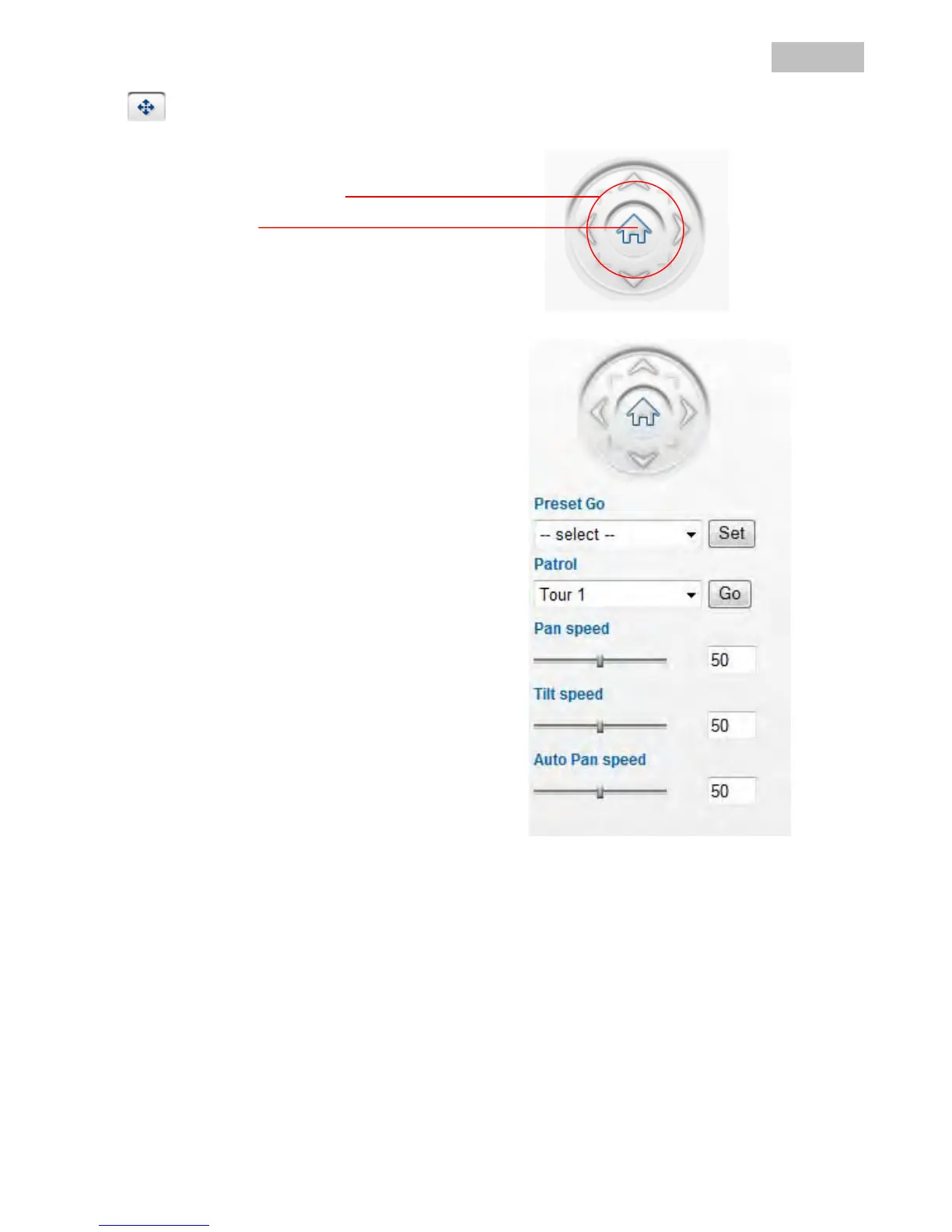
PT control
Use the control buttons for pan/tilt control on the camera.
Arrows:
The pan/tilt head is moved by clicking the button
in the corresponding direction
Home:
The image is moved to the home position
Preset Go:
Select one of the preset positions from the list. The
network camera accesses the position immediately.
Set:
The current camera position in the live image is
saved as a preset. Presets saved in this way all have
a generic file name (Preset1, Preset2 etc.).
Patrol:
Select which tour should be started. Tours 1 to 4 can
be changed in the camera settings.
Go:
Starts the selected tour.
Pan speed:
Select a value between 0 and 100. Higher values
result in quicker movements.
Tilt speed:
Select a value between 0 and 100. Higher values
result in quicker movements.
Auto Pan speed:
This setting is used during a tour.
Select a value between 0 and 100. Higher values
result in quicker movements.



 To Next Page