32 Access Sensor Technologies UPAS User Guide
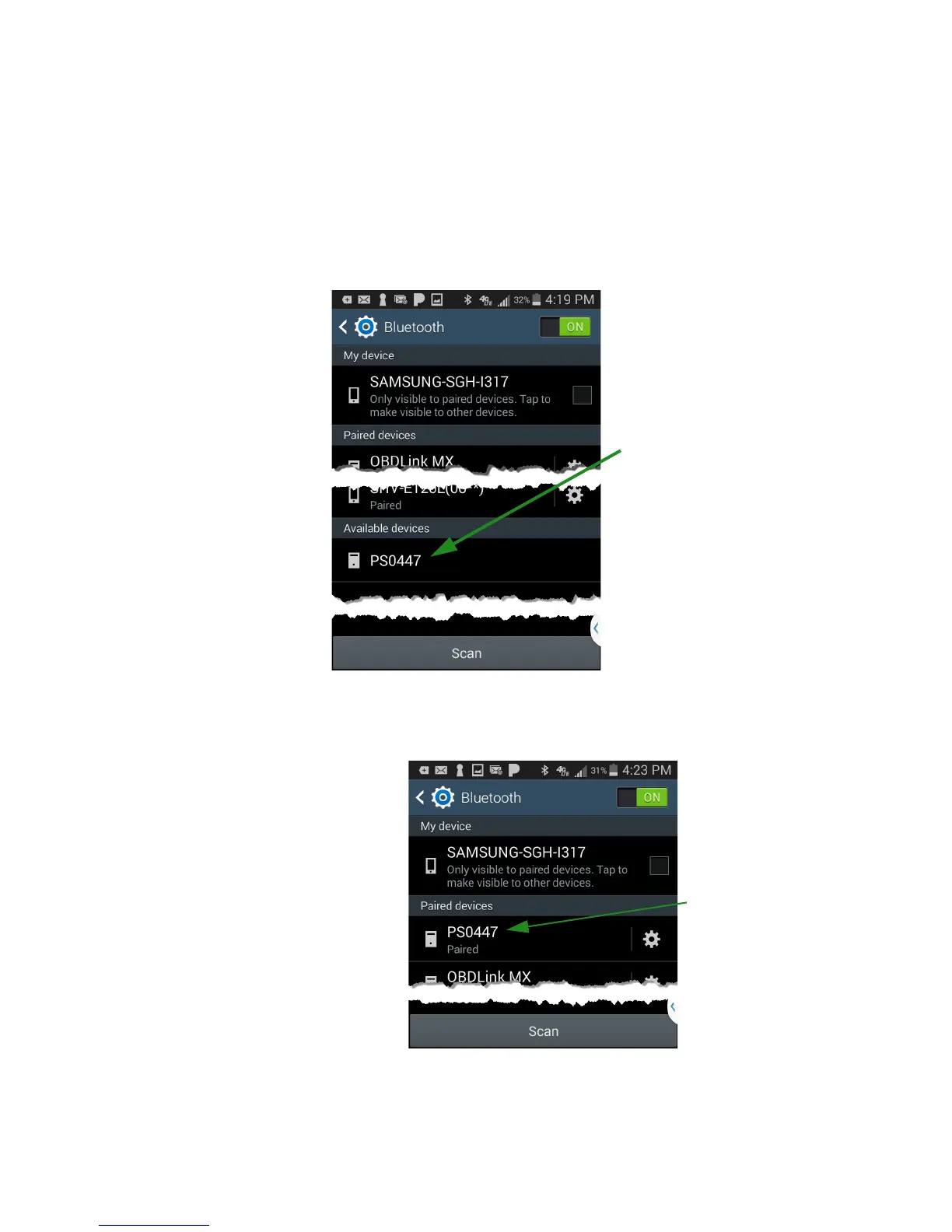
Pairing the UPAS Android App
1 Ensure your mobile device has Bluetooth enabled. If necessary, click the
device Settings menu on your device, then enable Bluetooth.
2Use the Bluetooth utility on your device to scan for available devices. Your
device should locate the UPAS and display it’s serial number.
3 Once the UPAS is paired with your mobile device, start the App on your
device.
Serial Number
on back of the
UPAS


 To Next Page