145
Changing the batteries
9
9 Changing the batteries
When the battery symbol first appears in the display, the batteries are
running low. With these batteries you can perform about 50 more tests.
However, we recommend that you replace the batteries as soon as pos-
sible. By then the batteries will have been heavily drained, and change-
able conditions (e.g. cold surroundings) can affect their performance
even further.
If the meter is on, press the Test button to turn it off.
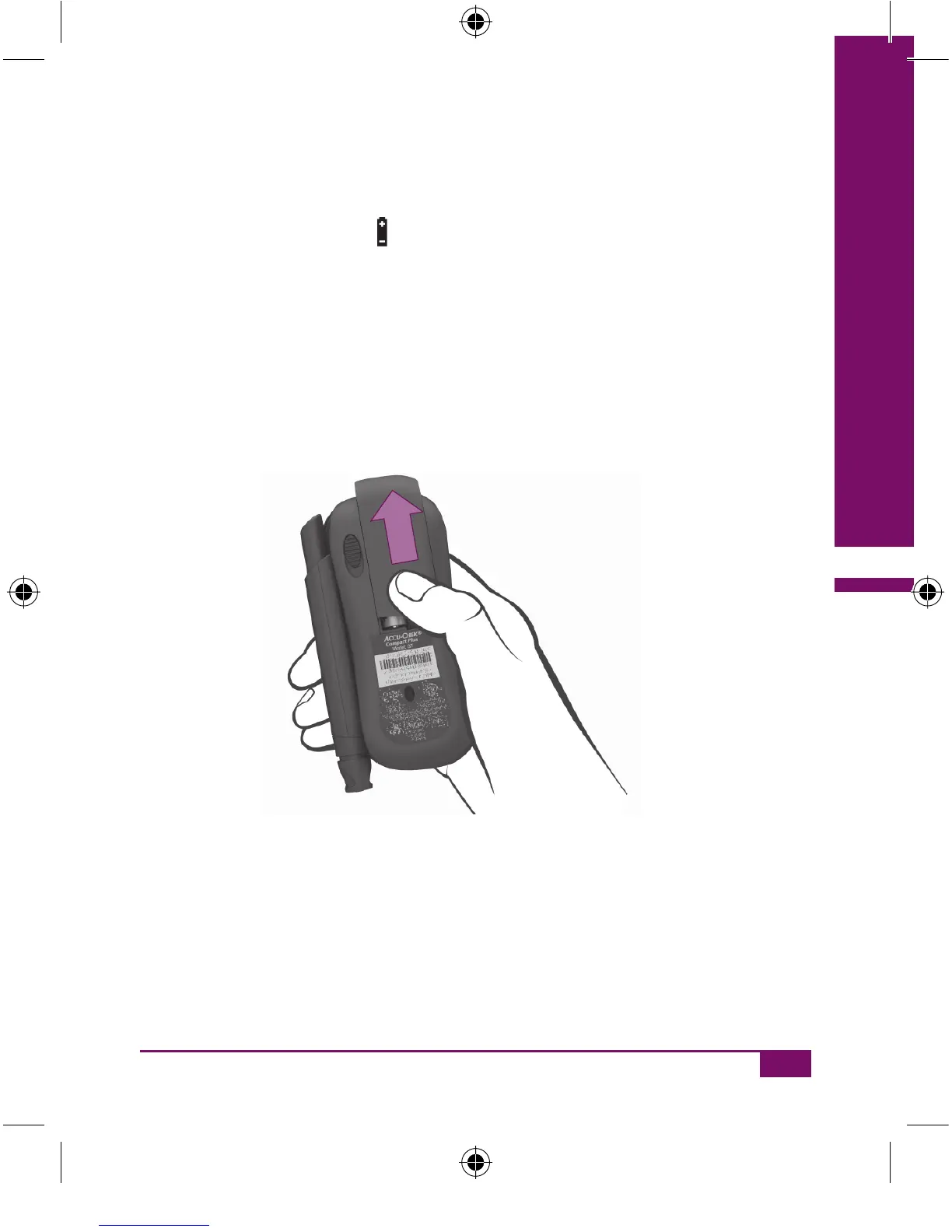
Press lightly on the battery compartment cover and slide it in the
direction of the arrow.
Lift off the cover.
Remove the used batteries.
AC_CP_LCM_Manual_EN-UK final.indd 145_CP_LCM_Manual_EN-UK final.indd 145 20.6.2007 11:04:3320.6.2007 11:04:33








 To Next Page