User Manual The Accutech Software 6-
Adding Tags
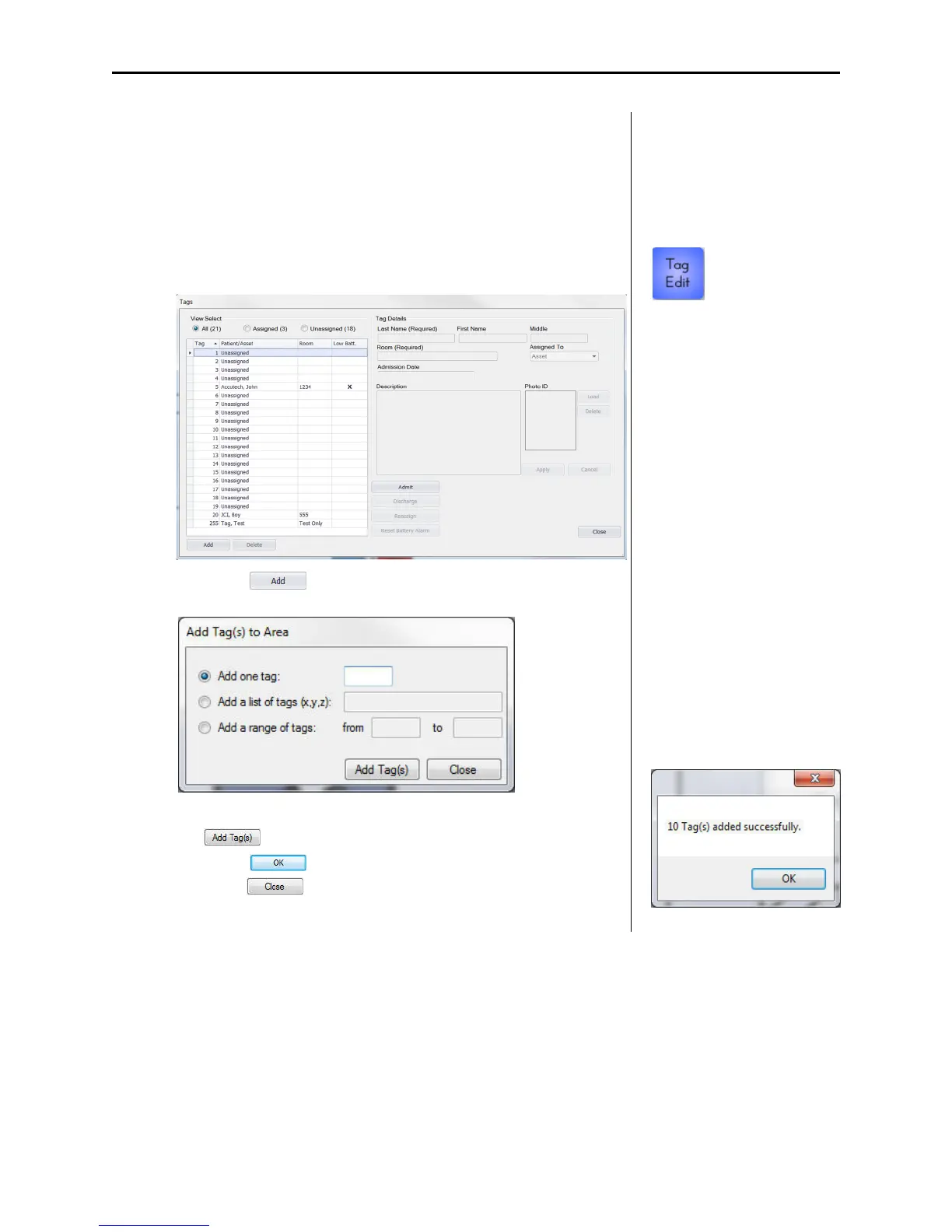
Upon initial installation, add all available Tags intended for use in the
monitored area into the server database.
To add a Tag to the server database, use the following instructions:
1. Select the Tags Edit (1) button
The Tags dialog appears.
2. Select the button
The Add Tag(s) to Area dialog box appears.
3. Enter an individual Tag, list of Tags, or range of Tags and select
the button. A confirmation window will appear (2).
Select the button of the confirmation window then
select the button of the Add Tag(s) to Area dialog box.
The Tags appear in the Tags list.
1
2



 To Next Page