Altos RAIDWatch User Guide
78
6.5 Drive-Side
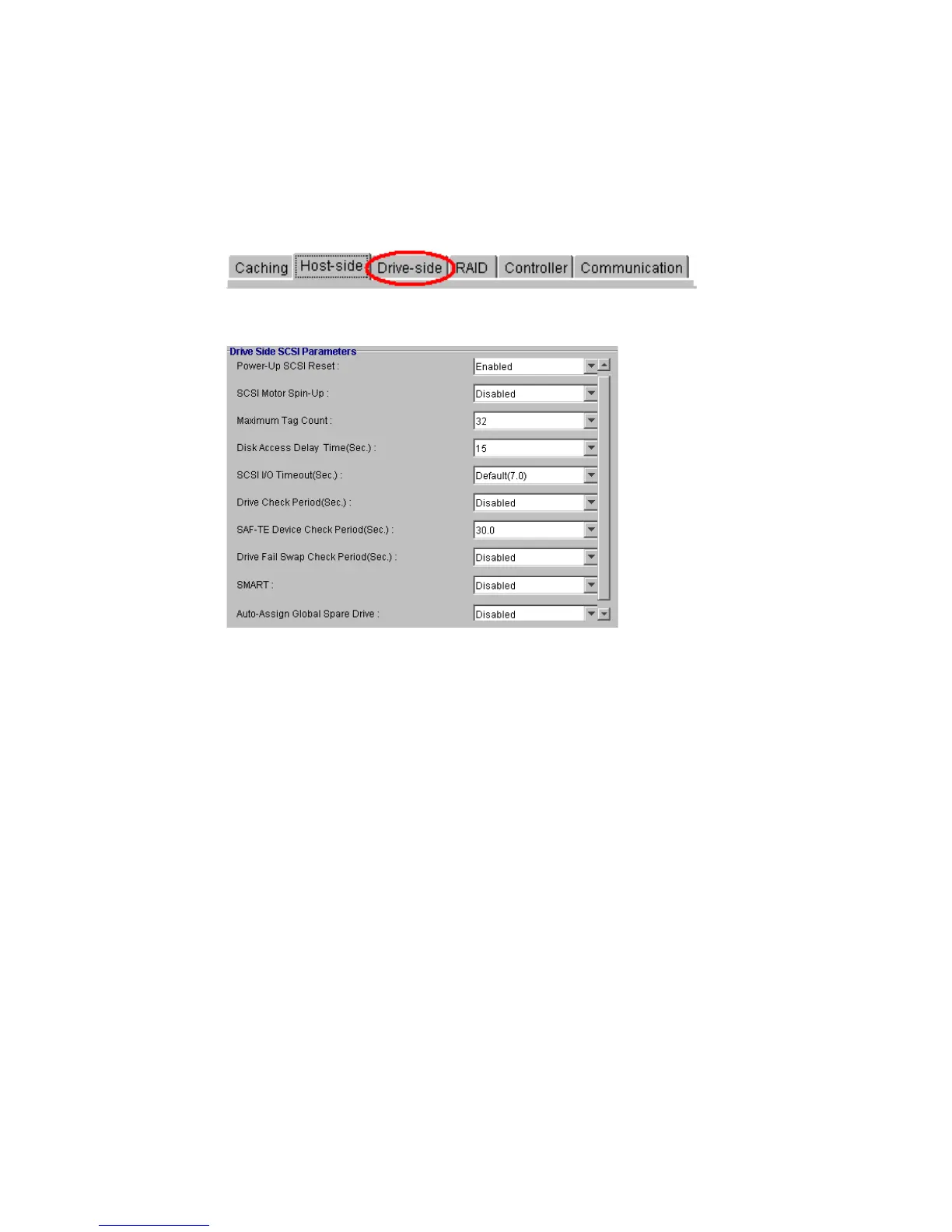
To be able to configure the Drive-Side, select the “Drive-Side” tab, as shown in Figure 6–6, from the
Configuration View Window
Tabs.
• Drive Side Parameters (choose from each range as shown in Figure 6–7):
• SCSI Motor Spin up. Available selections: Disabled or Enabled.
• Maximum Tag Count. Available selections: Disabled, 1, 2, 4, 8, 16, 32, 64, 128.
• Disk Access Delay Time (Sec.). Available selections: No Delay, 5, 10, 15, 20. . .75.
• I/O Drive Timeout (Sec.). Available selections: Default(7.0), 0.5, 1, 2, 4, 6, 8, 10.
• Drive Check Period (Sec.). Available selections: Disabled, 0.5, 1, 2, 5, 10, 30.
• SAF-TE Device Check Period (Sec.). Available selections: Disabled, 0.05, 0.1, 0.2, 0.5, 1, 2, 5.
• Drive Fail Swap Check Period (Sec.). Available selections: Disabled, 5, 10, 15, 30, 60.
• SMART. Available selections: Disabled, Detect Only, Clone only, Clone & Replace.
• Auto Assign Global Spare Drive. Available selections: Disabled and Enabled.
Figure 6–6 Select the Drive-Side Tab
Figure 6–7 Drive -side SCSI Parameters



 To Next Page