Altos RAIDWatch User Guide
42
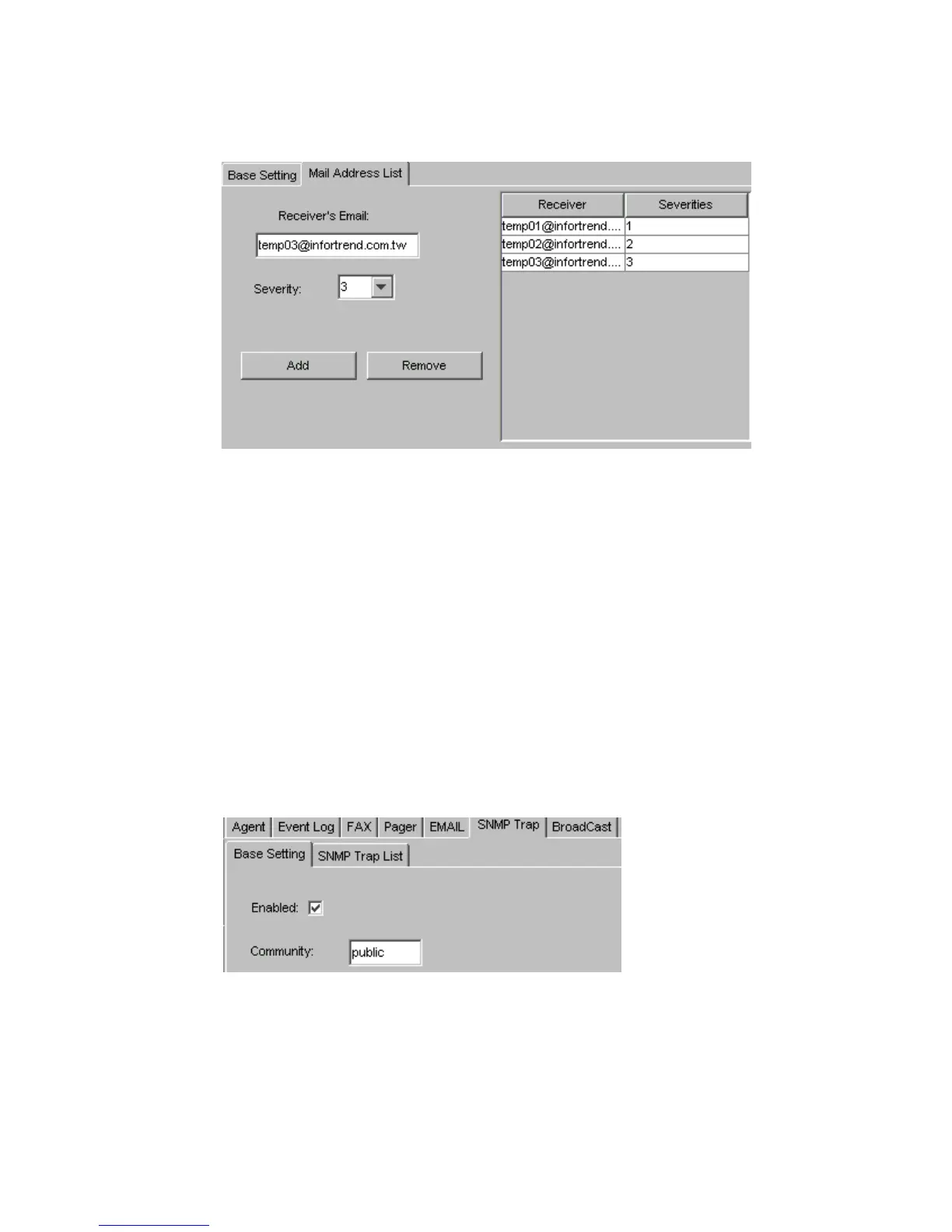
• Receiver’s Email: Allows users to enter multiple event notification e-mail recipients with
messages for each. Each entry must be a valid internet e-mail address.
• Severity: The parameter used to determine what levels of events to be sent via Email (1, all
levels; 2, Warning and Alert; 3, only Alert).
• Available Addresses: Shows a list of all the email addresses that the NPC will use to send a
message to. Both the email addresses and the severity of the messages that will be sent to the
addresses shown are listed.
3.5.5 SNMP Settings
To open the “SNMP” window, first open the
NPC Settings
window shown in Figure 3–6, and then
select the
SNMP
sub-tab. The SNMP configuration window shown in Figure 3–14 will appear. There
are two sub-tabs in the
SNMP
configuration window, “Base Settings” and “SNMP Traps List”.
3.5.5.1 Base Settings
To configure the “Base Settings” select the “Base Settings” sub-tab from Figure 3–14 and the
configuration options shown in Figure 3–14 will appear.
Figure 3–13 Email Settings
Figure 3–14 SNMP Base Settings



 To Next Page