7
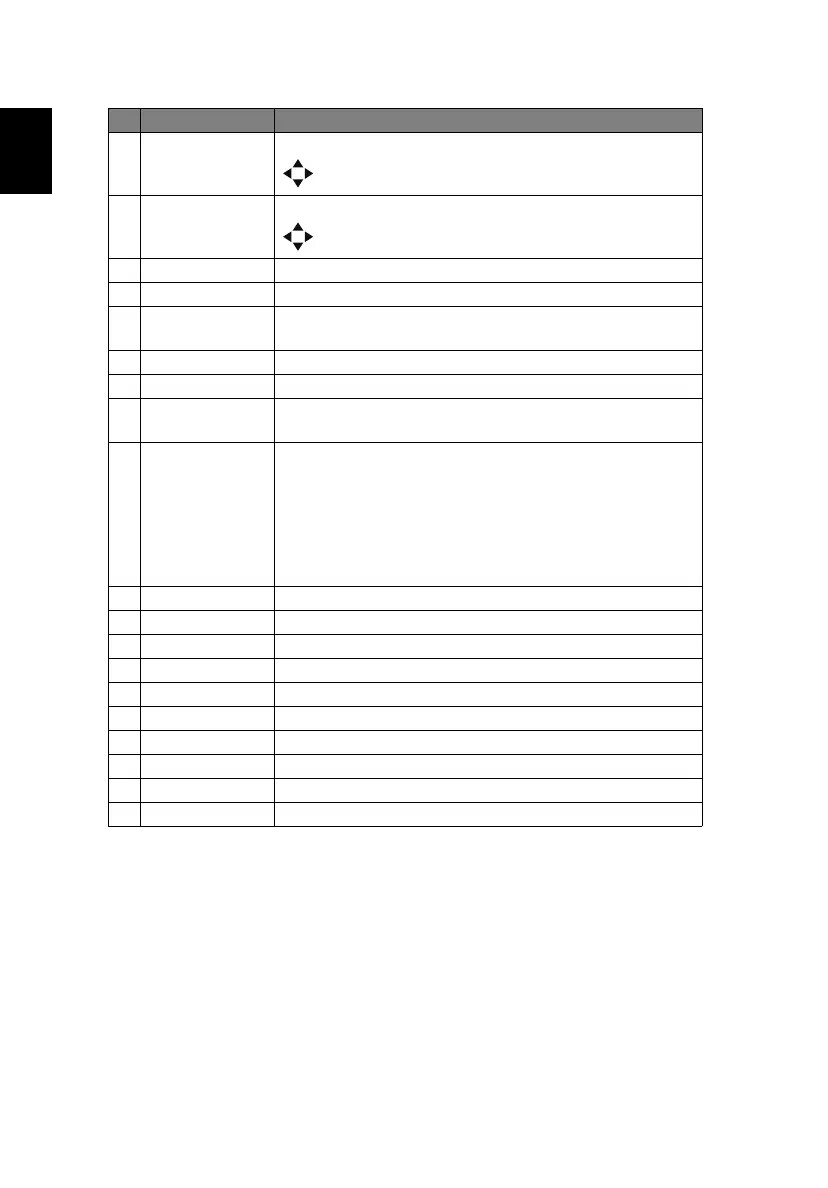
15 Zoom Press "Zoom" and the indicator below lights up. Use
to adjust the zoom setting.
16 Focus Press "Focus" and the indicator below lights up. Use
to adjust the focus setting.
17 Picture Selects the preset picture mode.
18 Pattern Displays the test pattern.
19 Blank Press "Blank" to hide screen image; press again to
display the image.
20 Freeze To pause the screen image.
21 Aspect Chooses your desired aspect ratio.
22 ECO Dims the projector light source which will lower power
consumption and extend the light source life.
23 Set Set the code for this remote control. Press and hold
“Set”, and then press a number (01, 02, 03...99) to
designate an ID. You can control projector with the
matching ID set in the “Options” > “Control” >
“Projector ID” OSD.
Press and hold ”Set” and press “0” twice to cancel the
remote control code.
24 INFO Displays the current projector related information.
25 Lens Lock Displays the Lens Lock menu.
26 Lens Displays the Lens menu.
27 Network Displays the Network menu.
28 HSG Displays the HSG menu.
29 Language Displays the OSD language selection menu.
30 Security Displays the Security menu.
31 3D Press to open the 3D menu for adjusting 3D settings.
32 Source Changes the active source.
33 Keypad 0~9 Inputs numbers.
# Function Description


 To Next Page