8
MHL Feature Introduction
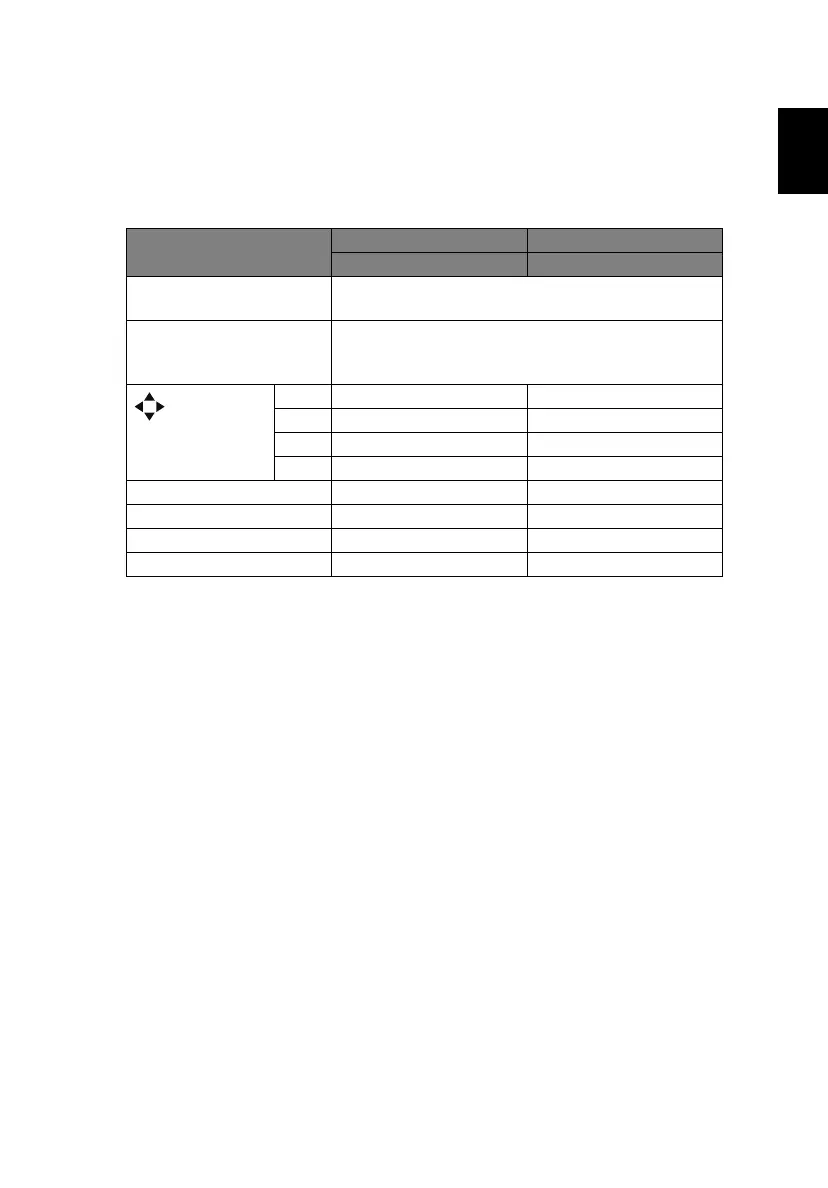
Press "SOURCE" for one second to enter or leave the MHL control mode. After
entering the MHL control mode, press "RESYNC" to switch between the
navigation mode (default) and numeric mode.
Function
Description
Navigation mode Numeric mode
SOURCE Long press for one second to enter or leave the
MHL control mode.
RESYNC After entering the MHL control mode, press to
switch between the navigation mode (default) and
numeric mode.
Four
directional
select keys
Up Up (No function)
down down (No function)
Left Left (No function)
Right Right (No function)
Keypad 0~9 (No function) Enters 0~9.
MENU Goes to the root menu. (No function)
ENTER Selects or enters items. (No function)
BACK Exits current page. (No function)



 To Next Page