28
Default Adjustment
Language
Sets a language for the OSD menus. Use to select
your preferred language.
Menu Display
Time
Sets the length of time the On Screen Display will remain
active after your last key press.
Menu Position Sets the On Screen Display menu position.
Projector
Installation
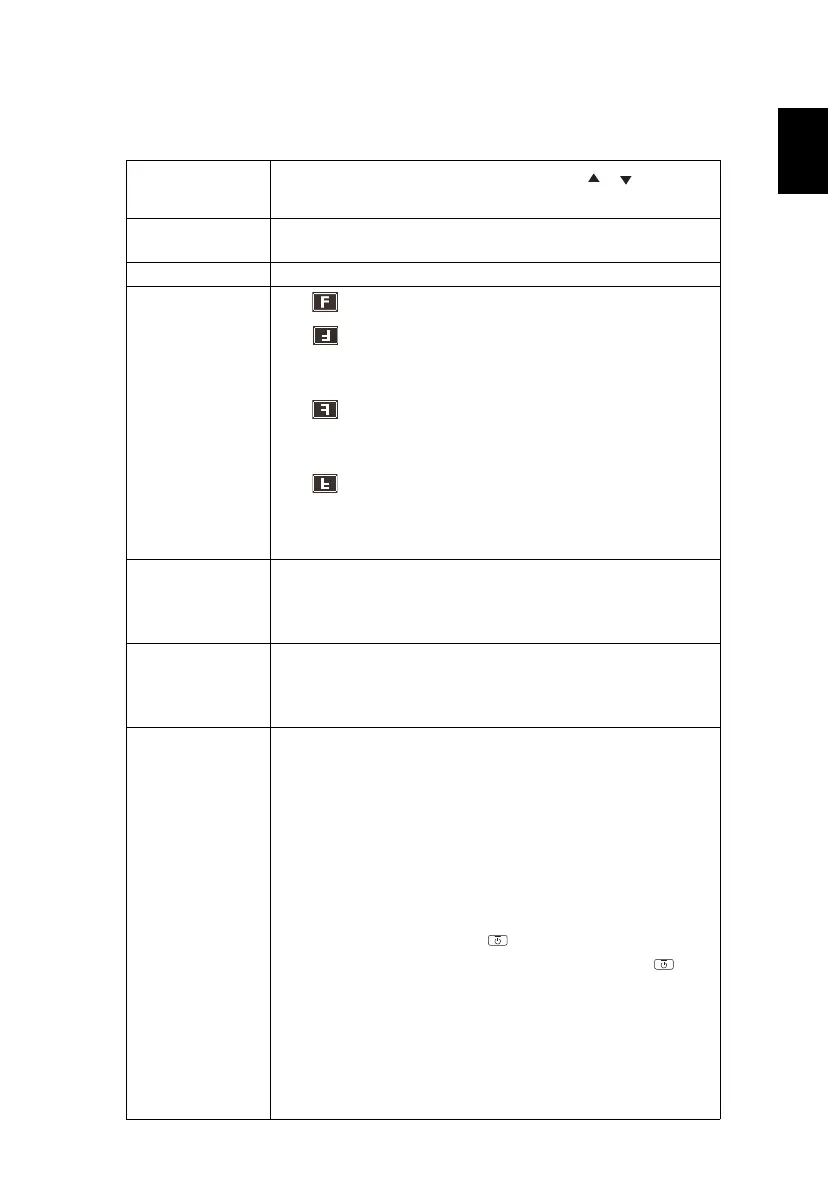
• Front Table: The factory default setting.
• Front Ceiling: When you select this function, the
projector inverts the image for ceiling-mounted
projection.
• Rear Table: When you select this function, the
projector reverses the image so that you can project
behind a translucent screen.
• Rear Ceiling: When you select this function, the
projector reverses and inverts the image at same time.
You can project from behind a translucent screen with
ceiling mounted projection.
Auto Source
When this function is turned "On", the projector will
search for other signals if the current input signal is lost.
When this function is turned "Off", it will only search a
specified connection port.
Input Source
Use this option to enable/disable input sources. Press
"ENTER" to enter the sub menu and select which sources
you require. Press "ENTER" to finalize the selection. The
projector will only search for inputs that are enabled.
Power Settings
AC Power On
Selecting "On" enables the function. The projector will
automatically turn on when power is supplied via the
power cord.
IO Power On
Selecting “On“ to enables this function. The projector will
automatically turn on when a VGA signal is detected,
without pressing the power button.
Power Off Notice
When "On" is selected, a power off message will be
displayed after pressing the button. When "Off" is
selected, the projector turns off after pressing the
button one time.
Date & Time
Sets the date and time for this projector.
Auto Power Off (min)
The projector will automatically shut down while there is
no signal input detected after the time you set.
Customize Power Off (Hours)


 To Next Page