20
How to Get a Preferred Image Position by Adjusting
Lens Shift
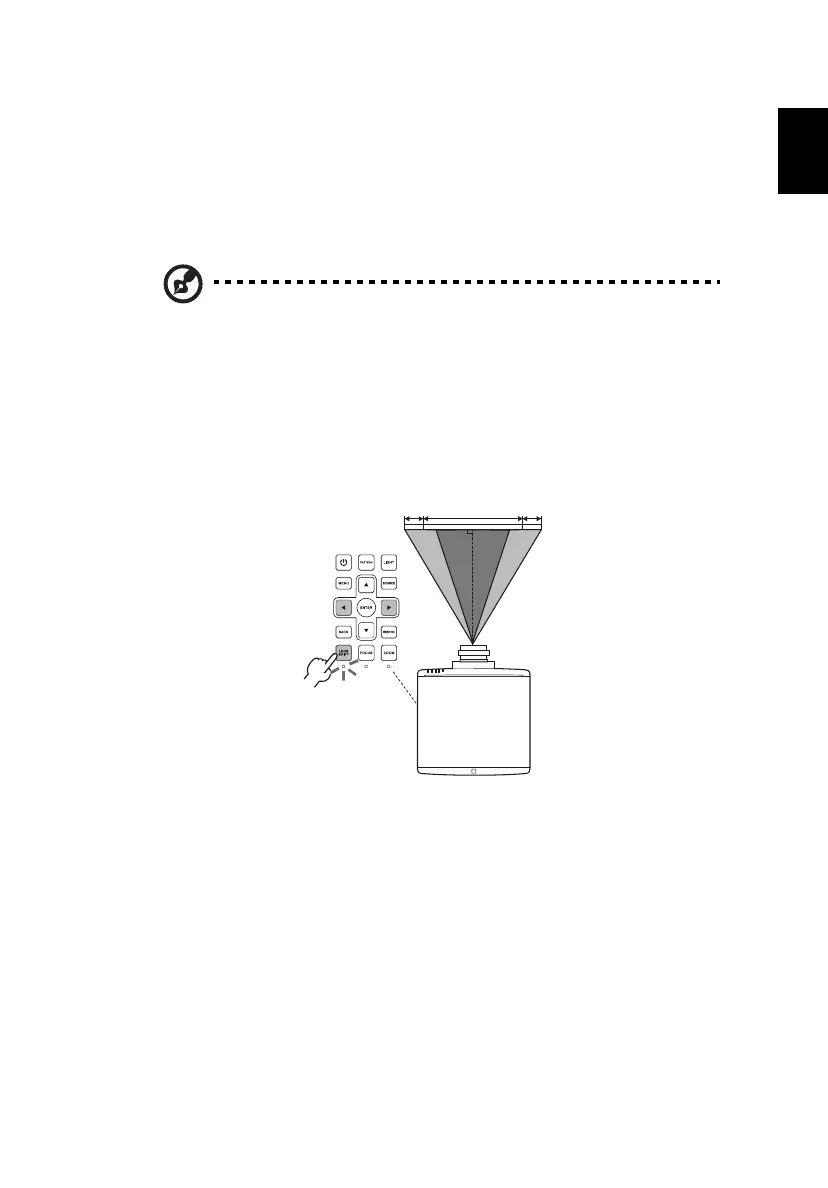
The projector is equipped with lens shift for adjusting the position of projected
image without requiring you to physically move the projector. To shift the lens,
use the control panel or remote control, or select "Display settings" > "Lens" on
the OSD and adjust the lens.
Note: The figures shown in this section are for reference only not
approximate value. The figures between units can be different
due to assembly tolerance.
The horizontal width can be adjusted between -10% and 10% of the image
width. The vertical height can be adjusted between 0% and
50% – 60%
(depending on the projection lens installed) of the image height.
The horizontal position


 To Next Page