NitroSense - 53
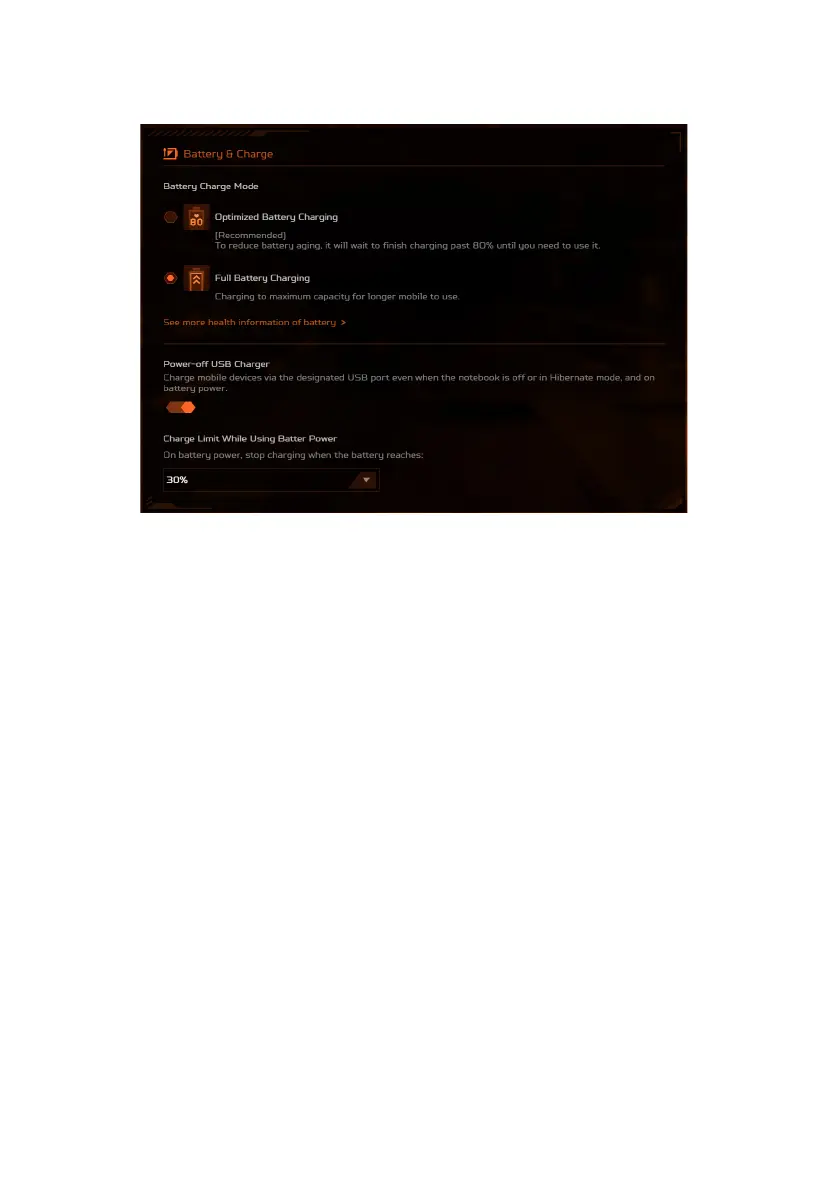
Battery and Charge
• Battery Charge Mode
There are two battery charging options available for your
selection: Optimized Battery Charging and Full Battery
Charging. It is highly recommended to opt for the Optimized
Battery Charging mode. When this mode is selected, the
system charges the battery up to 80% capacity, effectively
enhancing the overall battery life.
• Power-off USB Charger
Make use of the designated USB port to charge mobile devices,
even when the laptop is powered off or in Hibernation mode. In
addition, you can set a battery level; when the battery power
drops below this set level, the charging will be automatically
halted. This feature serves to optimize laptop energy,
particularly in situation where a power adapter is not available.









 To Next Page