54 - NitroSense
Screen
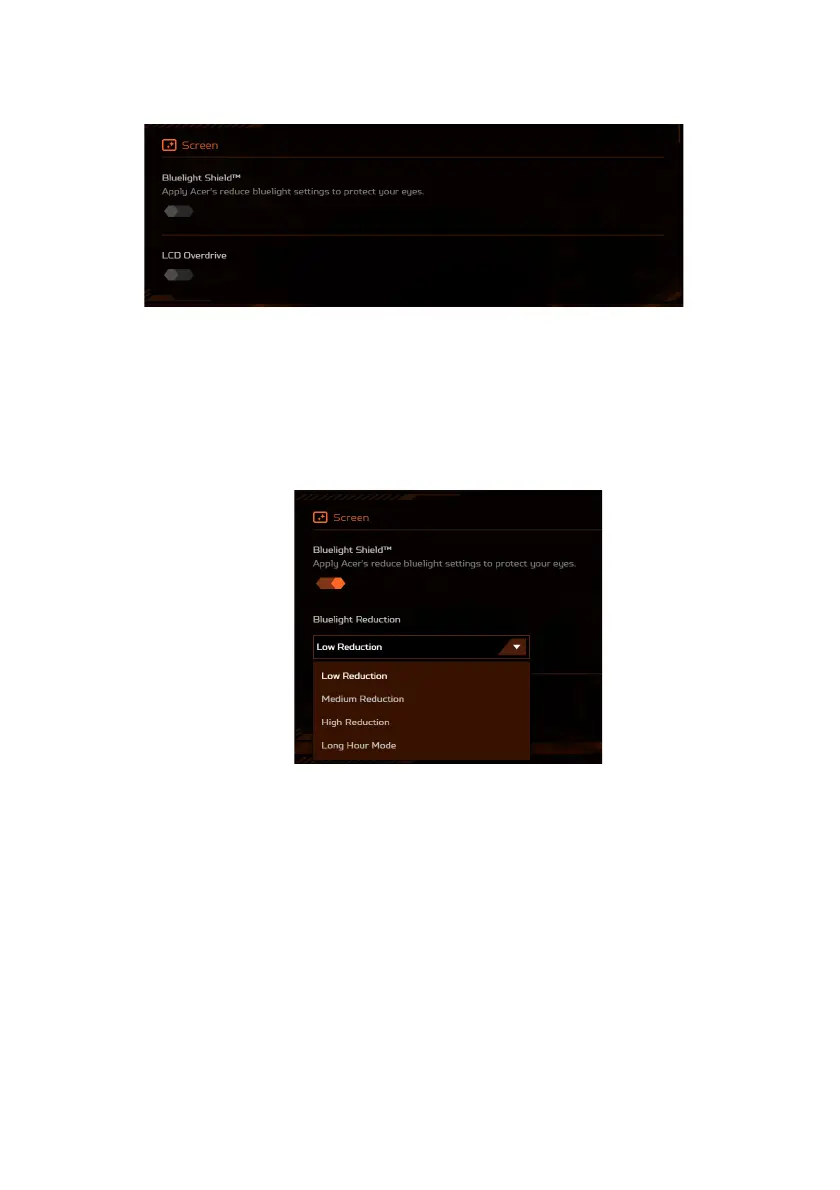
• Bluelight Shield™
The Bluelight Shield™ can be enabled to reduce blue-light
emissions from the screen to protect your eyes. You have the
flexibility to toggle Bluelight Shield™ on or off, and choose from
four different modes (Low Reduction, Medium Reduction,
High Reduction and Long Hour Mode) to fit your needs.
• Low Reduction: Reduces blue light emission from the LED
backlit screen by 10% to 25% for basic protection.
• Medium Reduction: Reduces blue light emission from the
LED backlit screen by 26% to 45% to protect your eyes.
• High Reduction: Reduces blue light emission from the LED
backlit screen by 46% to 65% for maximum protection.
• Long Hour Mode: Professionally tuned to reduce eye strain
over an extended period of time.


 To Next Page
 Loading...