EasyManua.ls Logo

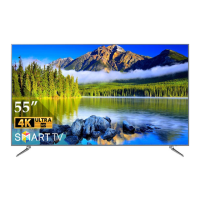
ACONATIC 55US532AN - User Manual

Default Icon
53 pages
Print Icon
To Next Page IconTo Next Page
Loading...
55US532AN

Table of Contents

Questions and Answers

  • G
    Gary KhanAug 9, 2025
    What to do if my ACONATIC LED TV has no CATV reception?
    • A
      Aaron BradleyAug 9, 2025
      If your ACONATIC LED TV isn't receiving CATV, ensure the AIR/CABLE option is correctly set to CABLE according to the user guide. Also, verify that all CATV connections are properly connected. The issue might stem from an interruption in your cable TV service, so contact your cable operator to check.
  • J
    Jennifer WaltersAug 23, 2025
    Why is the picture cut off on my ACONATIC 55US532AN?
    • F
      Frank ReevesAug 23, 2025
      If the picture is cut off or has sidebars on your ACONATIC LED TV, ensure that the image is positioned correctly. Check your picture size and screen mode settings to make sure they are properly adjusted.

ACONATIC 55US532AN Specifications

General IconGeneral
Screen Size55 inches
Resolution3840 x 2160 (4K UHD)
Smart TVYes
Operating SystemAndroid TV
HDMI3
USB2
Display TechnologyLED
HDRYes
Refresh Rate60 Hz
Wi-FiYes
BluetoothYes

Related product manuals