English
19
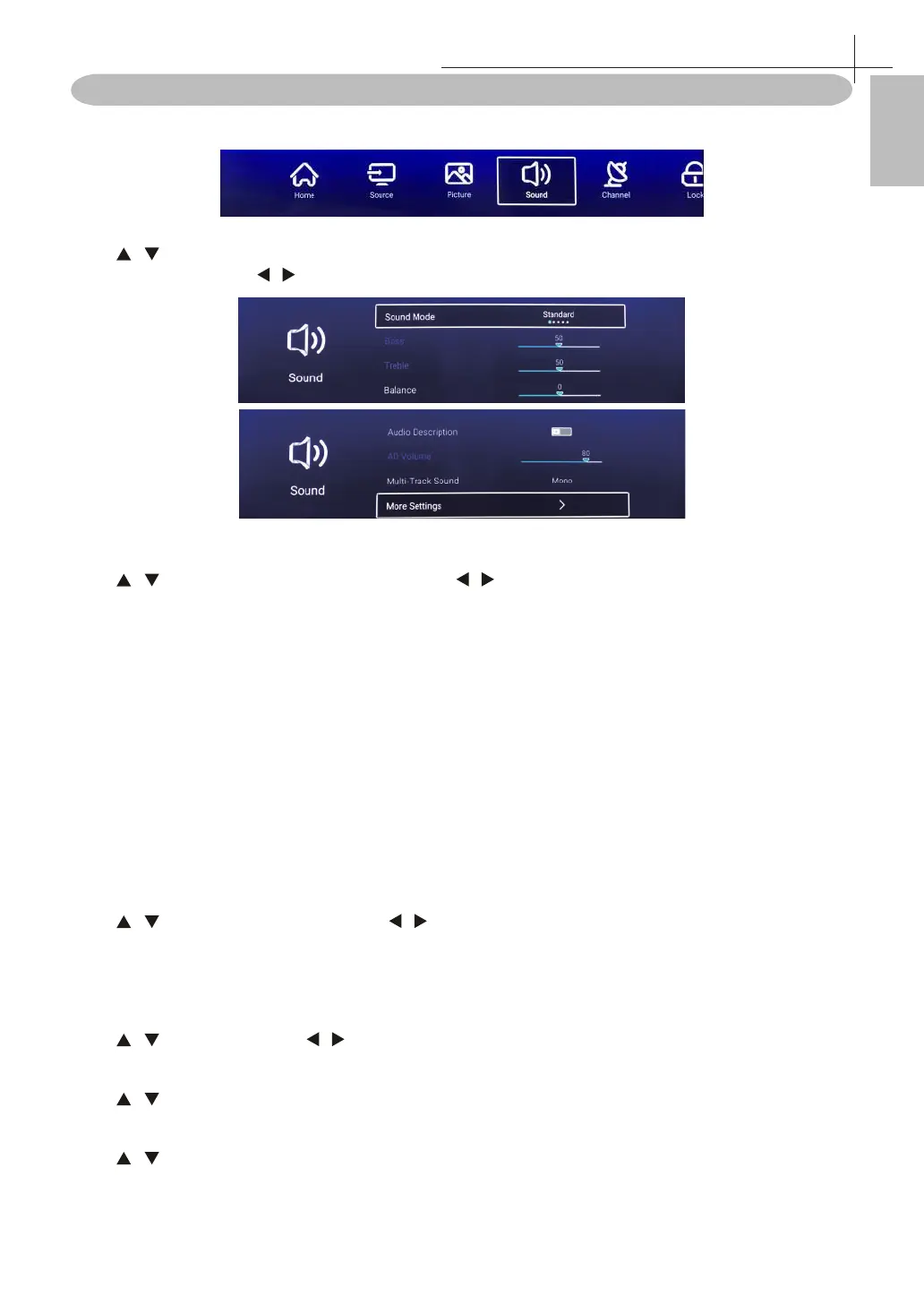
Sound Menu
Press MENU on the remote control to display the main Menu.
Press / to select: Sound Mode / Bass / Balance / Aydui Descruotuib / AD Volume / Multi-Track Sound /
More settings. Press OK/ / to select or adjust.
Sound Mode
Press / button to select Sound Mode, then press / button to select Standard / Music / Theater /
News / User. You can adjust Bass / Treble in User mode.
Standard
Produces a balanced sound in all environments.
Music
Preserves the original sound.Good for musical programs.
Movie
Enhances treble and bass for a rich sound experience.
News
Enhanced voice.
User
Select to customize picture settings.
Bass
Adjust the low frequency sounds.
Treble
Adjust the high frequency sounds.
Balance
Adjust the left and right channel output balance.
Press / button to select Balance, Press / button to adjust.
Audio Description
Press OK button to select audio description.
AD Volume
Press / to select, and press / to adjust.
Multi-Track Sound
Press / to select audio multi-track output.
More setting
Press / to select More Settings, then press OK button to enter sub-menu.
Sound Menu
10



 To Next Page