8
Installing the Stand
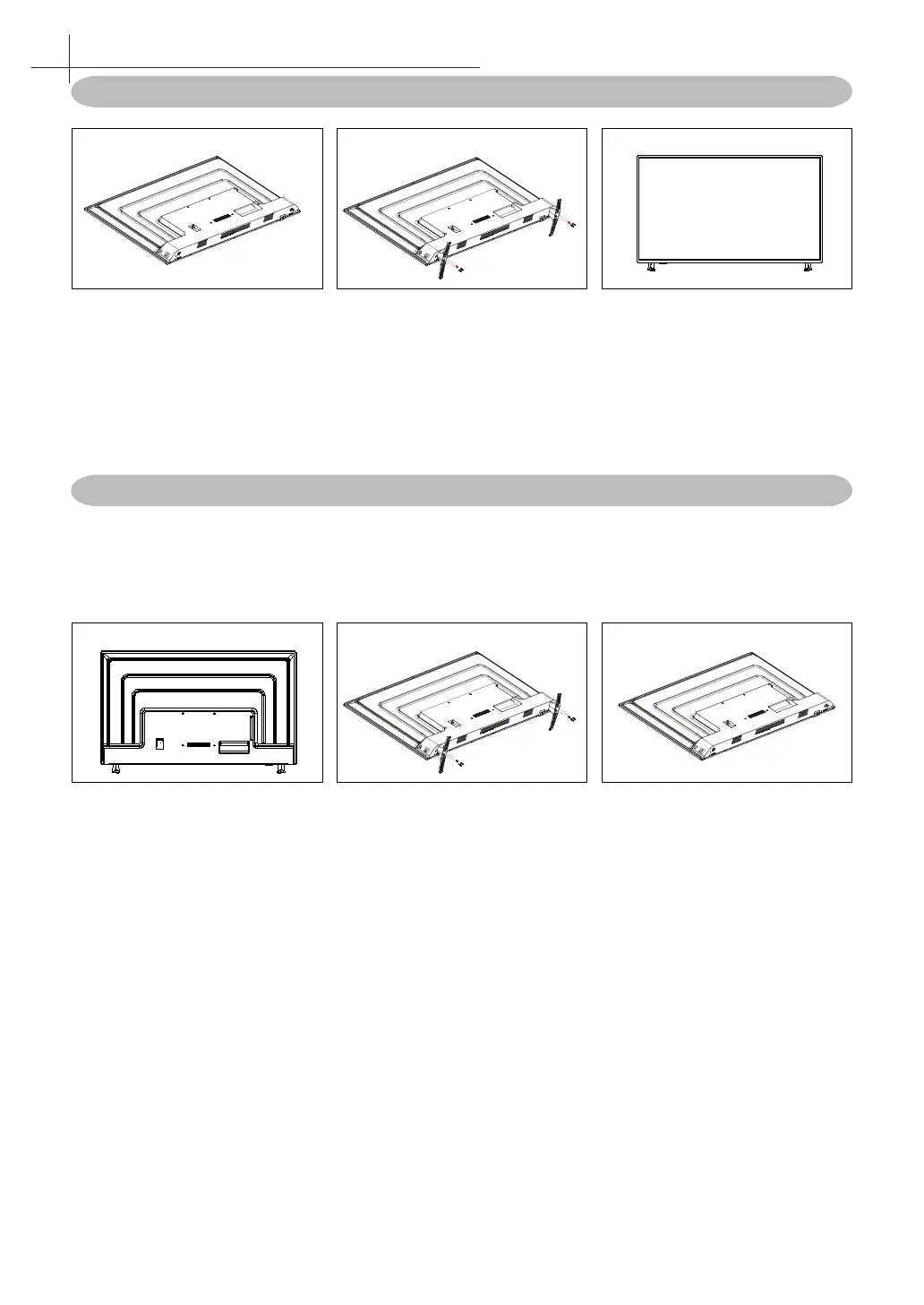
Figure 1 Figure 2 Figure 3
1. Place the TV set on soft cloth or cushion with face down. Place the base in position as shown.
(see Figure 1).
2. Insert 4 screws (provided) into the screw holes, use a screwdriver lock. (see Figure 2)
3. Stand the TV up. (see Figure 3)
Disconnecting the Stand
1. Lay the TV at on a table with the LED screen face down. To prevent the TV from being
scratched, put a piece of soft cloth on the table on which the screen will be set. (see Figure 1)
2. Remove the 4 screw on the stand, then pull up the stand slowly.
3. Then you successfully removed the base. (see Figure 3)
Figure 1 Figure 2 Figure 3
3
Installing the LED TV



 To Next Page