English
9
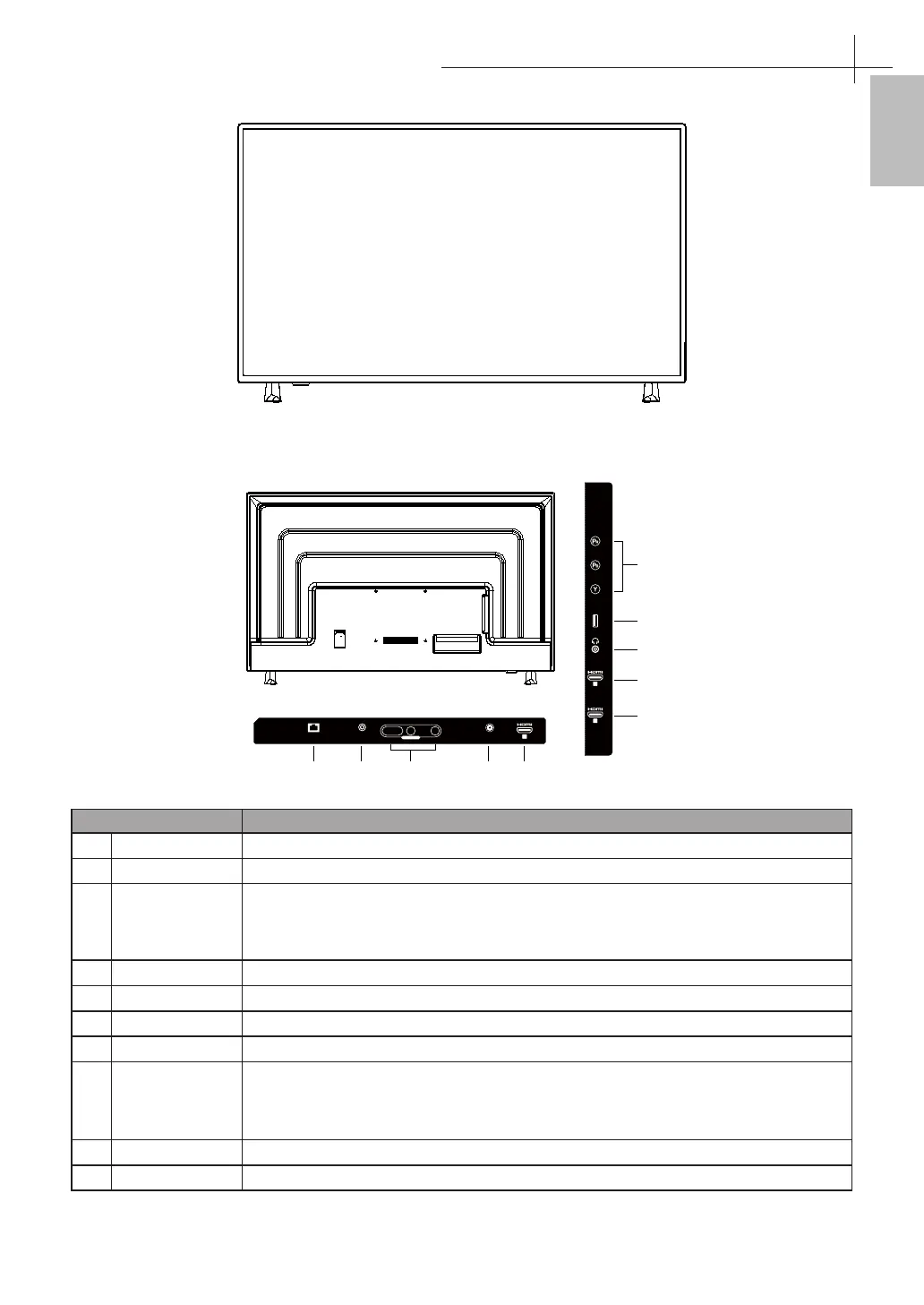
Front View
Rear View
1
RF-T IN
R
CVBS
L
CVBS IN
ETHERNET
COAX OUT
1 2 3 4 5
6
7
8
9
10
USB
3
2
VIDEO / Y
ARC
Item Description
1 ETHERNET
Connect Ethernet or other data links.
2 COAX OUT
Connect a coaxial audio cable from a sound bar,stereo system,receiver, etc.
3 AV IN
Connect a external device to the composite VIDEO(V) and AUDIO (L/R) out jacks on
most video equipment.
* L/R (Audio in) is sharing with YPbPr.
4 RF-T IN
Connect the antenna.
5 HDMI 1
Terminal Connect this port to the HDMI1 output of A/V device.
6 HDMI 2
Terminal Connect this port to the HDMI2 output of A/V device.
7 HDMI 3(ARC)
Terminal Connect this port to the HDMI3 output of A/V device.
8 EARPHONE
Connect to your earphones. By connecting the earphones, you can listen to the
sound from the TV on headphones.
* If you connect the earphones,the TV speakers will be muted.
9 USB
Connect to your USB devices,such as USB ash drive.
10 VIDEO IN
Connect this port to the YPbPr output of A/V device.
Overview of the TV set
4



 To Next Page