18
Picture Menu
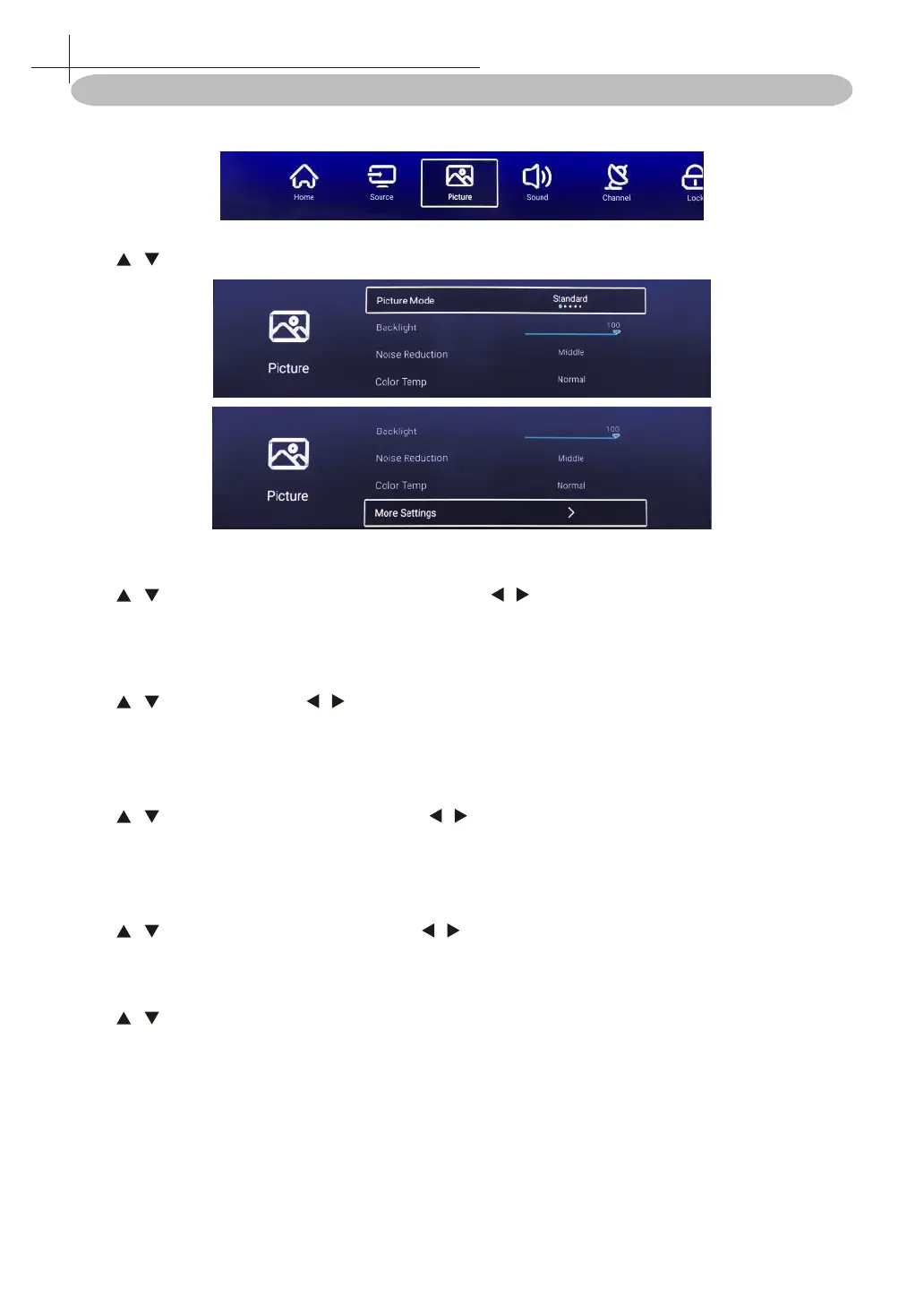
Press MENU on the remote control to display the main Menu.
Press / to select: Picture Mode / Backlight / Noise Reduction / Color Temp / More Settings.
Picture Mode
Press / button to select Picture Mode, and then press / button to select.(Option: Standard, Dynamic,
Vivid, Energy Saving, User).
Backlight
Press / to select, and press / to adjust.
Noise Reduction
Setting the option to eliminate image noise intensity.
Press / to select Noise Reduction, and press / to select. (Option: O, Low, Middle, High, Auto).
Color Temp
Adjust the overall color of the image.
Press / to select Colour Temperature. press / to select. (Option: Cool, Normal, Warm).
More Settings
Press / to select More Settings, then press OK button to enter sub-menu.
9
Picture Menu



 To Next Page