English
21
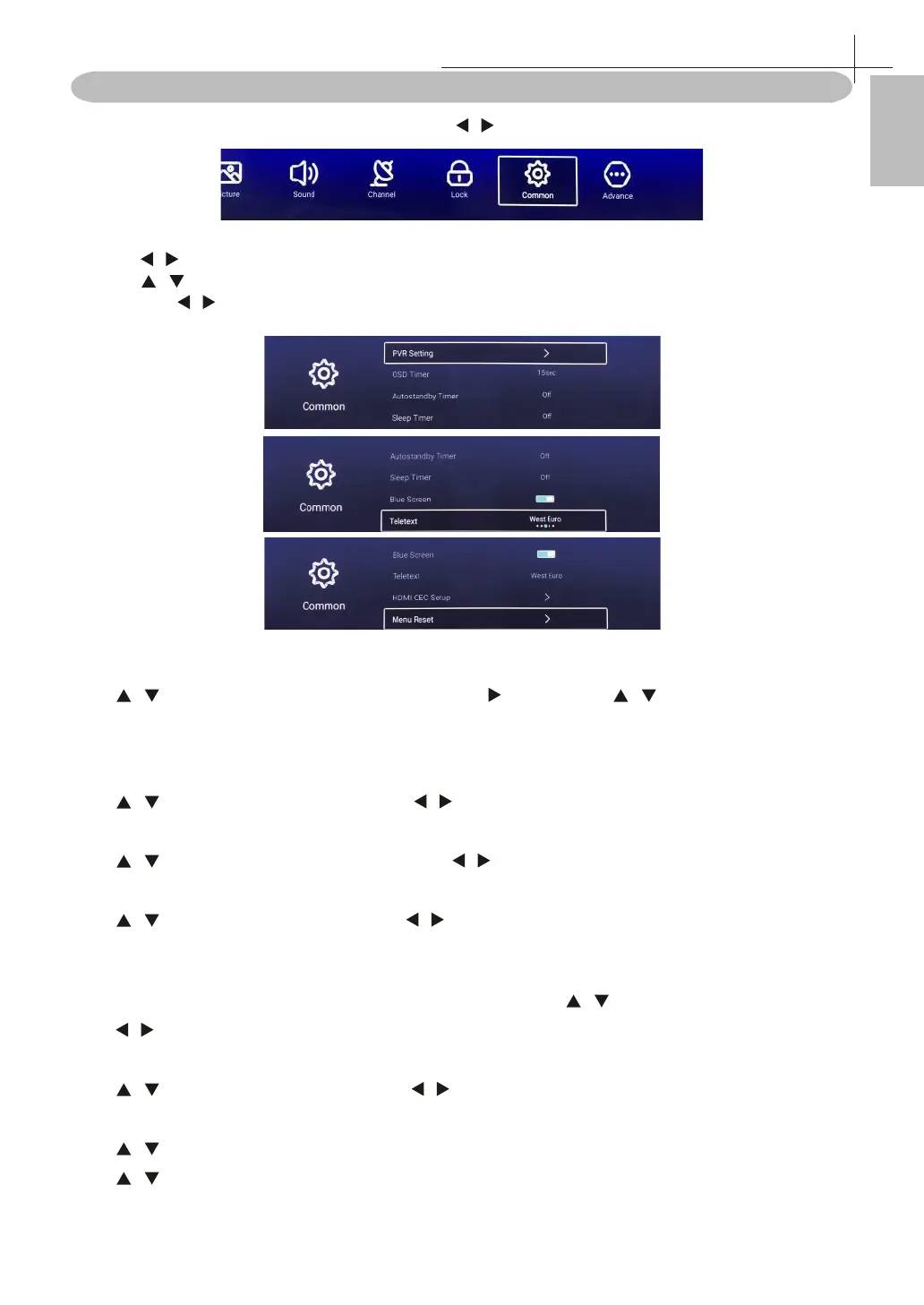
Common Menu
Press MENU button to display the main menu. Press / button to select Common in the main menu.
1. Press / button select Common in the main menu, then press OK to ente
2. Press / button to select the option that you want to adjust in the Common menu.
3. Press OK/ / button to adjust.
4. After nishing your adjustment, press MENU button to return back to the previous menu.
PVR Setting
Press / button to select PVR Setting, then press OK/ to enter. Press / to select Disk /Record List
/ Format / schedule List.
(Note: This option only available when there is signal for TV. )
OSD Timer
Press / button to select OSD Timer. Press / to select o / 5sec /15sec / 30sec / 40sec.
Autostandy Timer
Press / button to selec Autostandby, then press / to select o / 3hour / 4hour / 5hour.
Sleep Timer
Press / button to selec Sleep, then press / to select o / 15min / 30min / 45min / 60min / 90min /
120min / 240min.
Blue Screen
Set the background color to blue when there is no input signal. Press / button to select Blue Screen.
Press / button to select On / O.
Teletext
Press / button to selecTeletext, then press / to select Arabic / Eas / West Euro / Farisi / Russian.
HDMI CEC Setup
Press / button to select HDMI CEC Setup. Press OK button to enter the sub-menu.
Press / button to select HDMI CEC Switch / TV Auto Power On / Device Auto Power O
/ HDMI ARC / Device List .(Note: Only available when the HDMI CEC select On.)
Common Menu
12



 To Next Page