24
System Settings
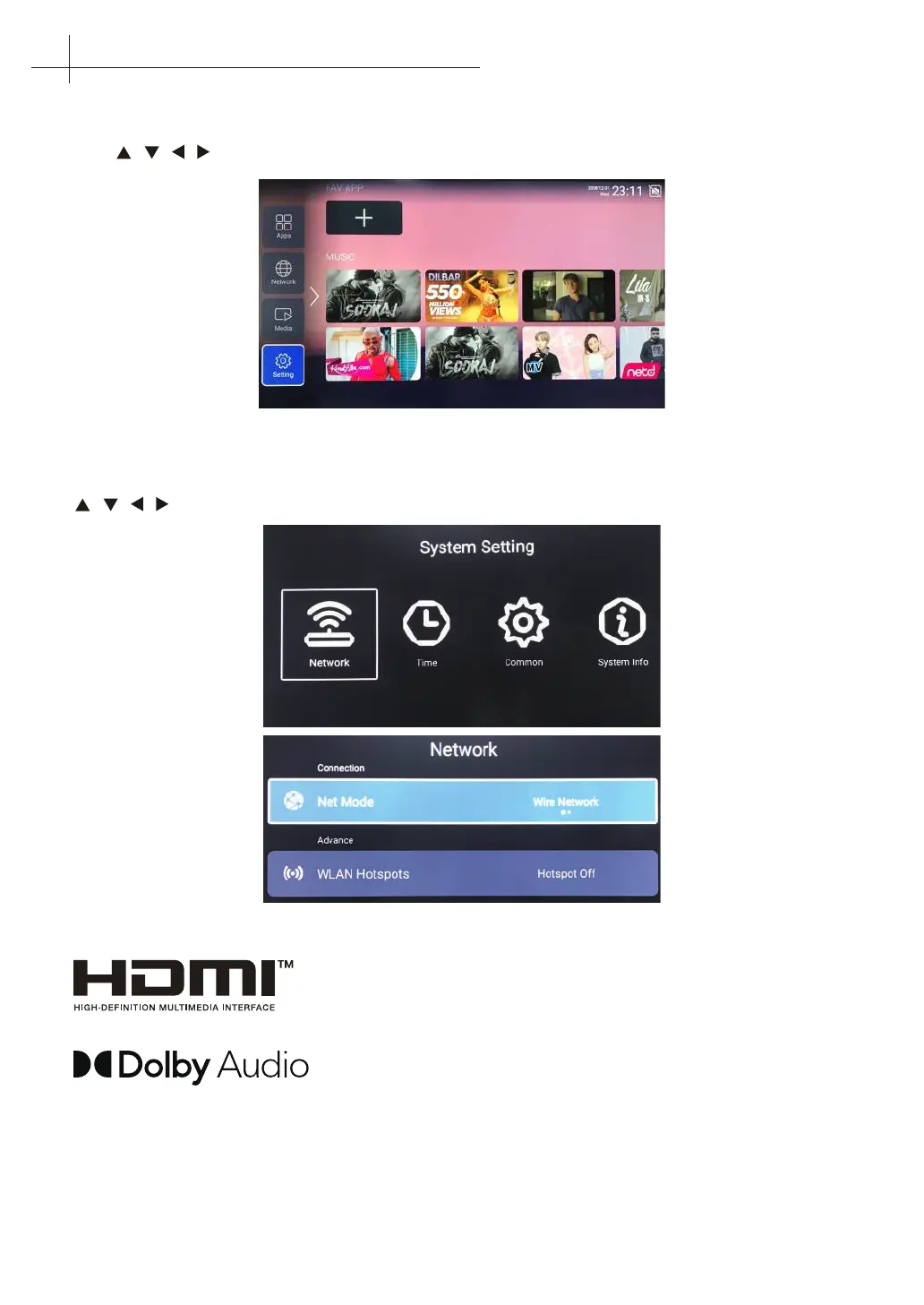
Select the “Setting” icon in the main page, then you can see as follows:
Press / / / button to select setting and OK key to operate. Press the BACK key to exit.
Network Settings
The current network status can be seen in this menu. Press OK to enter the submenu,press
/ / / to select the Network. Press BACK to exit.
The terms HDMI and HDMI High-Denition Multimedia Interface, and
the HDMI Logo are trademarks or registered trademarks of HDMI
Licensing Administrator Inc. in the United States and other countries.
Manufactured under license from Dolby Laboratories. Dolby,
Dolby Audio, and the double-D symbol are trademarks of Dolby
Laboratories.
14
Home Main Menu



 To Next Page