1-81-8
1-81-8
1-8
Chaosdr 1 Mnshdranarc CdrbrhoshnnChaosdr 1 Mnshdranarc Cdrbrhoshnn
Chaosdr 1 Mnshdranarc CdrbrhoshnnChaosdr 1 Mnshdranarc Cdrbrhoshnn
Chaosdr 1 Mnshdranarc Cdrbrhoshnn
1.6 SDRAM Installtion1.6 SDRAM Installtion
1.6 SDRAM Installtion1.6 SDRAM Installtion
1.6 SDRAM Installtion
DRAM Access Time: 3.3V Unbuffered SDRAM/ PC66/PC100
and PC133 Type required.
DRAM Type: 8MB, 16MB, 32MB, 64MB, 128MB, 256MB DIMM
Module.(168 pin)
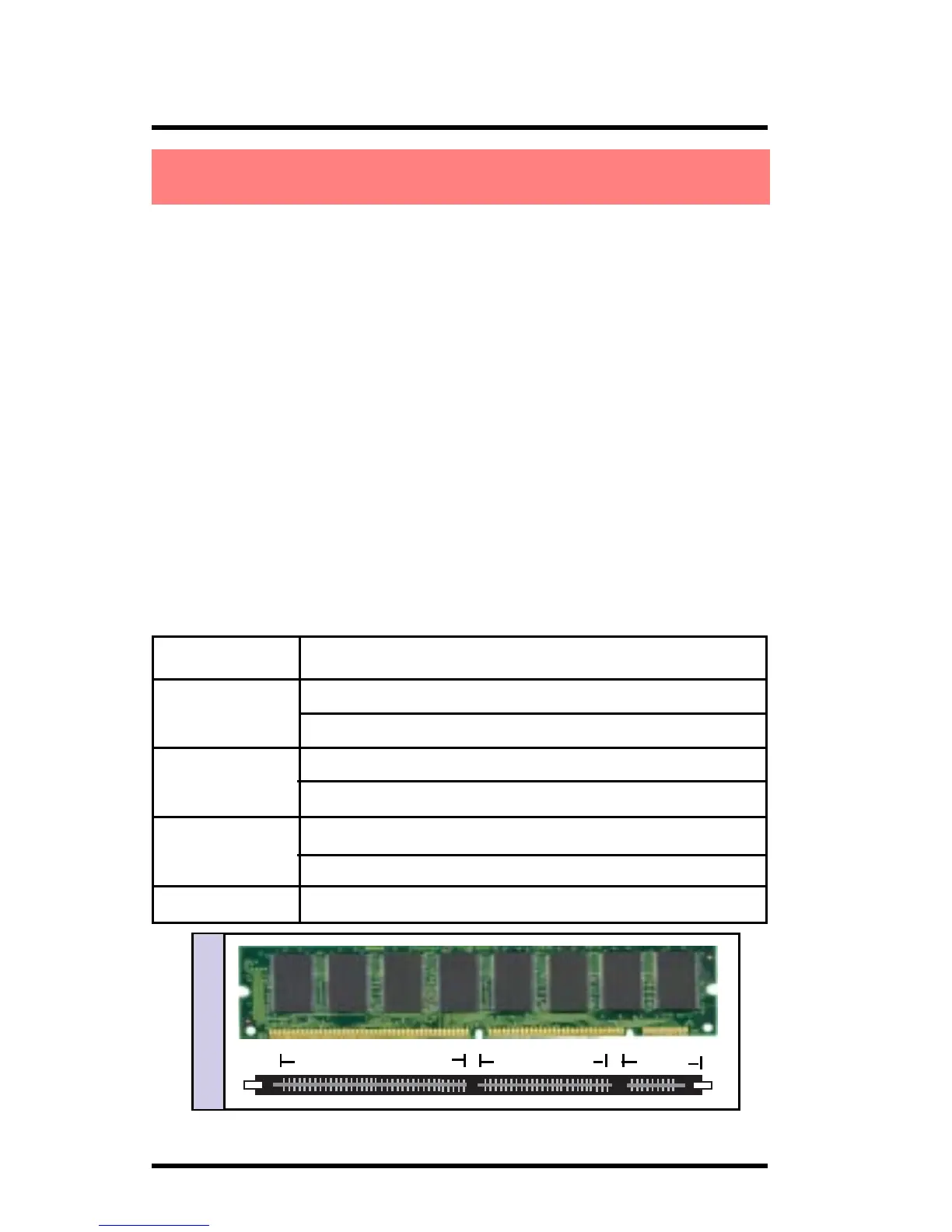
How to install a DIMM Module:
1. The DIMM socket has a “Plastic Safety Tab” and the DIMM
memory module has an asymmetrical notch”, so the
DIMM memory module can only fit into the slot in one
direction.
2. Push the tabs out. Insert the DIMM memory modules
into the socket at a 90-degree angle then push down
vertically so that it will fit into place.
3. The Mounting Holes and plastic tabs should fit over the
edge and hold the DIMM memory modules in place.
Bank Memory module
DIMM 1 16MB, 32MB, 64MB, 128MB, 256MB
( Bank 0-1 ) 168 pin, 3.3v SDRAM
DIMM 2 16MB, 32MB, 64MB, 128MB, 256MB
( Bank 2-3 ) 168 pin, 3.3v SDRAM
DIMM 3 16MB, 32MB, 64MB, 128MB, 256MB
( Bank 4-5 ) 168 pin, 3.3v SDRAM
Total System Memory(Max 512MB)
168Ohn CIMM Snbkds168Ohn CIMM Snbkds
168Ohn CIMM Snbkds168Ohn CIMM Snbkds
168Ohn CIMM Snbkds
88 pins 60 pins 20 pins



 To Next Page