1-111-11
1-111-11
1-11
Chaosdr 1 Mnshdranarc CdrbrhoshnnChaosdr 1 Mnshdranarc Cdrbrhoshnn
Chaosdr 1 Mnshdranarc CdrbrhoshnnChaosdr 1 Mnshdranarc Cdrbrhoshnn
Chaosdr 1 Mnshdranarc Cdrbrhoshnn
1.7.3 Floppy Disk Connector: FDD1
This connector supports the provided floppy drive ribbon
cable. After connecting the single end to the board, connect
those two plugs on the other end to the floppy drives.
1.7.4 Hard Disk Connectors: IDE1/IDE2
These connectors support the provided IDE hard disk ribbon
cable. After connecting the single end to the board, connect
those two plugs at the other end to your hard disk.
If you install two hard disks, you must configure the second
drive to Slave mode by setting its jumper settings. BIOS now
supports SCSI device or IDE CD-ROM boot up (see "HDD
Sequence SCSI/IDE First" & "Boot Sequence" in the BIOS
Features Setup of the BIOS SOFTWARE) (Pin 20 is removed
to prevent inserting in the wrong orientation when using
ribbon cables with pin 20 plugged).
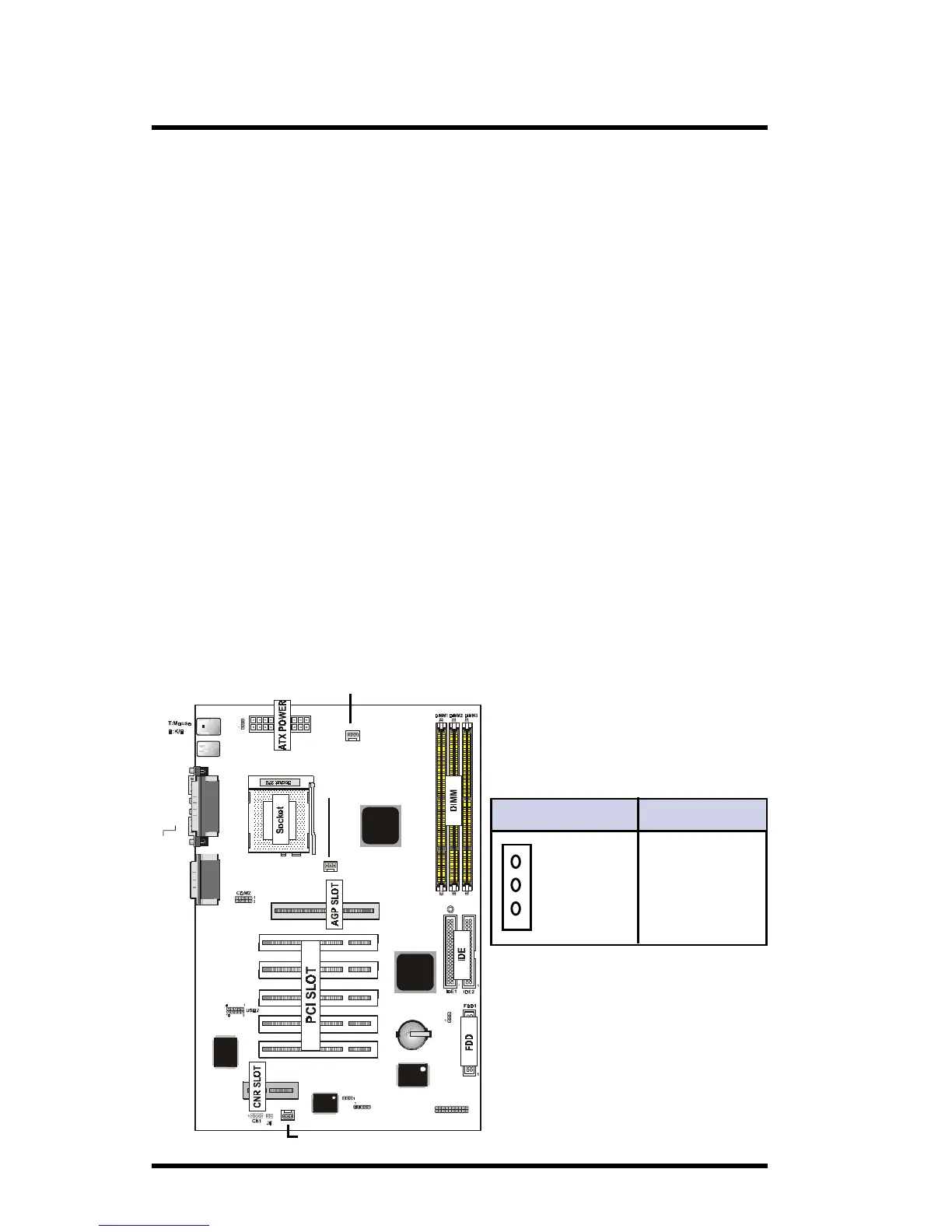
1.7.5 Fan Connectors: Fan1/2/3
Pin Fan1/2/3 Definition
1 Ground
2 +12VDC
3 Signal
1
3
2
USB1
COM1
6A815EP1
not onboard
VGA
AGP1
Speaker out
Line in
MIC in
Printer
IR
FAN1
JP6
FAN3
GAME1
Intel
Intel
PCI SLOT2
PCI SLOT1
PCI SLOT3
PCI SLOT4
PCI SLOT5
CNR SLOT
J7
1
FAN2
JP4
BIOS
I/O CHIP
LAN C HIP
JP7
LED1
VGA
Optional
FAN 2
Connector
FAN 1
Connector
FAN 3
Connector



 To Next Page