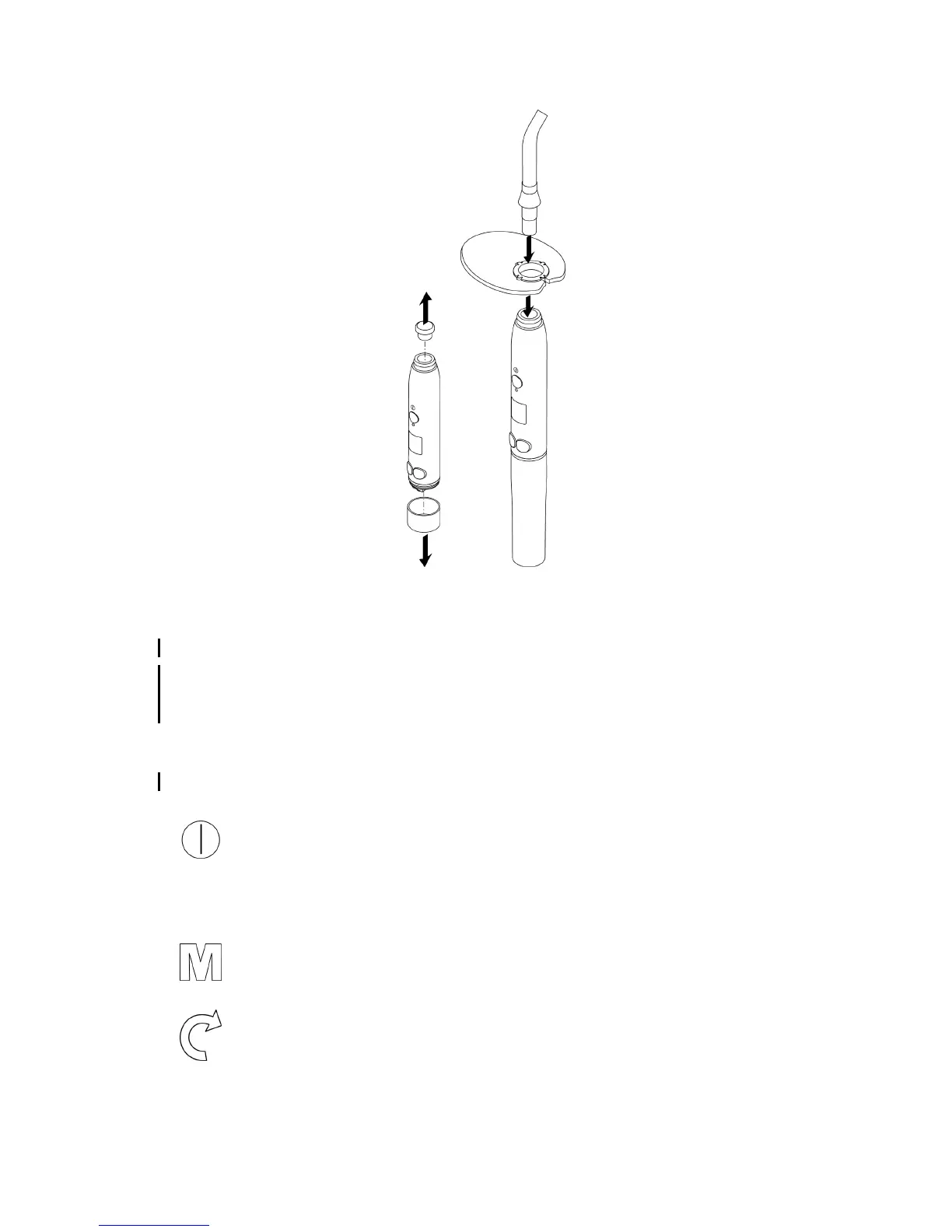
6.3 Connect the accessories.
You will hear a click when the optical guide is correctly inserted.
6.4 Using the medical device
The medical device must be disconnected from its power supply during dental treatments.
Before each use, check that the light intensity is compliant using a purpose-designed testing means or by
making a test on a small piece of light-curing composite, or, depending on the configuration, the power tester
built into the charging base.
Prior to the day of use, check that you have enough sterilised optical guides and check the power output as indicated in
the chapter page 21.
The patient and the practitioner must wear class II safety goggles when the MINILED is in operation.
6.4.1 Switching on the medical device
Press the button to switch on the MINILED.
If the MINILED has switched to standby, press one of buttons to exit standby mode.
6.4.2 Configuring the medical device
6.4.2.1 Selection of the mode
Press the button to select the required exposure mode.
6.4.2.2 Selecting the exposure time
Press the button to select the required exposure time:
Page 14/38 - User Manual|MINILED SUPERCHARGED|J02261EN|V2|(09)|08/2018|NG35EN010B














 To Next Page