Installation Guide
36
Step 1: Remove the Pre-installed Network Cable (“Pigtail”)
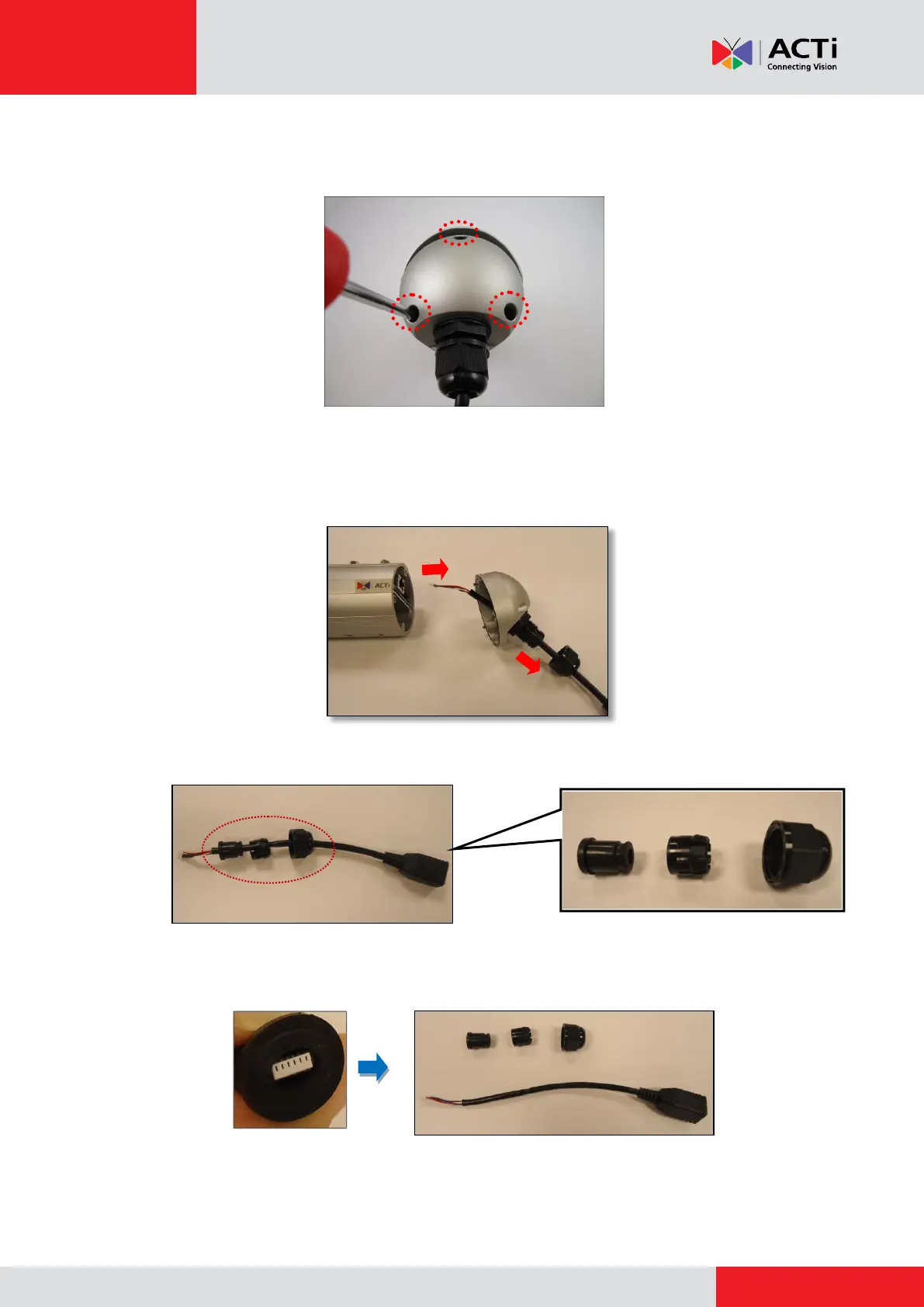
1. Loosen the three (3) screws to detach the back cover.
NOTE: A cable is connected inside the camera; do not abruptly pull the back cover.
2. Disconnect the network connector (A) and remove the sealing nut (B).
3. Pull out the network cable from the back cover and disassemble the parts as marked below.
4. Squeeze the seal to pull out the connector and then completely remove the seal, claw, and
sealing nut from the network cable.



 To Next Page