Installation Guide
41
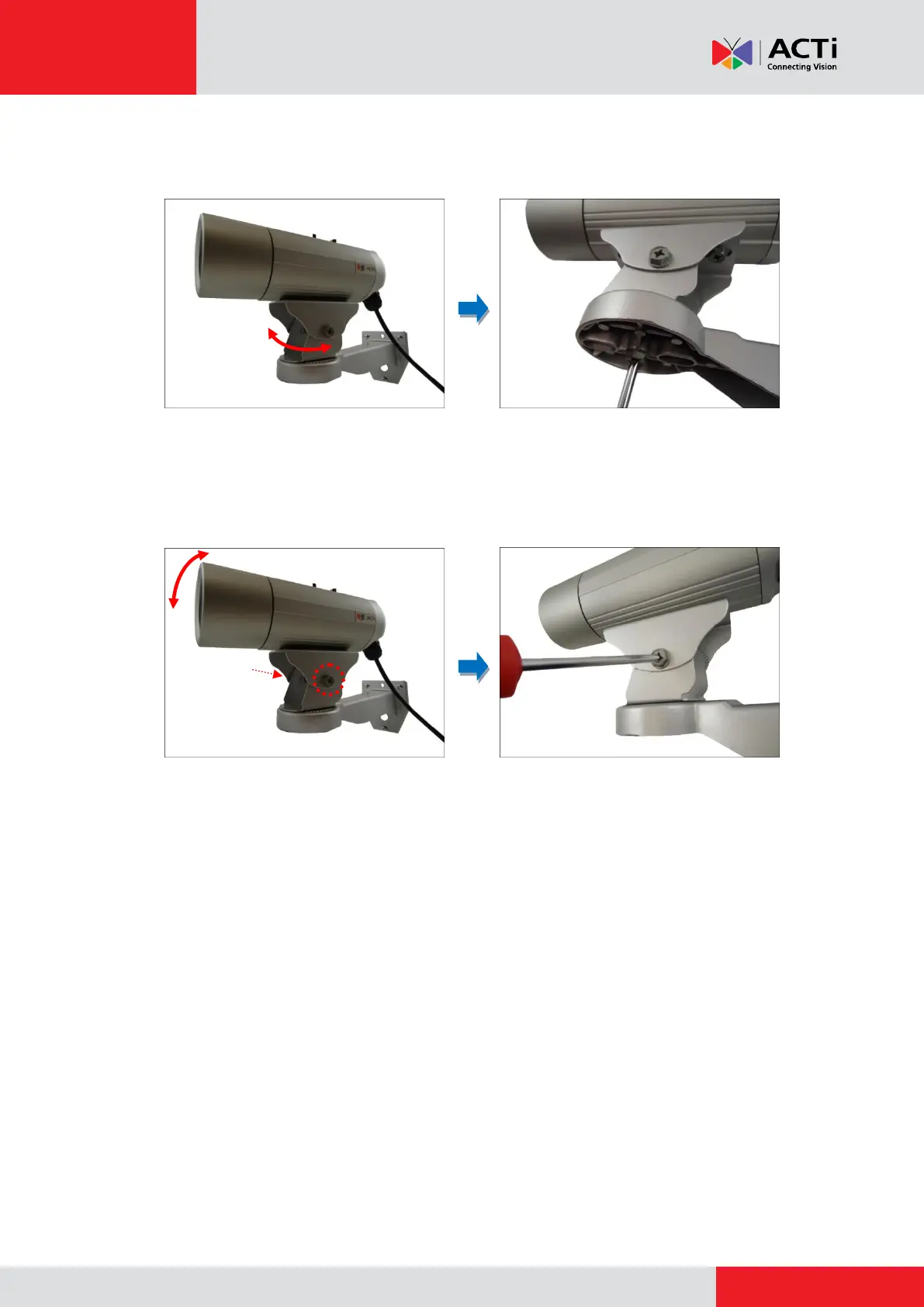
3. As needed, turn the holder left or right to adjust the camera viewing direction. Then, secure
the screw tightly to fix the position.
4. As needed, loosen the two (2) side screws of the holder and then move the camera up or
down to adjust the camera viewing angle. Then, tighten the two (2) side screws to fix the
position.
Step 5: Connect the Camera to the Network
Connect the other end of the Ethernet cable to a PoE switch.
Step 6: Access the Camera Live View
See How to Access the Camera Live View on page 42 for more information.
Step 7: Adjust the Viewing Angle and Focus
Based on the Live View, adjust the viewing angle and focus of the camera. Adjustments vary per
model; for detailed information, please refer to the following sections:
For D3x / E3x camera series, see D3x / E3x Series on page 50.
For D4x / E41 / E41A / E42 / E42A / E43 / E43A series, see D4x / E41 / E41A / E42 /
E42A / E43 / E43A Series on page 52.
Step 8: Attach the Sunshield
See How to Attach the Sunshield on page 53 for more information.



 To Next Page