Operation Manual
CL01-2 Wall Controller
Operation Manual - CL01-2 Wall Controller
Document: 0525-081 Ver. 1 190903
12
4. Adjust the desired Indoor Fan speed by pressing the FAN button.
NOTE
LOW, MED or HIGH Fan Speed can only be selected if 3-Speed Fan setting option is available. Otherwise only
MED is available.
IMPORTANT NOTE
When the system is On, the Indoor Fan can run continuously and is indicated by the CONT indicator on
LCD. This is generally preferred during the Cooling Mode to ensure maximum air circulation. However, for
units with optional Outside Air, Indoor Fan operation should be specifically set to satisfy your application
requirements.
09.06. Auto and Fan Only Operation
09.06.01. Auto Operation
NOTE
Automatically changes between heating and cooling mode.
1. Press the button, to make sure the CL01-2 is turned On.
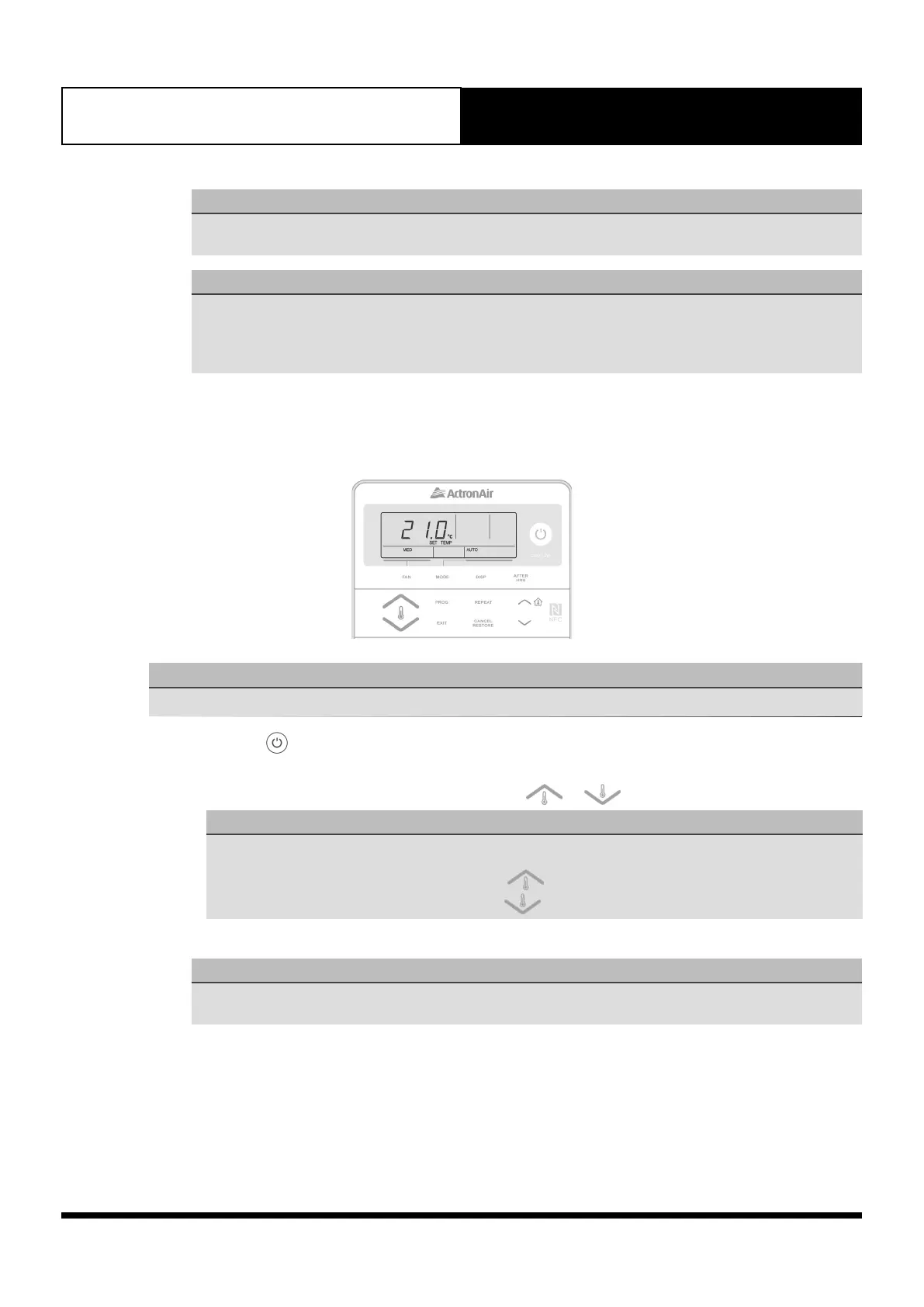
2. Press the MODE button until AUTO appears on the display.
3. Set the desired temperature by pressing either the or buttons.
NOTE
• Maximum temperature setting 30.
• Minimum temperature setting 16.
• For a WARMER room temperature, press the button.
• For a COOLER room temperature, press the button.
4. Adjust the desired Indoor Fan speed by pressing the FAN button.
NOTE
LOW, MED or HIGH Fan Speed can only be selected if 3-Speed Fan setting option is available. Otherwise only
MED is available.



 To Next Page