Operation Manual
CL01-2 Wall Controller
Operation Manual - CL01-2 Wall Controller
Document: 0525-081 Ver. 1 190903
18
10.05.02. Re-activating An Event
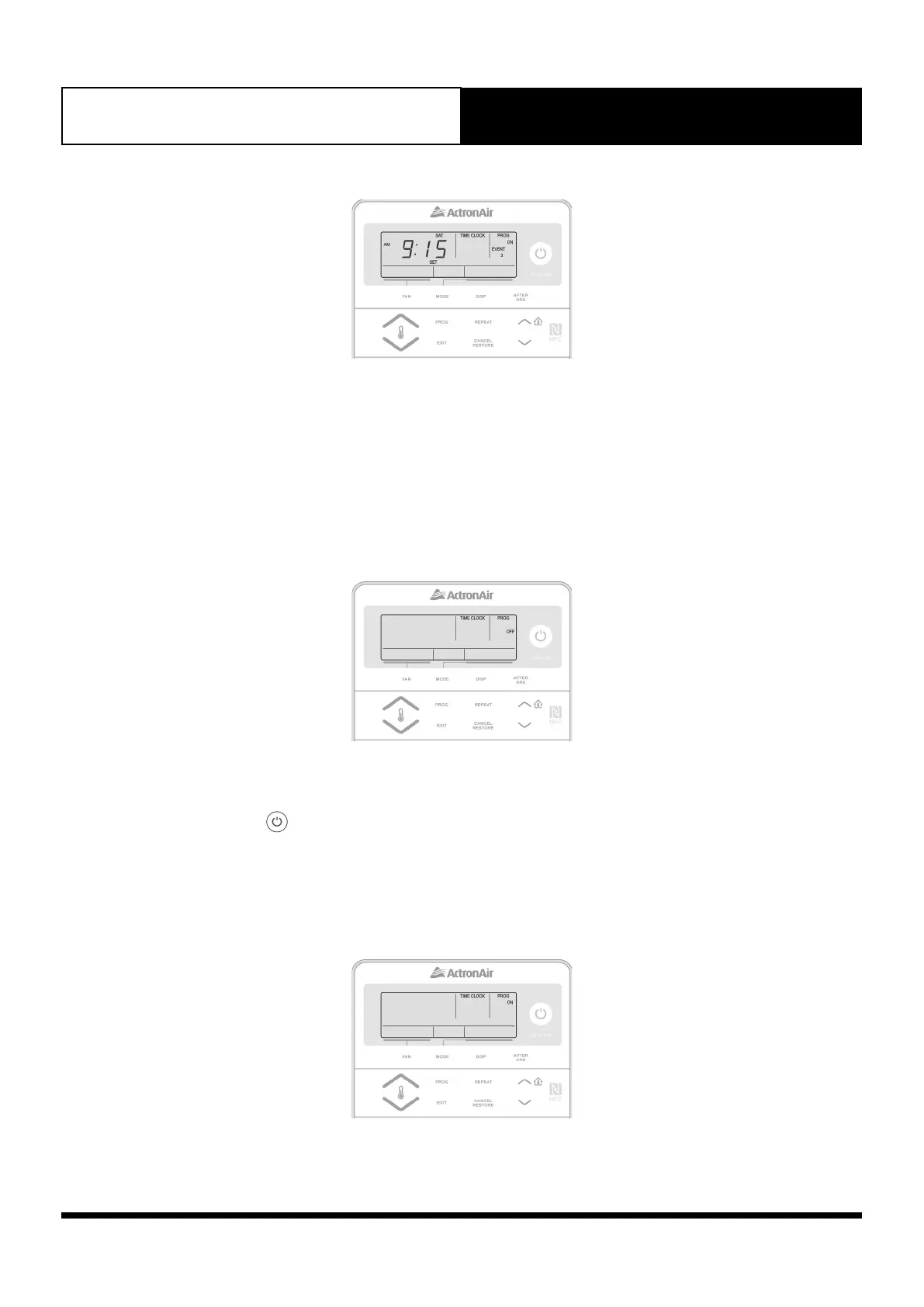
1. Press the PROG button repeatedly until the ON time for the event you wish to re-activate is displayed.
2. Press and release the CANCEL/RESTORE button. The event’s ON time will be displayed indicating the
event is re-activated.
3. Repeat step 2 above until you have re-activate all the cancelled events.
10.06. De-activating /Re-activating the 7-Day Time Clock
10.06.01. De-activating the 7-Day Time Clock
1. Press the PROG button 2 times. TIME CLOCK and PROG indicators will be illuminated in the screen and
ON indicator will be flashing in the screen.
2. Press the button. TIME CLOCK and PROG indicators are still illuminated. OFF indicator will be
flashing in the screen, replacing ON.
3. Press the EXIT button. TIME CLOCK and PROG indicators will disappear from the screen, indicating that
the Time Clock has been de-activated.
10.06.02. Re-activating the 7-Day Time Clock
1. Press the PROG button 2 times. TIME CLOCK and PROG indicators will be illuminated in the screen and
OFF indicator will be flashing in the screen.



 To Next Page