Operation Manual
CL01-2 Wall Controller
Operation Manual - CL01-2 Wall Controller
Document: 0525-081 Ver. 1 190903
7
08. Basic Operation
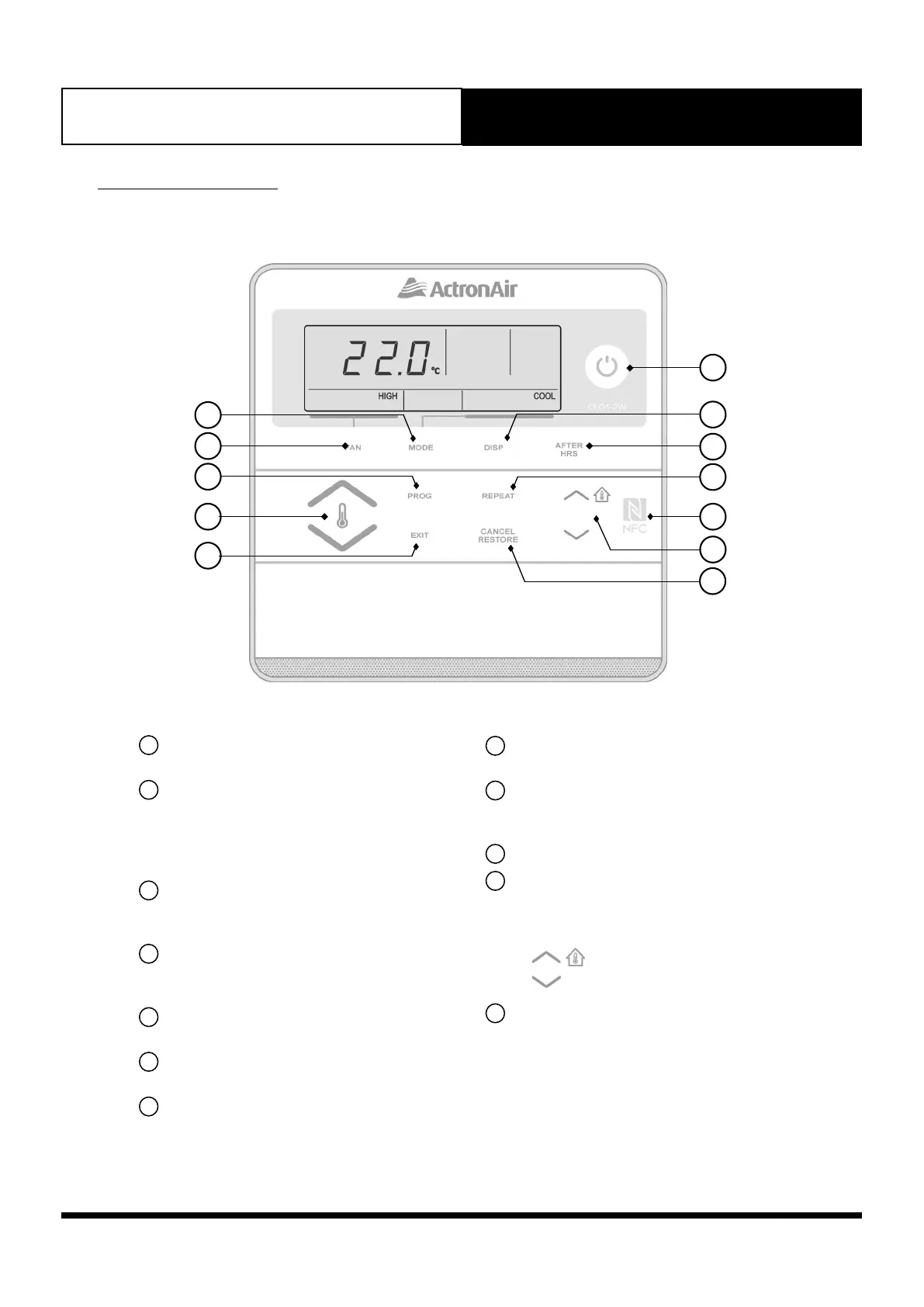
08.01. Control Interface Functions
2
6
7
8
9
10
12
11
4
1
3
5
1
Operation Mode button
Selects Auto/Heat/Cool Modes.
2
Fan Control button
Changes fan speed : High, Medium,Low
(For Optional 3-Speed Fan only).
Selects continuous and non continuous fan
operation.
3
Program button
Sets the Clock and 7-Day Time Clock
Events.
4
Temp Setpoint Adjustment button
Raises and lowers temperature setpoint.
Also use to scroll Up or Down menu.
5
Exit button
Quick exit from programming menu.
6
Power ON/OFF button
To turn the system ON/OFF.
7
Display button
Displays the temperature setpoint, current
room temperature or current day and time.
8
After Hours button
To activate After Hours function.
9
Repeat button
Repeats the previous settings for the
current day time clock settings.
10
NFC Tag
11
Select Up/Down buttons
To adjust backlight level, time and day.
To select set back operating mode and
temperature upper/lower limits. Also,
: Displays building temperature
: Displays outside temperature
12
Cancel/Restore button
Cancel or restore time clock events.



 To Next Page